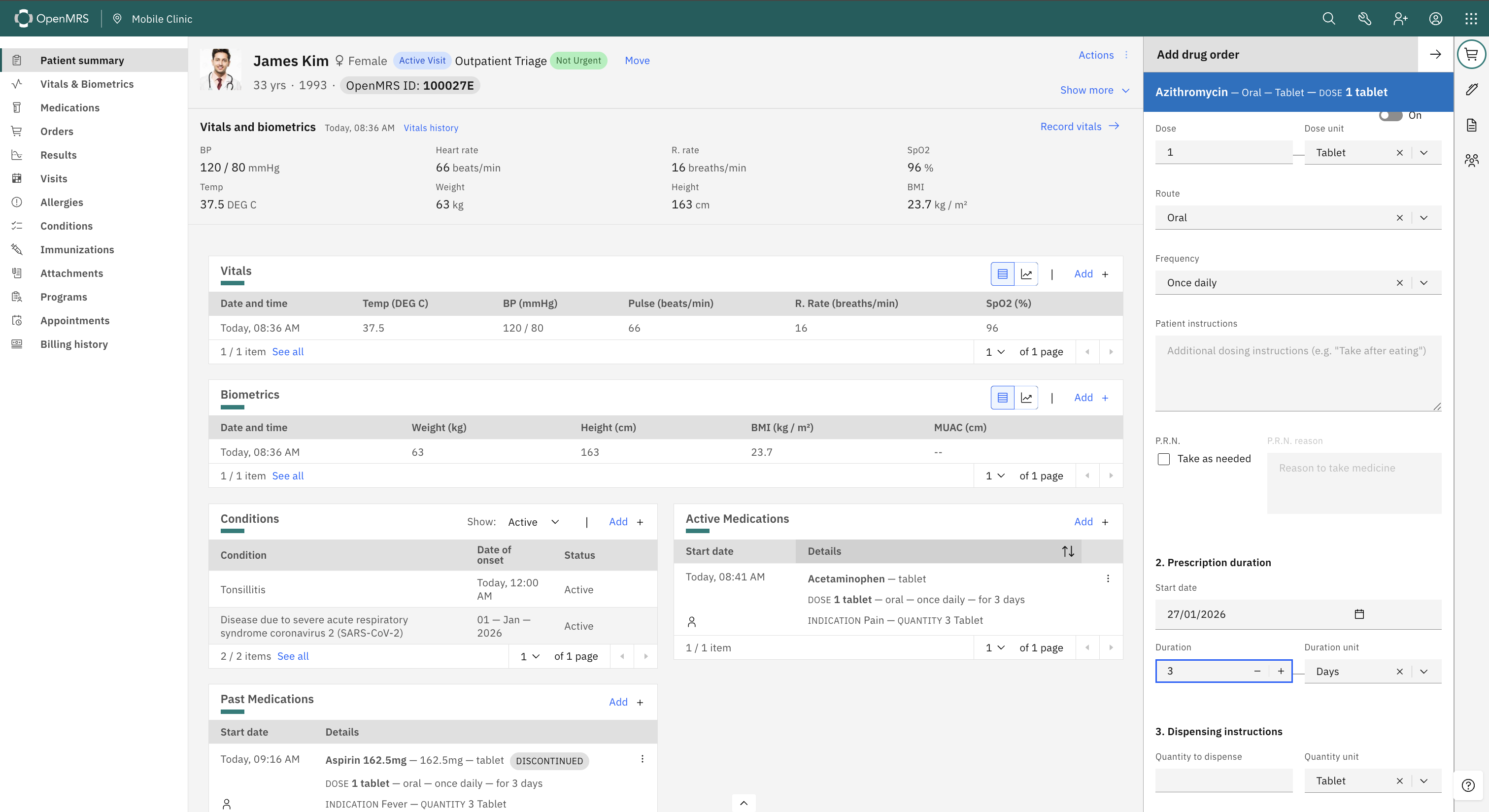
When prescribing medications, clinicians manually enter the Quantity to dispense field, even though we’re already capturing all the data needed to calculate it. This would help reduce cognitive load.
Quantity = Dose × Frequency × Duration
It’s, however, important to allow manual override to take care of some use cases, such as the maximum drug supply that a patient can carry with him/her (per facility/MOH policy)
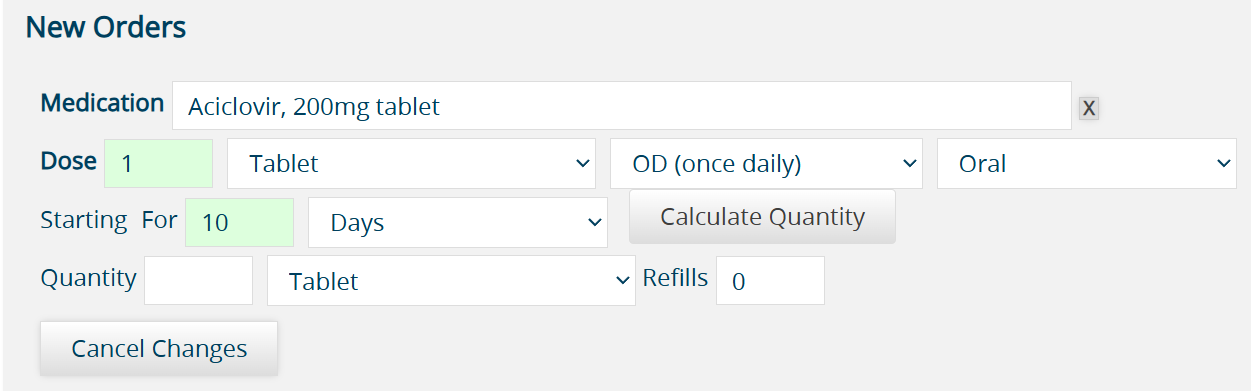
@veronica we allow for calculating quantity in some circumstances. When the drug selected has the Ingredient Unit or the Concept Dosage Form the Calculate Quantity button appears for the user. Clicking this will calculate the quantity based on the dose and duration. The user can chose not to use the button or delete whatever was calculated and enter in their own quantity.
The approach we’ve taken in other systems is to auto-calculate dispensing information when it is straightforward and simply fill in these fields for the user. The user can use these auto-calculated values in the form or edit them before submitting the prescription.
If there is any free text that cannot be 100% understood by the script, the instructions are PRN, or there is any other reason the calculation is not simple/explicit (not relying on any assumptions), then we don’t do the calculation and it’s up to the user to fill the dispensing quantity & refills.
Some additional thoughts to consider:
I would avoid a “Calculate Quantity” button. If the computer is able to do it safely, it should already be done.
Some drugs (intravenous drugs, many pediatric drugs) are trickier because they result in fractional amounts (Ian’s item 4)
The calculation needs to consider the form of the drug administered as well as the form dispensed, since these are not always the same. Some drugs are dispensed in packets, pre-defined bottle sizes, etc. I would stick with the simple cases now (e.g. drug form and dispensing form are the same, like tablet or pill) and leave the more complicated calculations for the future when we could have additional information available (like number of tablets per package or number of milligrams per bottle as well as common dispensing forms for specific medications). This is Ian’s item 1.
For chronic meds, the common practice of how much to dispense might be implementation-specific. For example, some places always tend to dispense 1-month supplies with 11 refills to cover a year but it’s also common in other settings to see a practice of dispensing a 3-month supply with 3 refills, so the patient doesn’t have to visit the pharmacy every month. Having an implementation-level settings for default dispensing duration in days (likely set to 30 or to 90) might be helpful to make the automatic calculations match the location’s common practice.
When the dispensing information can be calculated, then it may be helpful to provide quick buttons for dispense amounts like “30 days” and “90 days” that adjust the dispensing information to dispense at that interval. If the dispensing information cannot be safely auto-calculated, then these buttons become useless (can be hidden or disabled).
Every system I’ve ever seen use 30 days for a month, so a “3 months” supply of pills would mean 90 pills. I think that’s the cleanest & easiest (most intuitive) approach. But my bias may be WEIRD.
Great feedback, everyone! It’s really interesting to learn that PIH already has this feature in production. Thanks for sharing the actual code, the edge cases, and the proposed approach.
A few thoughts:
I like the idea of auto-calculate when it’s unambiguous - without requiring users to click a calculate button.
Phased approach makes sense - maybe we start with straightforward cases (whole units, fixed durations) and add complexity later (based on need) - especially after gathering feedback from real-world implementations
I am curious to know how PIH is handling these edge cases and also the clinician feedback regarding this feature. Do they rely on auto-calculations regularly, or do they prefer manual entry?
The reason we took the approach with an explicit “Calculate Quantity” button, is that there are edge cases that can be trickier to know how to exactly deal with.
For example, let’s say the user fills out order details, and the system auto-calculates the quantity behind the scenes, and then the user realizes they entered a typo and goes back and changes one of the fields in the order that would affect the calculation. Do you auto-fill the field again? What if they had manually modified the quantity field after the initial auto-calculation and before they fixed the typo in the order details? What do you do then? There is a risk that the system will again auto-populate and override the user’s entry without them realizing it.
We preferred a far more explicit approach - especially in our first pass at rolling this out to our implementations - where the user is in control over when the field is auto-calculated and there is no hidden magic behind the scenes. It is just there as a convenience and aide.
Defer to @fanderson and @ddesimone as to how this is working out, but that was the thought process for how we approached this.