OT Calendar Weekly view Tech Analysis
We have started the tech analysis for this feature, we found unlike appointment scheduling calendar view, OT is not using any specific third party library for its daily calendar view.
Rendering Calendar Weekly View:
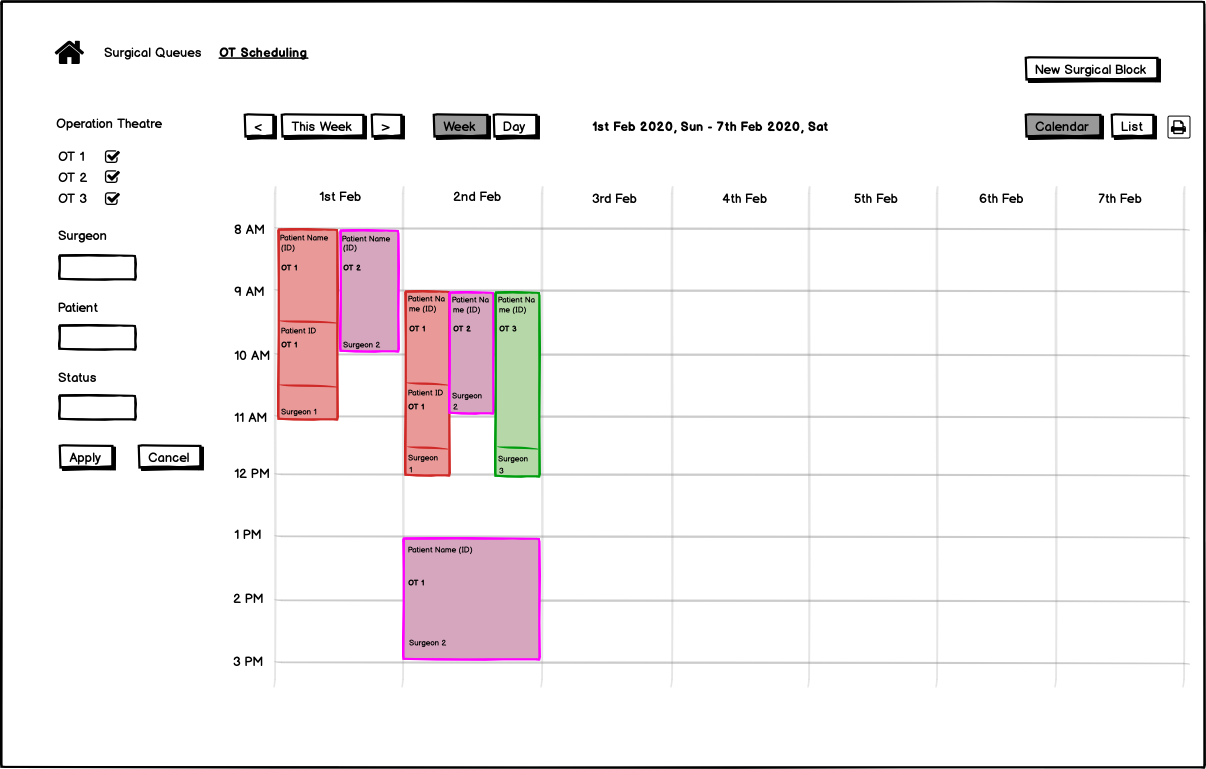
In OT, for daily calendar view, the grids are created by looping over the configurable time and per OT locations.
We can use the same methodology to create the weekly grid by iterating over time and 7 days per week.
For the top ribbon (week navigation, week and day switching etc.), we can follow the same construct from list view as those thing are already available there.
Rendering Surgical and Surgery Blocks:
We can also use the current functionality (as daily calendar view) to evaluate the surgical block and surgery blocks in the calendar for the weekly view.
Currently in daily calendar view, for each OT locations, the surgical and surgery blocks are rendered as per time range and blocks are distinguished by the surgeon’s color.
We can use the CSS property to find the width percentage for the number of blocked OTs per day. To render the blocks in the weekly calendar view. The same color of any surgeon we can use to identify the block.
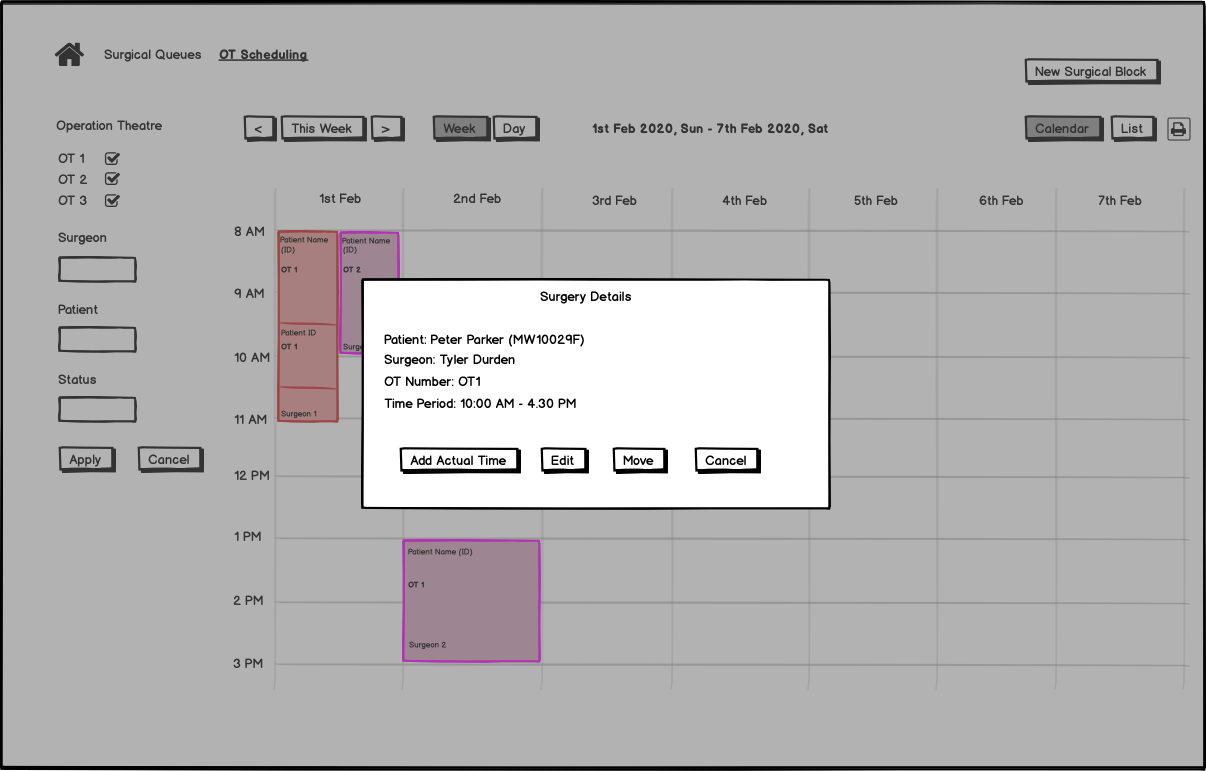
For better visibility and UX, we can introduce pop-up feature (like google calendar) to view the surgery and surgical block details.
Actions on Surgical and Surgery Block:
Since we will be using the pop-up feature, we can bring all the action buttons from the footer of the calendar to the pop-up screen. Once we select any action button it will be redirected to the action page in the exactly same way it is present currently. After completion of the actions, it will be redirected to the calendar weekly view.
Weekly Fetch Surgery Details:
Currently for list view we are already fetching the weekly OT details along with the locations, surgical and surgery details. We can re-use the same functionality for calendar weekly view as well.
Filtering and Searching:
Currently filtering and searching are available for weekly list view. We can use the same functionality to fetch the data for weekly calendar view as well.
Here I am attaching the updated wireframe for
- OT Calendar weekly View and
- Pop-up view of Surgery Details.