Following up on my previous introduction, I’m happy to report that I have successfully stabilized my local OpenMRS 3.x environment.
I have created this id (vishalgadge) because I have get email from infrastructure team that the previous id (vishal-gadge) was not eligible for jira access so they suggest to create new one.
I have resolved my previous database and identifier issues and have successfully registered and saved my first patient(Bhumi nahi) in the local system.
My current setup:
Backend: Running on Port 8082.
Database: MySQL (XAMPP) on Port 3307.
Talk ID: vishalgadge.
Since I am now ready to start working on Java-based backend tasks for my final year project and GSoC preparation, could you please guide me on getting edit access for the Wiki and JIRA?
Hi @jwnasambu
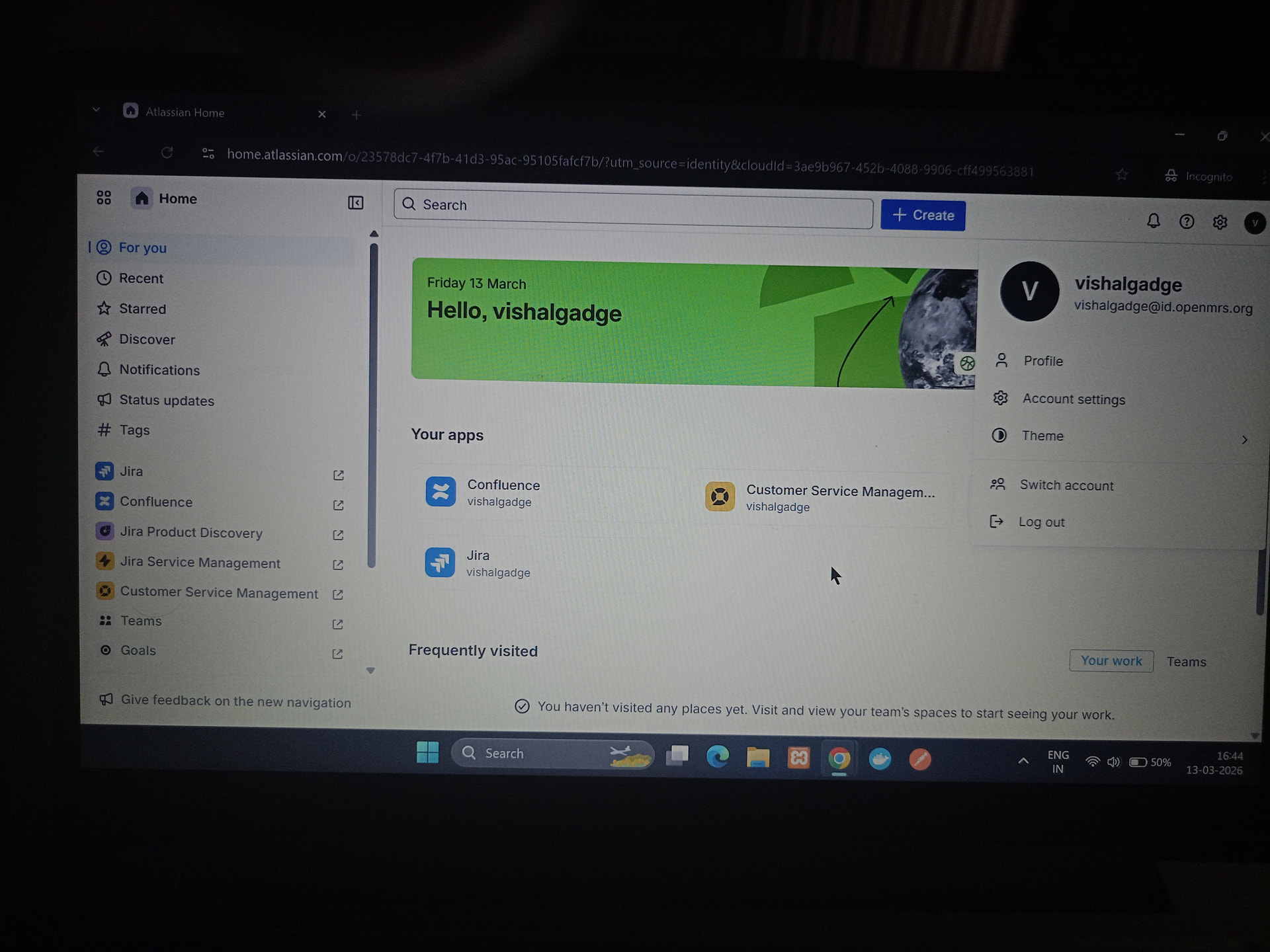
I followed your advice and received confirmation from the helpDesk that access was granted. However, I am facing a technical loop. I can log into Atlassian Home, but when I open the Jira dashboard, I get a ‘Something’s gone wrong’ error saying I’ve been signed out. I’ve tried Incognito and clearing cookies, but it persists. Could you please check if my Jira application access is fully synced?
My only remaining blocker is the Jira login error (‘Something’s gone wrong’). Once that is fixed, I can officially claim my first ticket and start contributing code!
So sorry! I am not sure how I missed this. Kindly hover over your profile to confirm that your username is appended with @id.openmrs.org, then click on your profile to confirm that you’re logged in successfully to Jira/Wiki.
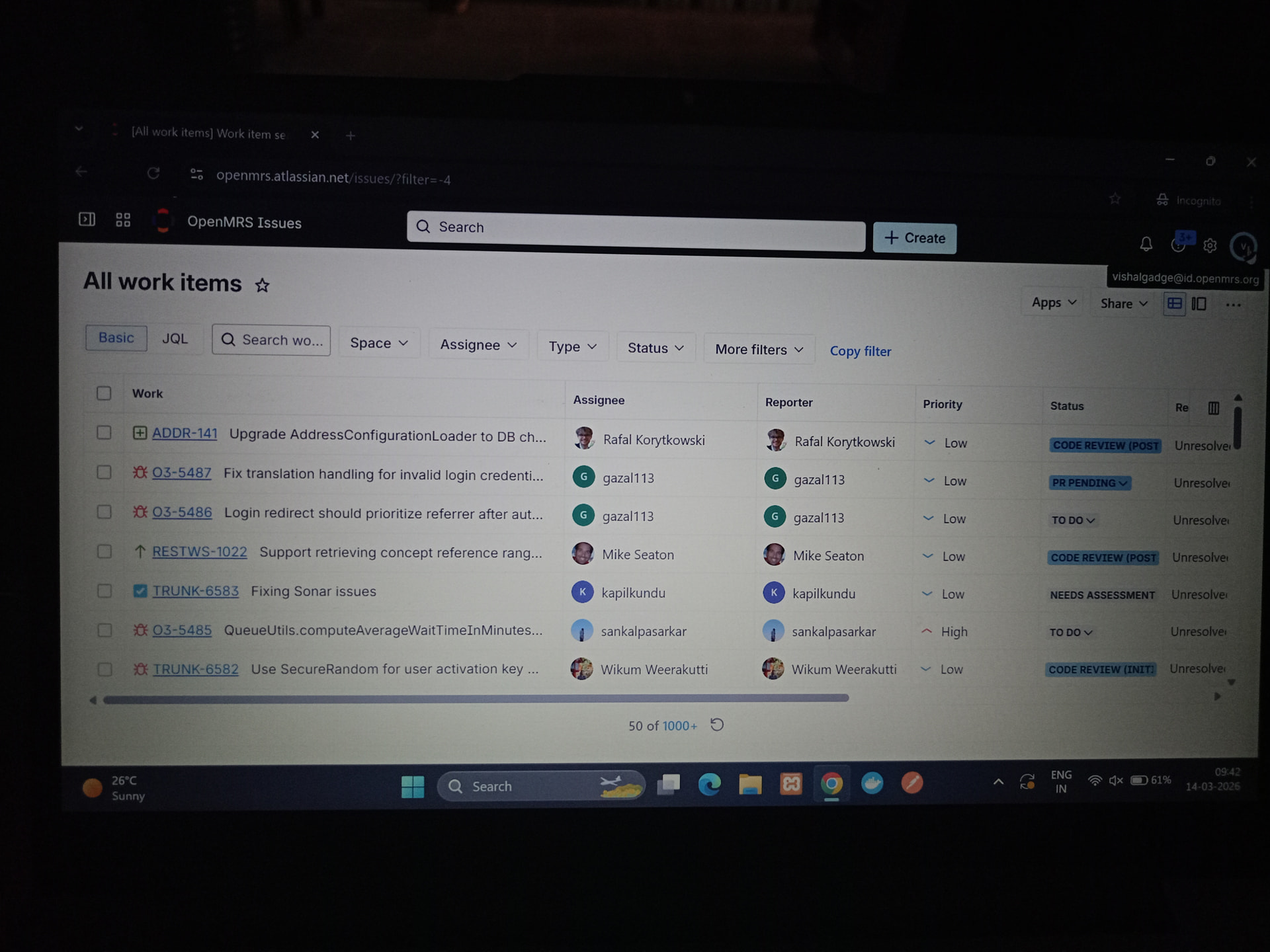
Hi @jwnasambu, I’ve confirmed it! My account is indeed showing as vishalgadge@id.openmrs.org in the profile menu. I also have a BUILD SUCCESS on my local machine for openmrs-core. I am ready for my first ticket!
Hi @jwnasambu, thank you so much for the offer! I would love a pairing call. I have confirmed my account is vishalgadge@id.openmrs.org and my local environment is building successfully.
Since I am new to pairing calls, please let me know which software you prefer (Zoom , Google Meet or else).
I am available [today between 7.30 PM - 11 PM IST](19:30 - 23:00). Please let me know what time works for you and which meeting link to use!
Hi @jwnasambu ,
I am still stuck in a login loop.
To try and fix it, I have already:
Used Incognito mode.
Tried a different browser (Microsoft Edge).
Logged out and cleared my session.
However, when I go to start.atlassian.com, the OpenMRS icon is still missing. I only see my personal project there.
It seems my account isn’t linked to the OpenMRS site yet. Could you please check if vishalgadge@id.openmrs.org is in the Site Users list and send me an invite?
Hi @jwnasambu,
Thank you for confirming my access. Even though the admin side looks correct, I am still stuck in the redirect loop we discussed earlier.Since I have tried different browsers and clearing my cache without success and also confirmed that the id is showing vishalgadge@id.openmrs.org when i click profile picture, would it be possible to have a quick 5-minute pairing call?I can share my screen and show you exactly what happens when I click ‘Log in.’
Last time I suffer with my poor internet connection, we can overcome that if it’s daytime for me . I will be fine in [11:00 to 17:00]. I will appreciate if you can also suggest in this interval and confirm it to me for tomorrow.I really want to resolve this so I can start working on tickets!
As you can see, when I am logged in as vishalgadge@id.openmrs.org, I only see a personal site. The OpenMRS Jira icon is completely missing from my home dashboard.
I can understand you been busy by GSOC preparations or any other reason but if you can fix this real quick by telling here or by pairing call i will be thankful.
Kindly based on the screenshot you shared above, you already have access and you have successfully logged into the JIRA issue tracker. On the same page you shared, look at the left side and expand the title Filters. It will display different ticket categories such as Created recently and Updated recently,community priority e.t.c along with their priorities. From there, you can choose an issue that is unassigned and has a status of “Ready to Do” or “To Do,” based on the skills you have.
I have set up my OpenMRS development environment and can access Jira as i mentioned in above message but i still can’t comment on any issue.
Still I checked the intro issues but most of them are already assigned or have pull requests.