Hi, I am a software developer and I wish to contribute to the OpenMRS project. But i’m facing some issue when i try to package and install the OpenMRS Software locally. Here’s the logs from the terminal - OPENMRS_USER_ACCESS_DENIED - Pastebin.com
Steps that i followed:
- Cloned the OpenMRS git repository.
- Ran mvn clean package from the terminal
- Then ran
mvn jetty:runinside webapp folder - Started Mysql inside a container,
docker run --name openmrs-mysql -e MYSQL_ROOT_PASSWORD=root -p 3306:3306 -d mysql:8.0 - Opened
http://localhost:8080/openmrs/initialsetupand chose the simple setup and provide the root user password. - The setup was able to
-
Created database openmrs
-
Created user openmrs_user
-
Granted user openmrs_user all privileges to database openmrs
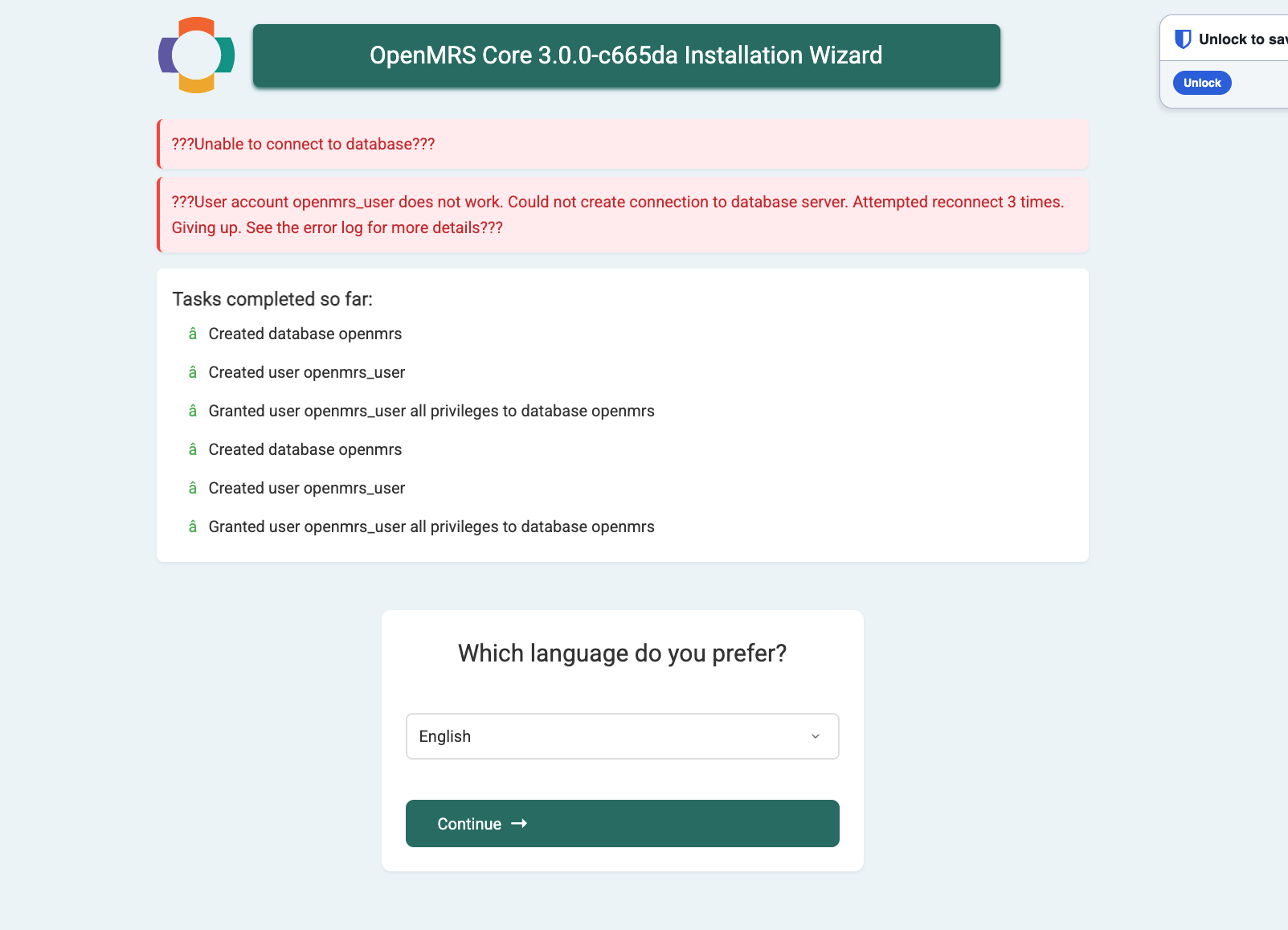
- Sees like it failed when it tried to create the tables using the openmrs_user that it created in the last step.
Access denied for user ‘openmrs_user’@‘192.168.127.1’ (using password: YES)
I have attached a SS from the startup wizard
Update: I was able to resolve the issue. Actually the openmrs_user that was created by the software inside mysql, was only given the permissions to connect from the localhost, which for the mysql running inside the container is the container itself). Since my application was running on my host and the mysql inside a docker container, the connections were getting rejected. Now i’m using Docker Compose to run the application.