We’re working on a feature to help clinicians managing chronic care patients (hypertensive, diabetic, etc.) quickly create new medication orders based on existing prescriptions. Currently, clinicians have to manually re-enter all medication details for each refill.
Current Behavior
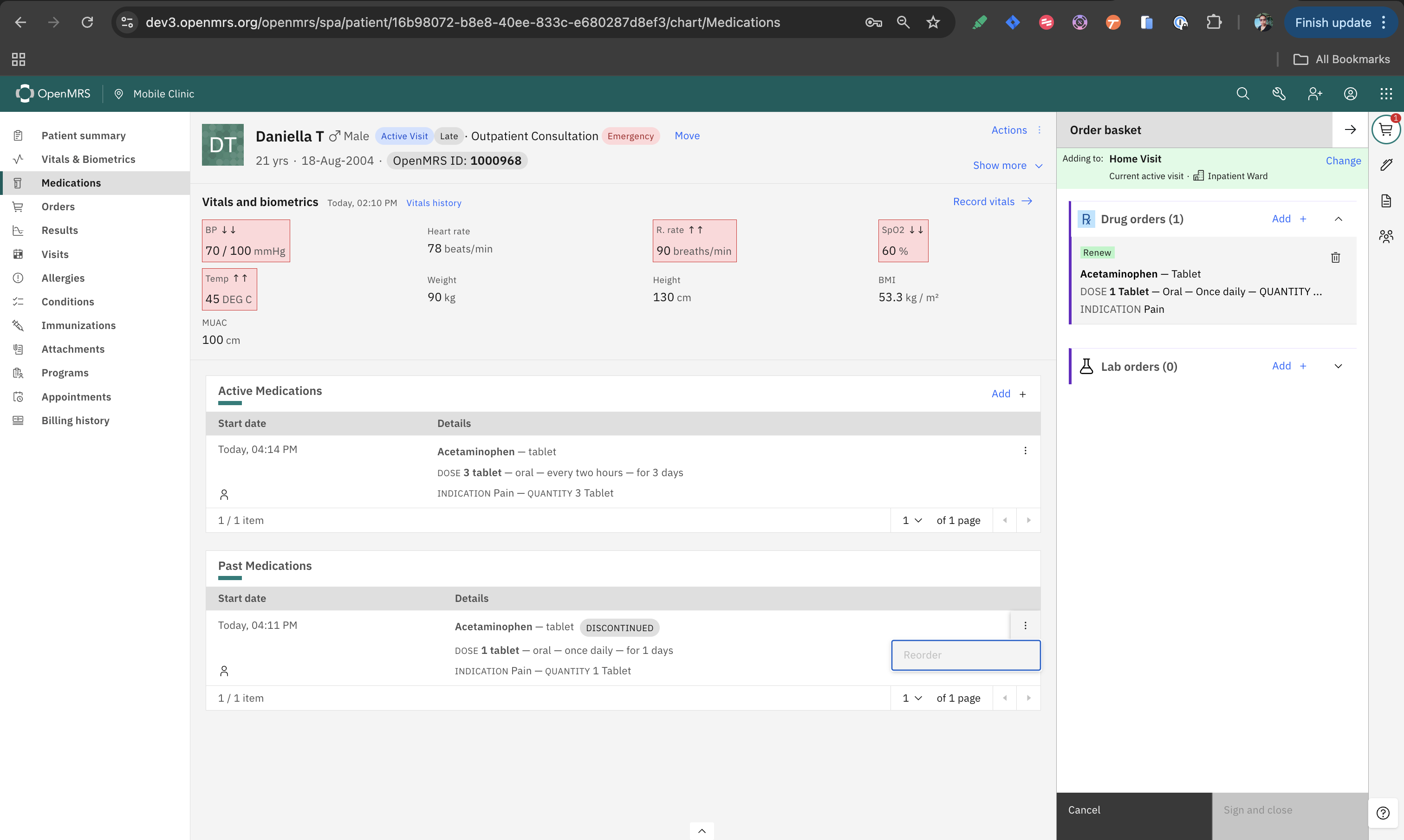
We already have a “Reorder” button available for Past Medications and here’s how it’s currently working:
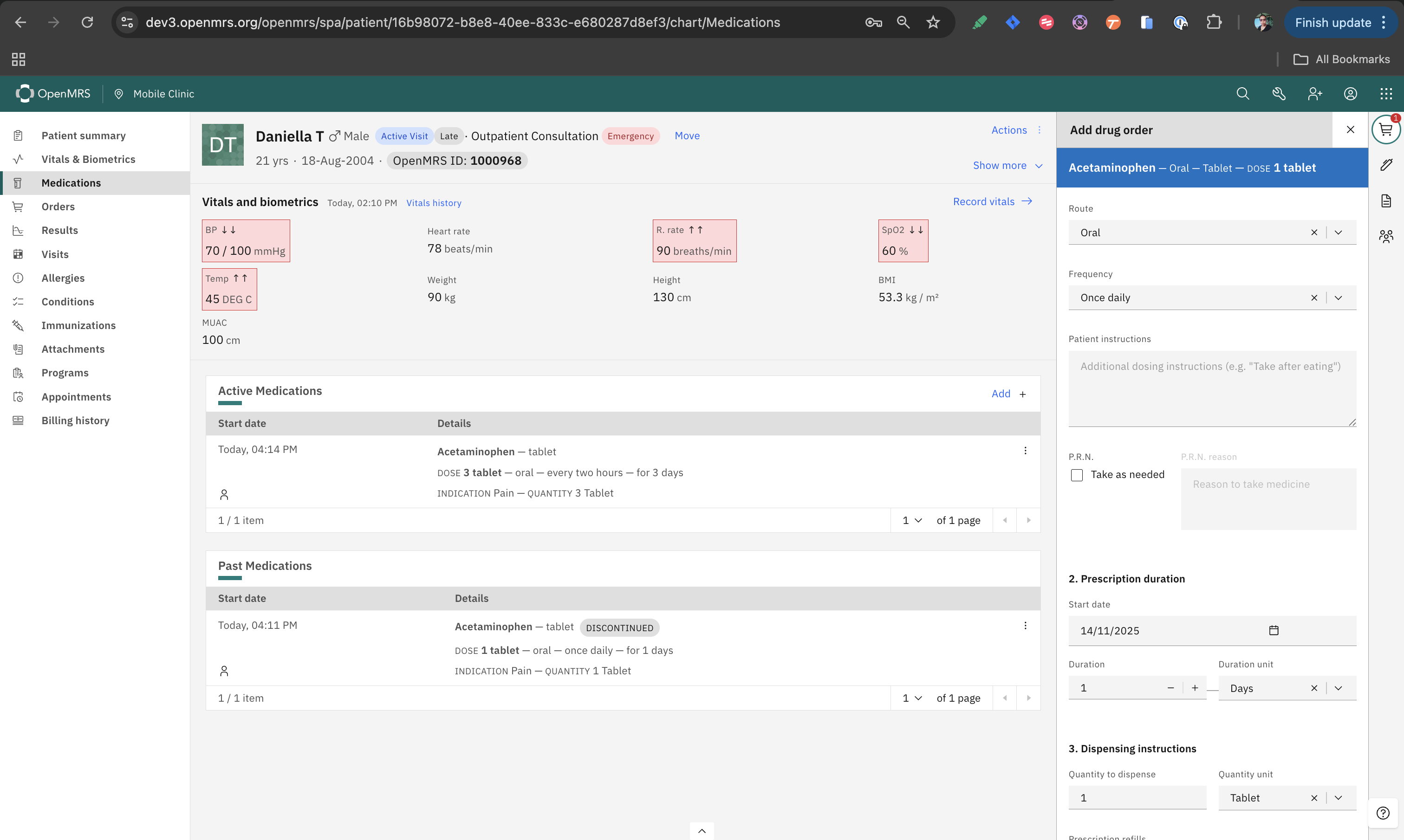
Clicking “Reorder” on a past medication opens the drug order workspace.
The medication is added to the workspace with pre-populated data from the original prescription (drug name, dosage, route, frequency, indication, duration)
The clinician has two options at this point:
Quick reorder: Click “Sign and close” immediately to create the new order with the pre-populated data
When “Sign and close” is clicked, a new medication order is created and appears under Active Medications
The original medication record remains unchanged in Past Medications history.
Question: Should We Extend The Reorder Behavior/Action to Active Medications?
From a clinical workflow standpoint, does Refill/Reorder terminology matter?
“Refill” might suggest dispensing the next refill from an existing prescription (typically a pharmacy function - maintaining a chain of related orders)
“Reorder” might suggest creating an entirely new prescription order (Creates a standalone new order without linking to the previous order)
For chronic diseases, what i understand that there would be multiple follow-ups to adjust the dosage or to assess other impacts even though patient is table, like diabetes is managed.
In this context, I got feedback from clinicians to have “Reorder” button available for “Active Medications” as well, as patient might show up few days early before appointment or the active medications yet to expire. And also, it should be linked to previous order as to show the continuity of the medication.
Echoing @ibacher and @horaira’s sentiments. It sounds like the clinical need isn’t necessarily for an entirely new “refill” workflow, but rather a clear way for providers to reorder past medications.
I’d suggest we:
Keep the existing “Reorder” terminology - Skip introducing a new “Refill” label. “Reorder” is simpler and more accurate for what we’re actually doing.
Add proper order linkage - Set the previousOrder property to the UUID of the medication being reordered. This creates a proper audit trail and maintains the relationship
between orders in the system.
Improve the UX flow - Launch users directly into the order form in edit mode, rather than just adding an item to the order basket where it’s not immediately obvious they
need to click the tile to access the edit form. This is the current UX with the reorder action.
Thank you so much, everyone, for the valuable feedback. Based on your suggestions and my understanding, here is a summary of the direction we are taking. Please let me know if there is anything I may have omitted.
We are going to use Renew as the action label
The Renew Action will be extended to the Active Medications
Past medications have that already, but the Reorder Action should also be renamed as Renew
Renewed order will be linked to its predecessor via the previousOrder attribute to maintain the relationship between orders in the system
Quick Renew (Sign and Close) and Edit before Renewingoptions remain.