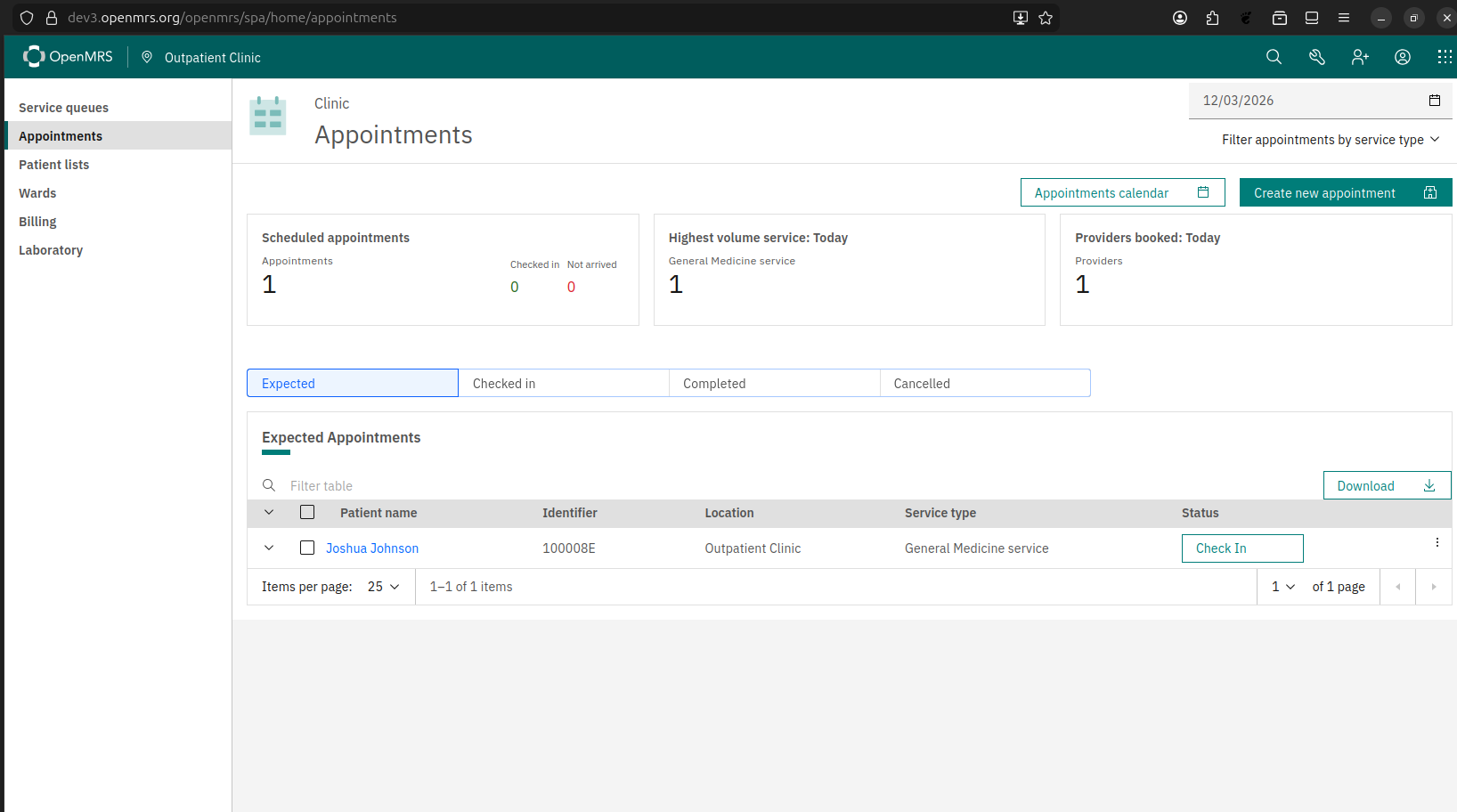
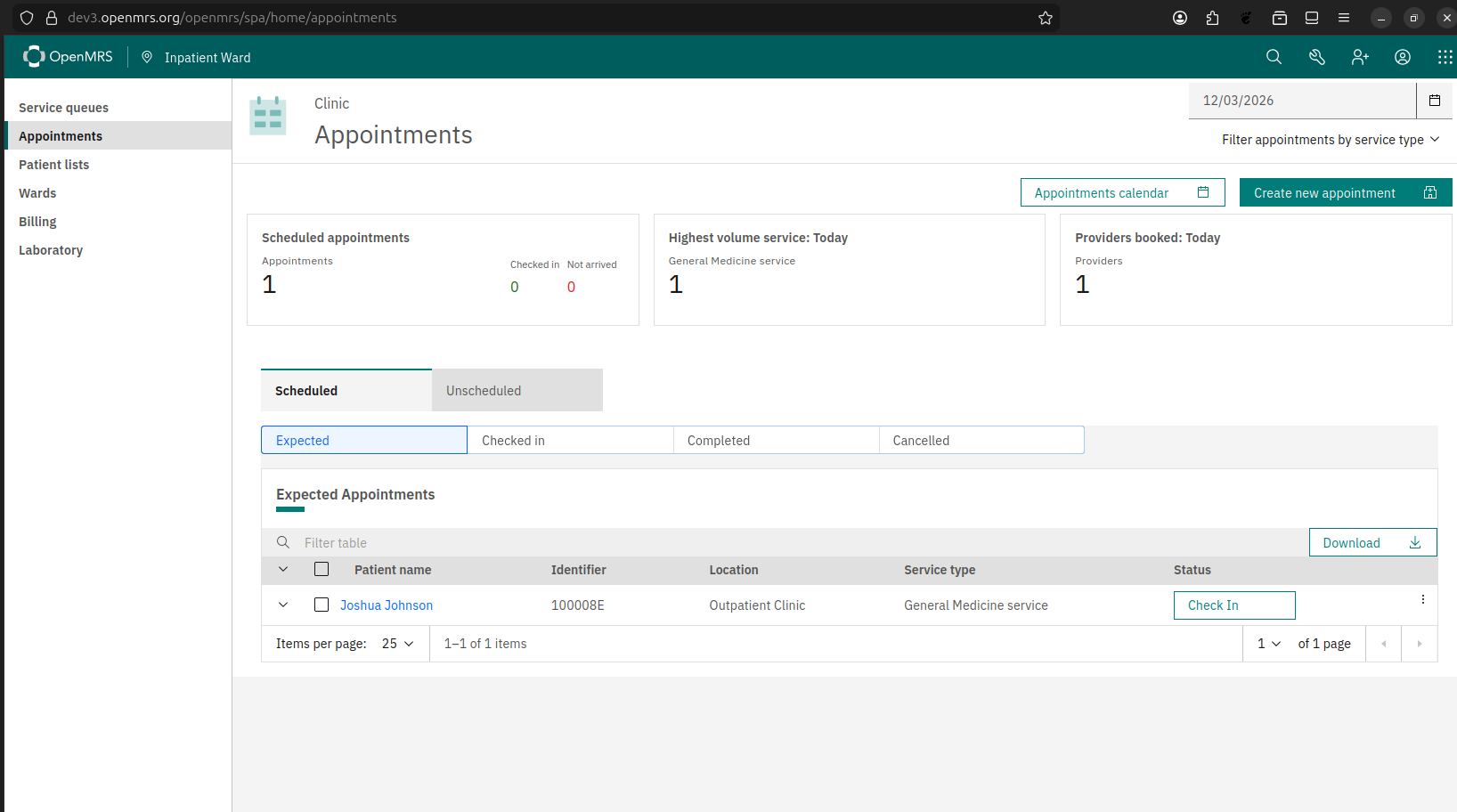
Currently, the O3 Appointments App displays appointments in different tabs, one appointment status per tab. By default, when we look at appointments for “today”, we show the “Expected”, “Checked In”, “Completed” and “Cancelled” tabs.
We have a rather complex configuration for what tabs to show, for dates in the past, current date (today), and dates in the future.
This ticket proposes that we get rid of the tabs, and instead show all appointments, regardless of appointment statuses, in one big table. The table will have a MultiSelect filter to allow for the user to filter the rows based on statuses.
Nuances:
The date picker and the selections of service types in the top right will continue to work as is; that is, it affects both the appointments tables and the metric cards. The new MultiSelect status filter will be added as part of the table toolbar, next to the “Downloads” button, and only affects the table.
Currently, the selections for service types is stored in localStorage; that means the selections are “sticky” (saved) across page refreshes and across opening in different tabs. I propose that the values of all 3 controls (date picker, services selection and statuses selection) are all sticky, but with sessionStorage instead. This means a user who want to only view a certain subset of service types and statuses will also have the filters in place in their browser session, but the selections are not sticky across different browser tabs.
The Appointments App has a showUnscheduledAppointmentsTab configuration for showing “Unscheduled Appointments”, a non-standard feature that requires a custom appointments module backend. This feature will remain unchanged.
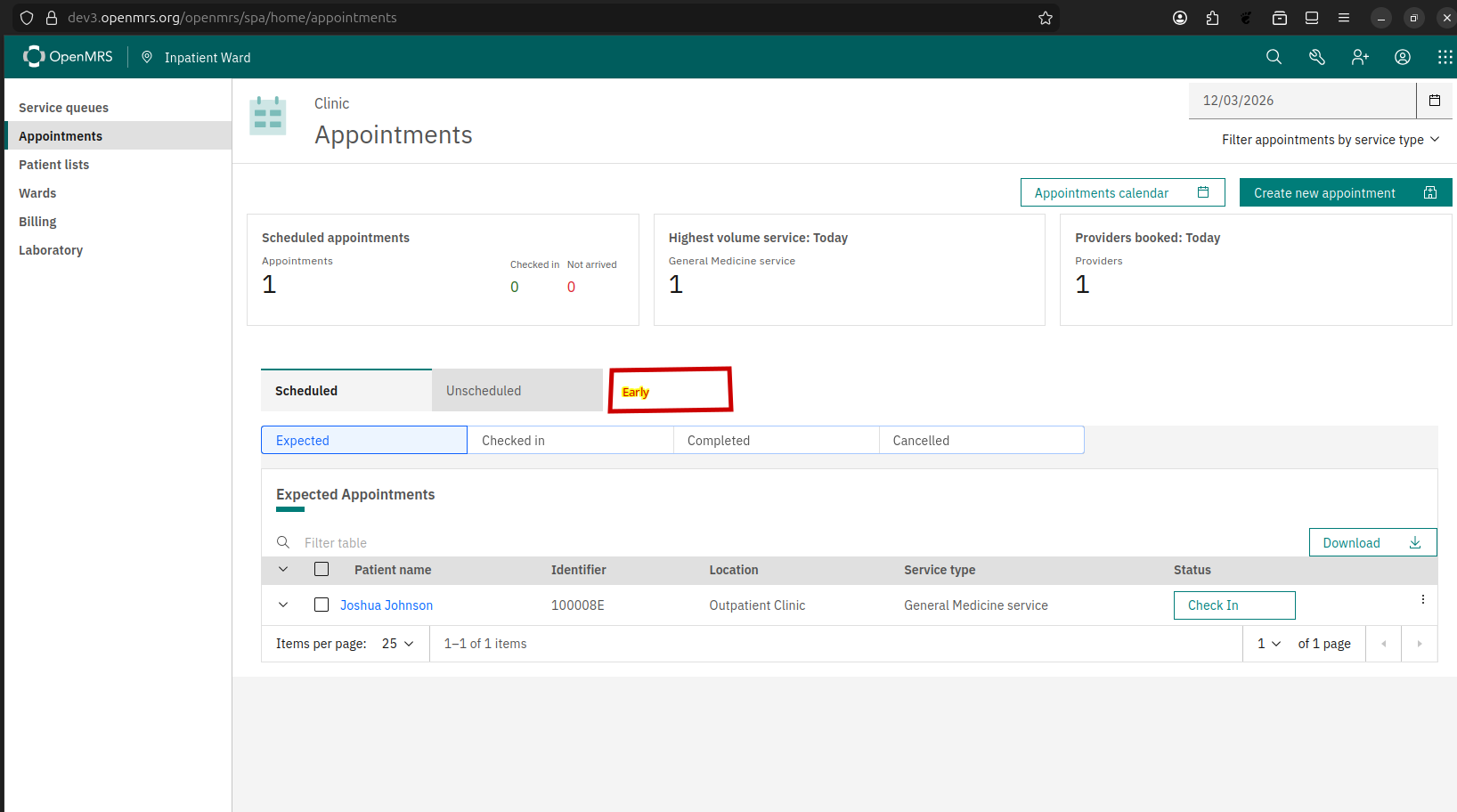
The Appointments App also has an extension for showing “Early Appoingments”, also a non-standard feature. Currently, it’s an extension that requires extension configuration to show, and shows up as an extra tab along with the “Expected” “Checked In” “Completed” and “Cancelled” tabs. I propose that this feature is enabled by another config value showEarlyAppointmentsTab, and have it show up next to the “Unscheduled” tab instead.
I tend to agree that early and unscheduled can be collapsed, but I think that’s outside of the scope of the proposed change and should be addressed separately.
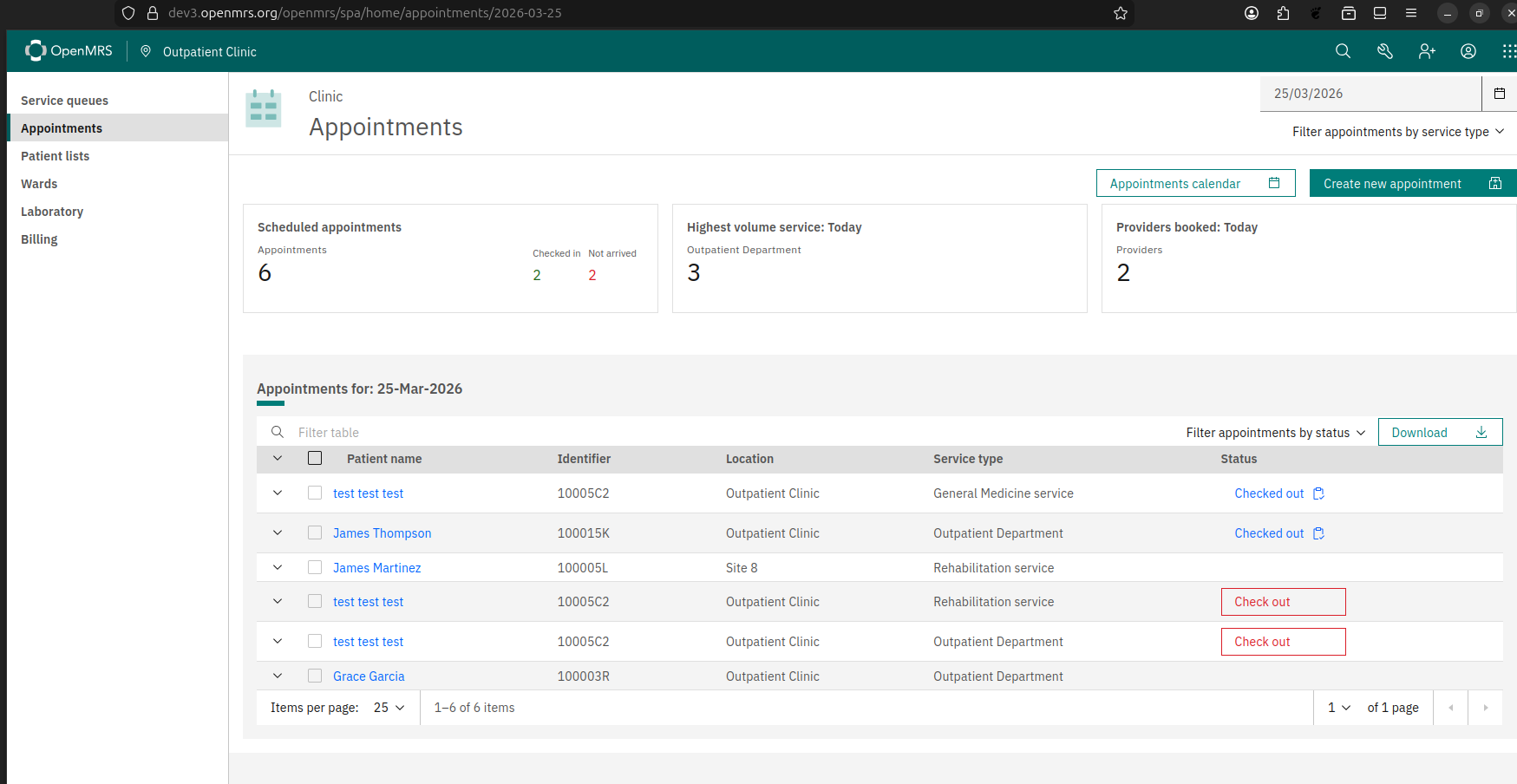
Update on this. The latest appointments app has now been updated to have just one table displaying all appointments of the day, filterable by status. With the new change, the “status” column of the table is confusing. Here’s what it does right now:
If the appointment status is Cancelled or Completed, then it shows “Cancelled” and “Checked out”, respectively. (Note that the text reflects the actual status of the appointment.)
If the appointment status is “CheckedIn”, then it shows a clickable “Check out” button to change the appointment status to Completed, and end the patient’s active visit. (Note that the text is NOT the actual status of the appointment)
If the appointment status is something else (like Scheduled or Missed), and we’re looking at appointments for “today”, and the patient does not have an active visit, then it renders a clickable “Check in” button to change the appointment status to CheckedIn, and starts a new active visit for the patient. (This explains that you see row with a “Check In” button when you set the status filter to Missed)
In summary, the “status” column does not show the actual statuses of the appointments. I propose that we have is 2 separate columns, one for the actual status, and one for the actions we can take for each appointment, with the primary action (“Check In”, “Check out”) rendered as buttons, and the rest (changing status) in the Overflow (3-dot) action menu.
Currently, the columns of the appointments table are configurable to show / hide. With the new change, the new action column will also be configurable, with it being one of the default columns.
Currently, a row in the appointments table is only editable (that is, being to able change its status) if the appointment is for a future date, or is for today and the patient does not have an active visit. However, this is fairly restrictive, especially if we need to edit the status after the fact if the user made a mistake. We’d like to make it possible to edit the appointment without any restriction. (This was talking about during today’s O3 squad call.)
Another point mentioned by Bradley Hounkpatin is that the Appointments section in the patient chart actually allows for editing the appointment without restriction anyway.
The appointments table shows an “Check In” button when the appointment status is “Scheduled” or “Missed”. In PIH’s distribution (and I believe in refapp as well), we do not have any scheduled job to mark an appointment as missed, so the status has to be manually changed to “Missed”. We would like to make i so that “Check in” button only shown when the appointment status is “Scheduled”. (With the previous bullet point, if we want to “Check In” on a “Missed” appointment, we can still do so by marking the appointment as “Scheduled” first)
The appointments app has a showIfActiveVisit config for the “Check In” button. We can get rid of it because:
We are making the “Check In” button work even for patients with active visits. See PR
With the above proposal, we are making appointment statuses editable regardless of status or active visit state.
Add a “Visit start time” column to the appointments table. Since the “Check In” button do different things based on the user’s active visit state (it changes the appointment status to “Check In”, but it also starts a new visit for a patient who does not currently have an active visit), it’s important to show that info. Like other columns in the appointments table, it’s configurable to show / hide, but we’d like to have it show by default.
The appointments table also has a “Date & time” columns, but it’s not configured to show by default. We’d like to change it to “Appointment time”, to avoid confusion with the “Visit start time” column, and also make it show by default. (It should be standard for an appointments app to show the time of the appointments)