The one you have shared is not for an existing running instance. It is one where you need to get to the browser and run the database setup wizard.
Hello @dkayiwa , sorry for the late response but here is one for a running instance https://pastebin.com/zzcamN9y
In your modules folder, can you remove the omod for the fhir module and then run again?
@dkayiwa i have removed the fhir module and run again but am still getting the same blocker of no user interface module installed
could the logs still be showing a module that is causing the instance to break,could you try to put the new logs here!
Stop your instance, run it again, and share the new log
@dkayiwa these are the new logs https://pastebin.com/6ZzStvBd of a new running instance
which legacy ui version are you running,could you try to deploy the latest version and then restart.According to your logs there is an issue with the version of legacy that you are tyring to run
Go to the root of your openmrs core source and do another mvn clean install
Then go back to the webapp folder and run jetty again.
HELLO @dkayiwa i have made the changes as you requested above and i go this https://pastebin.com/Xc0ZyMwN
Just stop and run jetty again.
I have stopped and re-run jetty again and am still getting this issue https://pastebin.com/mSsPLrTu
Go to the root of the code and run mvn clean install. Then switch to the webapp folder and run jetty.
@dkayiwa after running mvn clean install and switching to the webapp folder to run jetty i get this interface
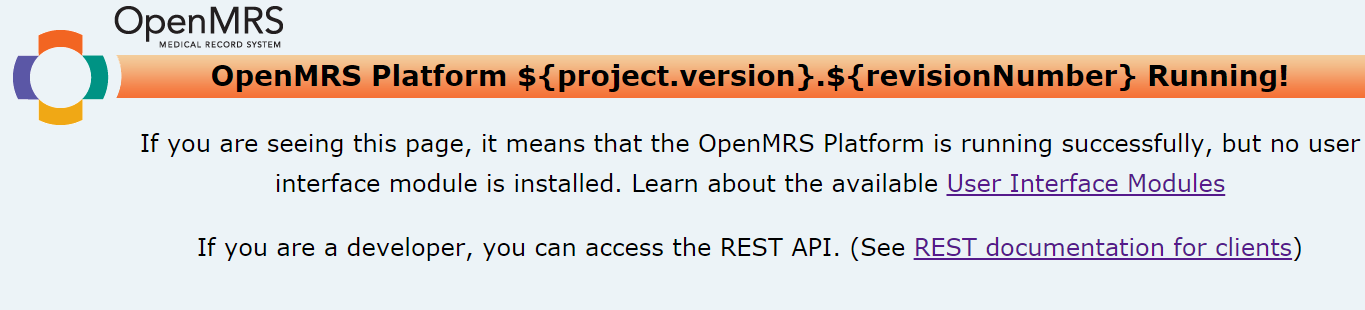
@dkayiwa I only have the legacy ui 1.6.0 and webservicesrest.2.70.0 omod files in the modules folder at this path C:\Users\Cliff\AppData\Roaming\OpenMRS\modules
Stop jetty, run it again, then share the logs.
hello @dkayiwa i did as u suggested above n run jetty again and it worked but i did this when i had switched to openmrs-core 2.0.x as suggested in one of the comments here with a fresh ‘mvn clean install’ and am able to access the administration page now
These are the logs https://pastebin.com/HZCm4dd4
@dkayiwa when i run jetty in the openmrs-core master, it doesn’t display the legacy ui as seen in these logs even after stopping and re-running jetty BUT when i create a branch off the master & run jetty from its web app the legacy ui displays…
kindly advice
It looks like every time you rerun jetty, you are dropping and recreating the database. Do not do that. Just go to the root of the openmrs-core source, run mvn clean install and then go back to the webapp folder to run jetty.
@dkayiwa i now able to access the legacy ui after following what u said above, you can have a look at the logs https://pastebin.com/DUV4Z4rp