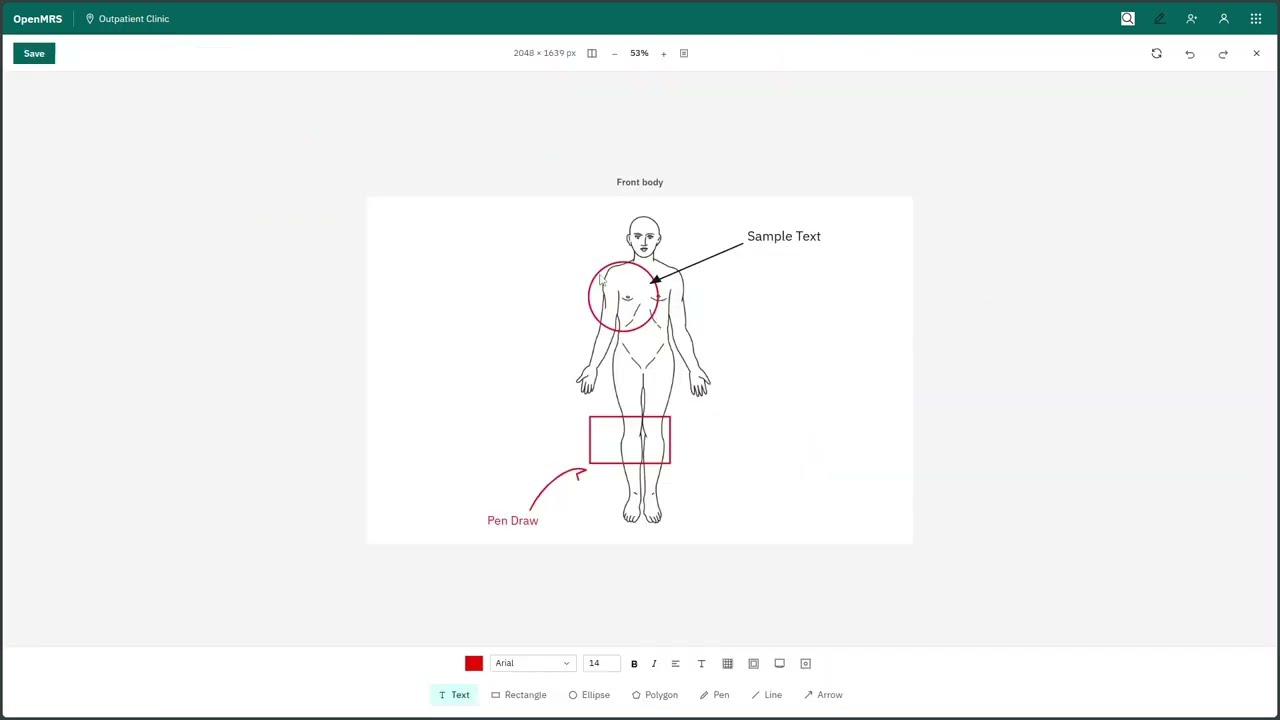
In the 2023 GSoC archive, there is an incomplete but interesting task, which is “Draw on Body Diagram.” From past discussions, this looks like a highly requested and important feature for O3 that could make a real impact for the community and meaningfully improve clinicians’ workflows.
Quick summary of the feature
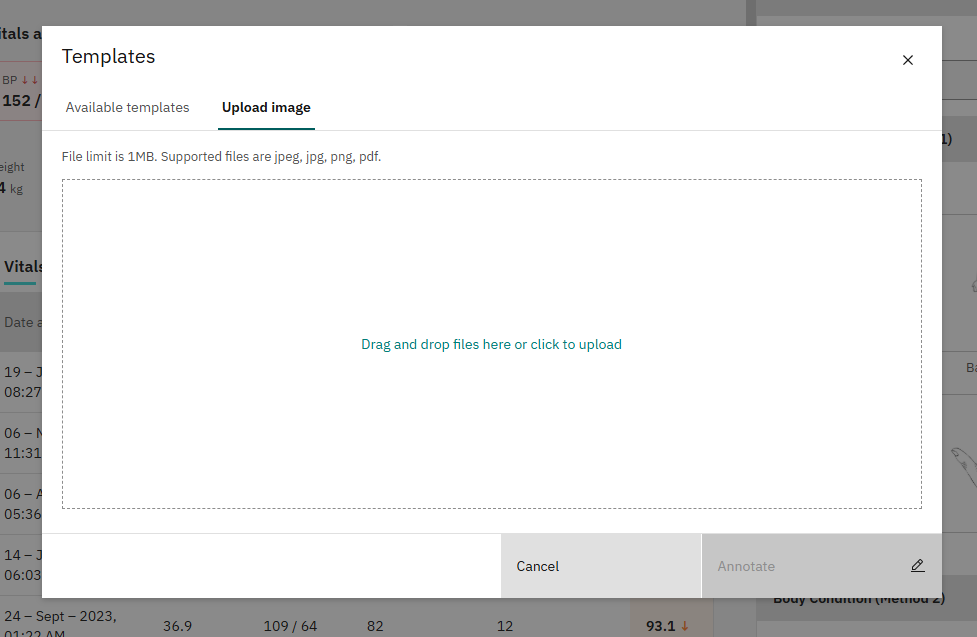
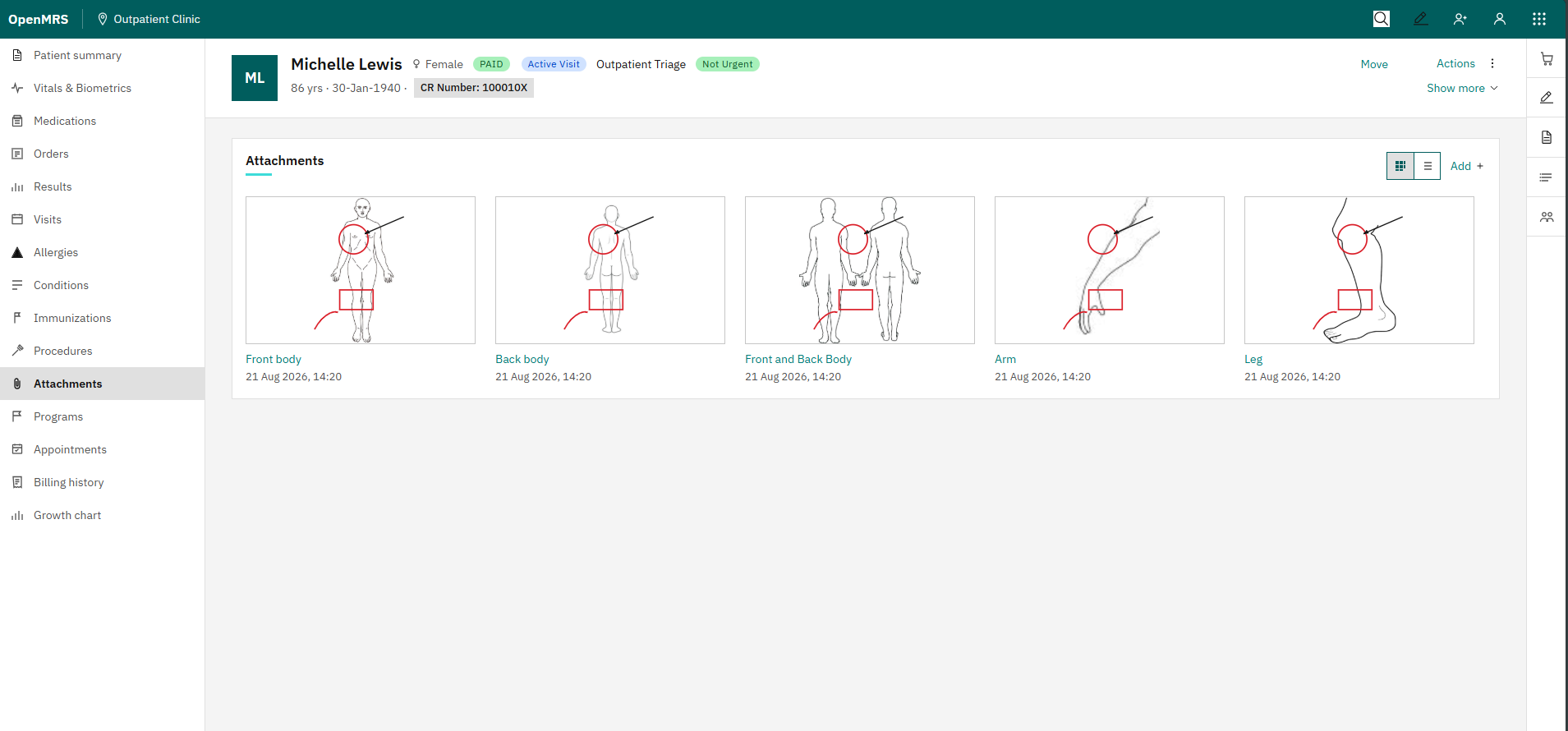
OpenMRS has previously (O2) supported uploading and visualising patient conditions through diagrams, which helps doctors explain conditions to their patients more clearly, but O3 is missing this essential functionality. This feature aims to improve the diagramming feature by allowing users to upload any diagram as an image, annotate specific areas with shapes, save and retrieve annotated diagrams, and download them as images with the annotations included.
Core requirements,
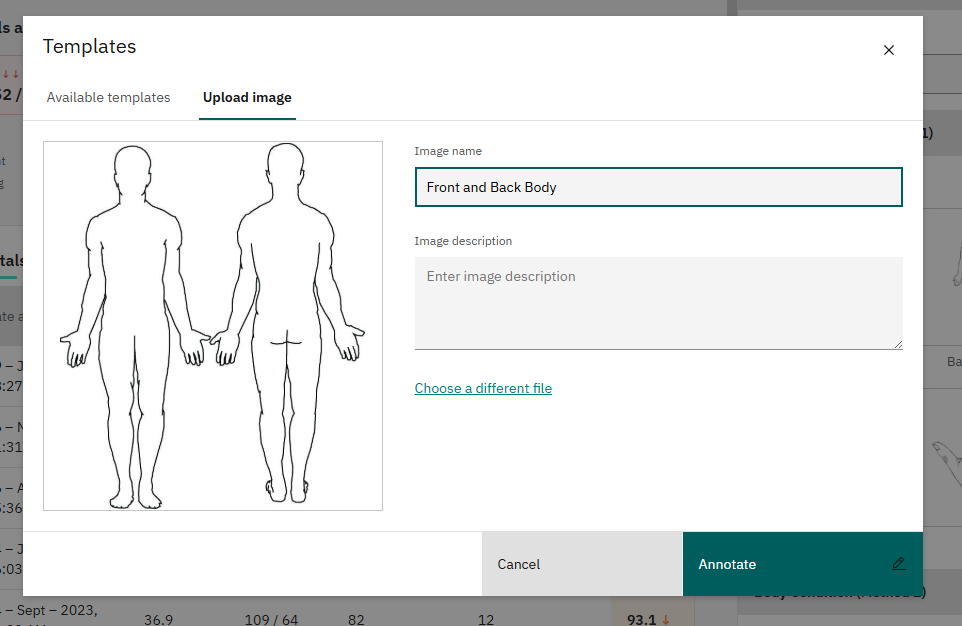
Upload any diagram as an image to the module
Annotate areas of the diagram with shapes (circles, squares, single points, etc.)
Save annotated diagrams for future reference
Retrieve diagrams from a list of already saved ones
Additional requirements,
Draw freehand shapes and annotate them with descriptive text
Download diagrams as images with the annotations, for easy sharing and printing
My current understanding and proposed approach
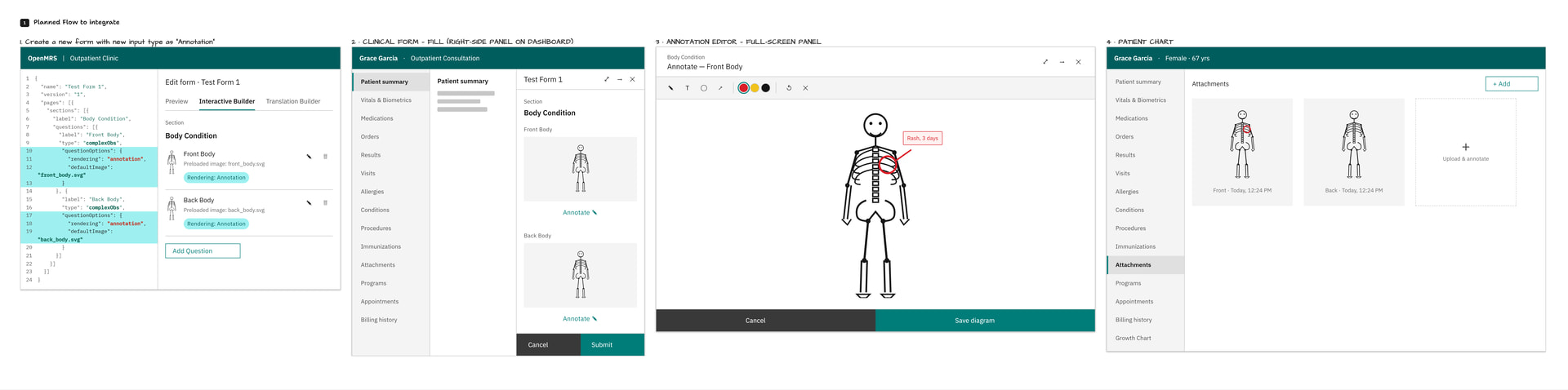
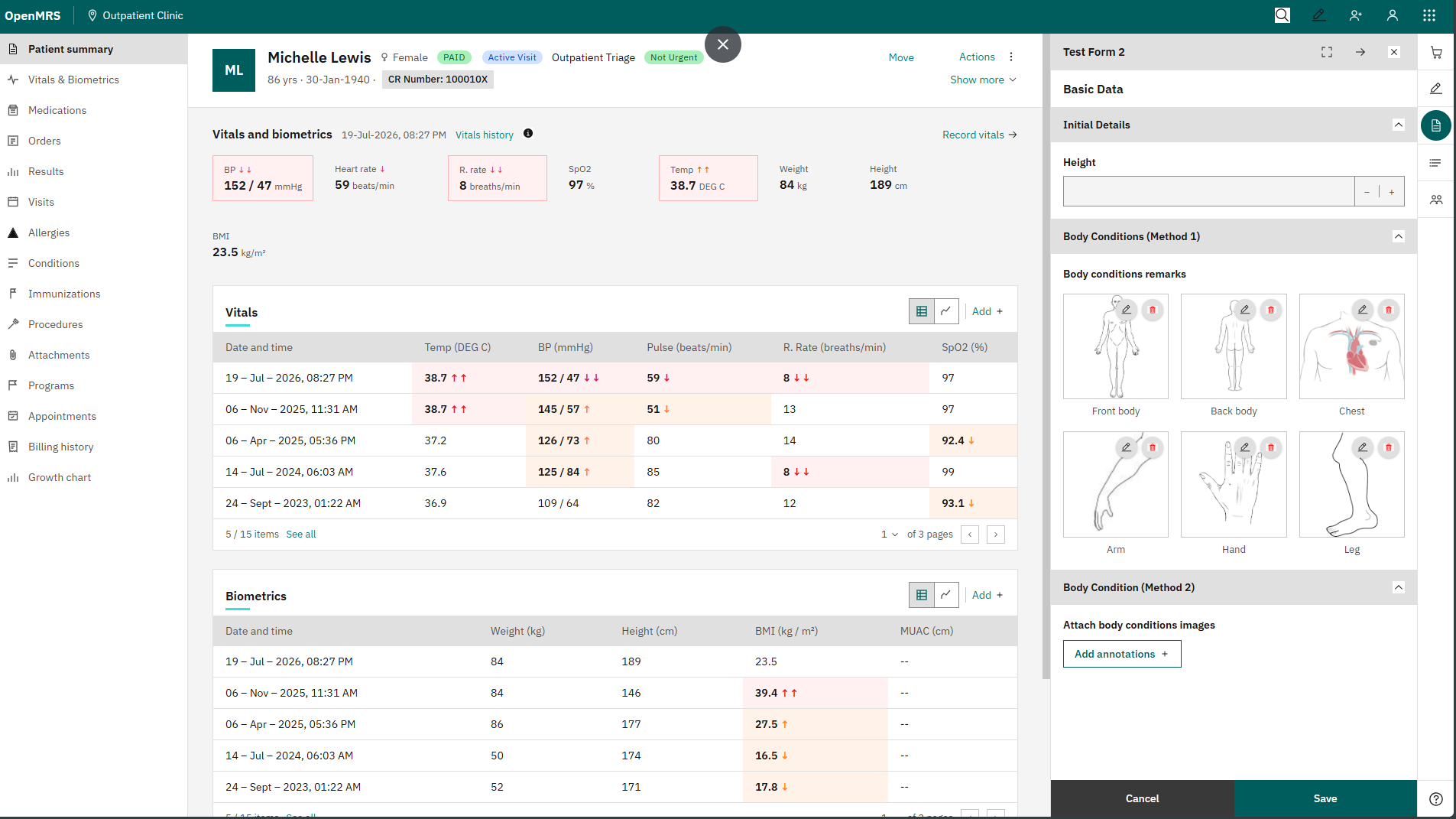
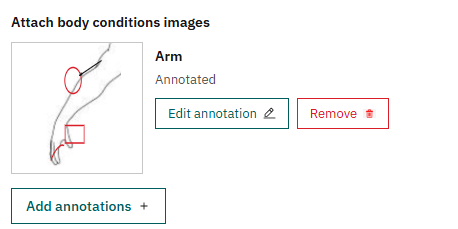
I’m planning to add a new input type, something like “Annotated Diagram” that can be used to build questions in the React form builder engine. When filling out a form, the user would see this field and be able to either upload a new image or select a previously saved template diagram (provided by the annotation feature), annotate it, and submit. Once submitted, the attached diagrams would appear in the Attachments section.
I’ve put together a quick diagram of how I’m envisioning this (below). Before moving forward with development,
I had the first weekly call with @jayasanka for the purpose of getting a starting point and checking my understanding of the task.
At first, I explained my findings from my own observations of the system for the drawing feature. I also explained how I set up the drawing module using the drawing OMOD file on O2, to understand how the previous module works. Every step was easy thanks to the well-documented Wiki pages.
Initially, I went through my approach based on the original published task, which seemed quite flexible and a bit complex as a starting point, since I focused on giving a solution to the exact question. However, he showed me a scoped-down version as a starting point that we can build on eventually.
His Input
He explained the flow of clinical forms: how to create a new one, why they’re used, and why it really matters.
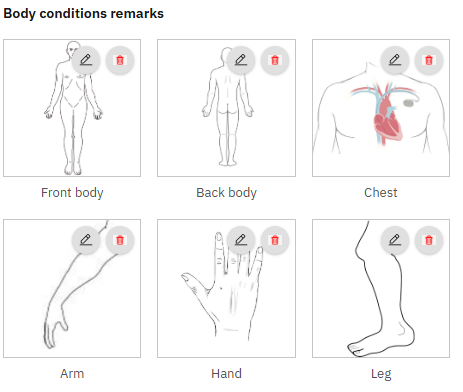
For the initial steps, we only need front body and back body questions, and there might be more than one image per question.
Once a form is submitted, we can’t undo it, but a reset option is available.
He suggested hardcoding values for templates at this initial stage.
Adding new templates to the annotation feature is administrative work with its own workflow most of the time, so we don’t need to worry about that for now. Just go with hardcoded front and back body images.
He mentioned we need to look at the ICRC setup to understand how they work with this, since it’s crucial to observe how the previous implementation works and align our new implementation with it.
Next Steps
Design a wireframe showing the flow, explain it, and gather feedback in the squad call meeting.
Make an epic and tickets.
Update the Talk thread.
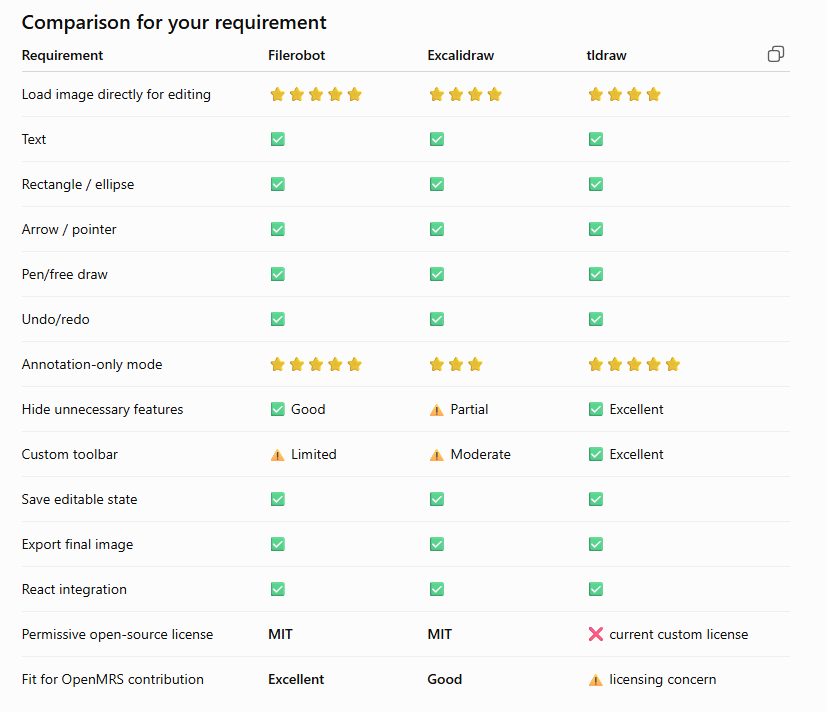
Research good annotation libraries to use.
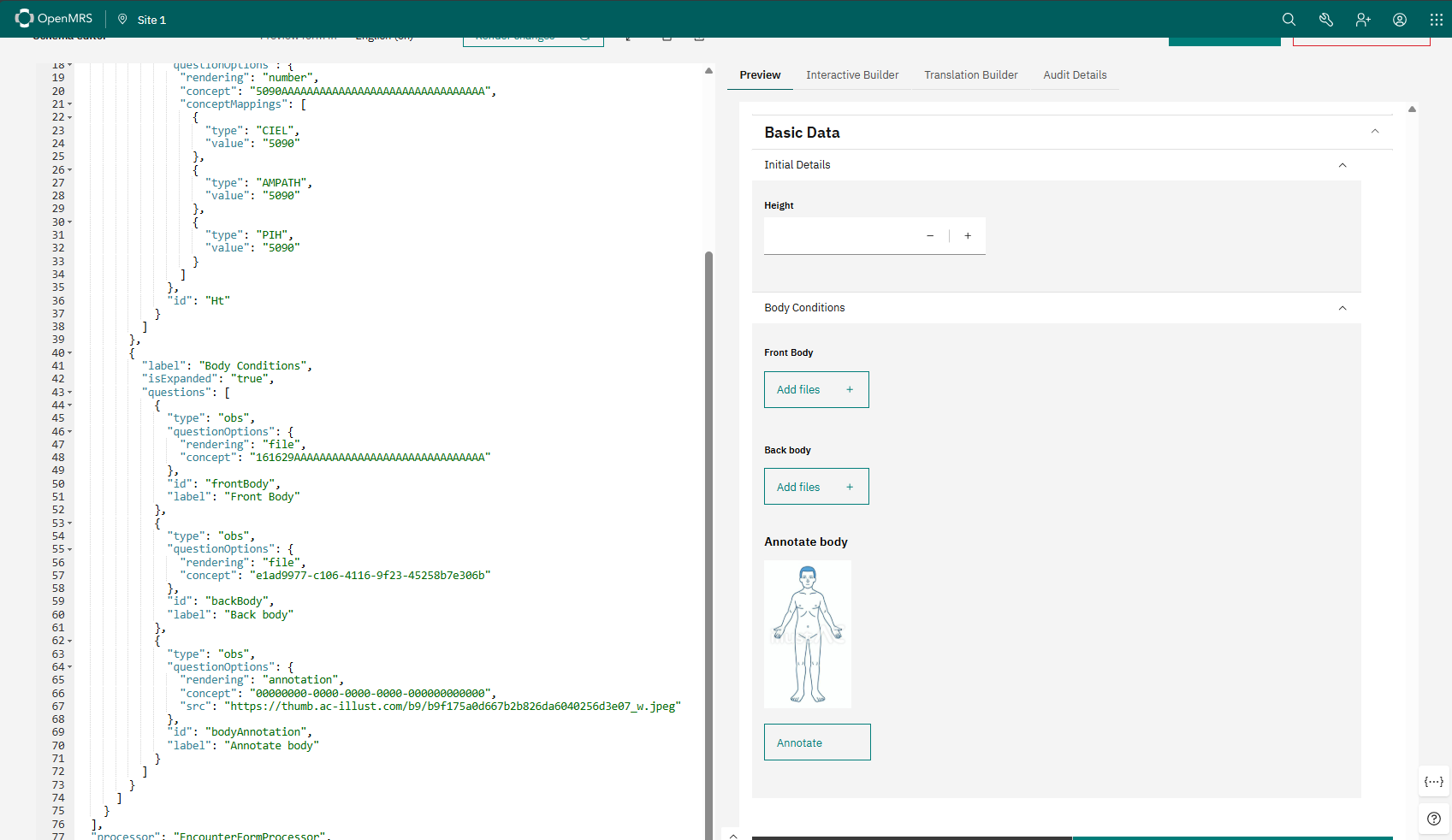
Set up the form engine repo, start implementation, and make a dummy JSON to check the question type first. If it’s okay, we can do more development.
The overall goal of this iteration was to confirm that the annotation field can be defined in the form template and rendered correctly through the Form Engine/Form Builder.
2nd Iteration
For the second iteration, I planned to integrate an annotation/drawing library.
I did some research based on a few requirements:
Preferably MIT licensed
Well maintained
Good usage/download activity
Provides an interface similar to the current O2 drawing module
Supports basic annotation features such as shapes, text, arrows, and freehand drawing
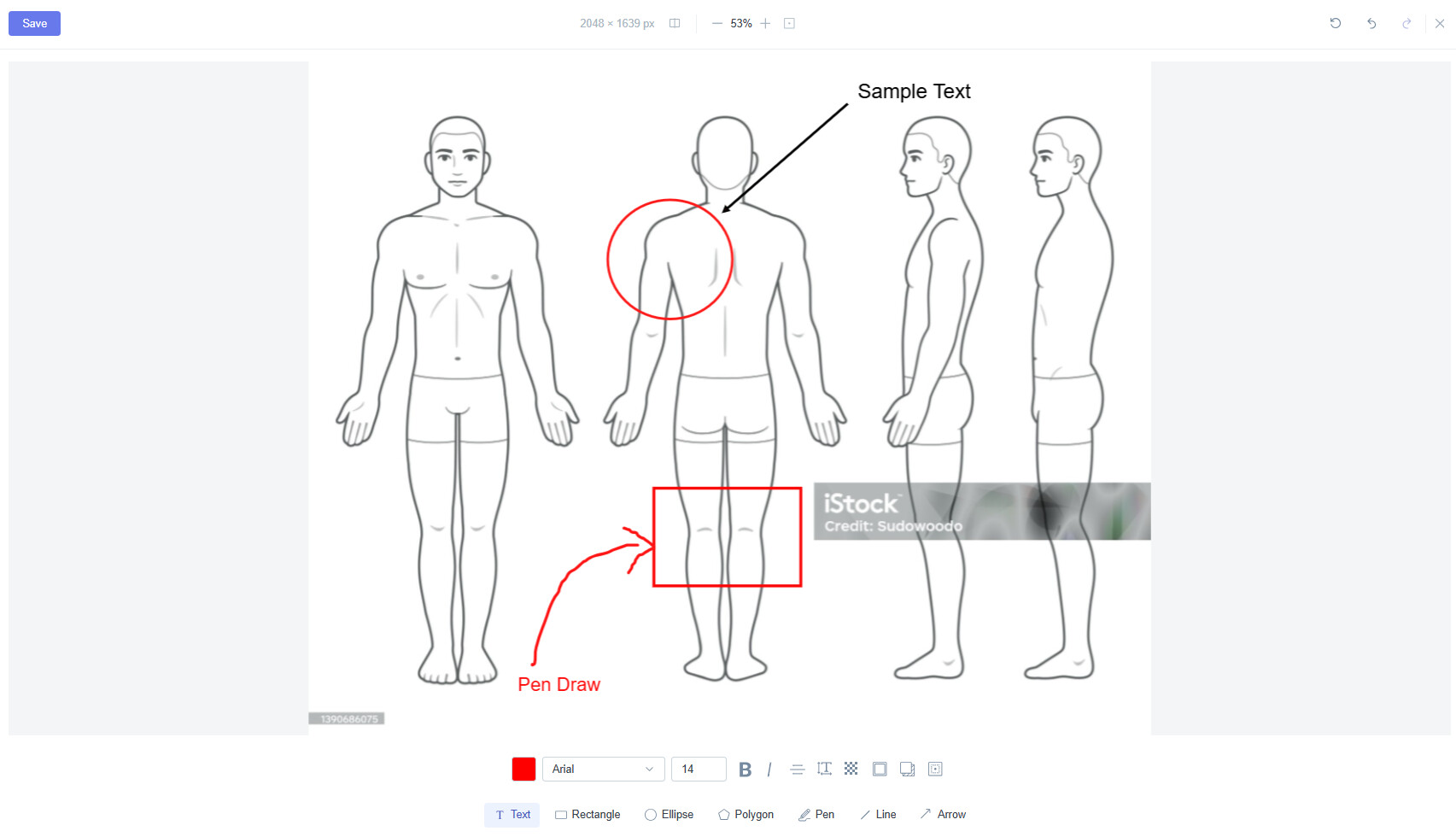
I first created a small standalone React demo using Filerobot Image Editor, and it worked well for our requirements.
Filerobot includes additional image-editing features such as adjustments, filters, watermarking, resizing, and annotations. However, for our use case, we only need the annotation functionality, and most of the editor behaviour can be configured so that we can keep the interface focused on drawing and annotation.
A call with ICRC has been scheduled to better understand their current workflow around body diagrams and clinical forms.
The main purpose of today’s discussion was to agree on what we need to learn from the ICRC team before moving further with the implementation. We want to understand how clinicians currently interact with clinical forms, how they draw on body diagrams, how those diagrams are attached to forms, and most importantly, what they actually expect from the new Draw on Body Diagram feature.
Current Progress
For now, I have been focusing on adding annotation support to the React Form Engine by integrating an external annotation library as a drawing module, adding default templates, and rendering them inside clinical forms
What we discussed
As @jayasanka mentioned, in war zones, patients come with war injuries on their bodies, so ICRC wants to make visual observations on diagrams. They work with physical hard-copy body diagrams, clinicians draw on the paper diagram by hand, then photograph it and upload the photo as an attachment. Patients come with war injuries on their bodies, so they want to make visual observations on diagrams.
Since O3 already supports multiple attachments per form, that’s the workaround they’ve been using.
That gave us two ideas for how the template-selection UI could work,
Predefined templates: show a fixed set of templates to pick from directly. In this flow, only the annotated image gets saved to attachments.
Dropdown selection: show a dropdown where the user picks a template and saves it.
Next steps
Create mockups covering both input methods above
Make a short questionnaire to capture ICRC’s exact requirements
This is a good one @kavindaweerasinghe , as per the previous discussion,i think it would really be good for us to consider the general anatomy of the body including the Head and facial features especially for specialist like dentist,Otolaryngology (ENT) which might be helful to them as well.
Nice progress, @kavindaweerasinghe! The mockups look solid and the Filerobot choice makes sense given the annotation-only scope.
One thing worth considering: since the annotated image gets saved as an attachment, it might be good to also store the raw annotation data (coordinates, shapes, text) as structured metadata alongside the image export. That way annotations stay editable later rather than being baked into a flat image — useful if a clinician needs to revise a diagram on a subsequent visit.
Looking forward to seeing how the ICRC feedback shapes the template-selection approach.
Thank you for the suggestion @omeri . It was really helpful for me to understand real use scenarios.
I’m working on making this feature more generic, so it can support any general anatomy diagrams.
So, as you mentioned, specialists like dentists and otolaryngologists (ENT) will be able to include head and facial features, based on clinical form requirements.
As the ICRC mentioned, they are looking for more flexibility on their end to make their clinical workflow more efficient and fast. As you said, it’s better to have re-editable capability for this feature, and I am considering that.
I am planning to approach this iteratively. At the initial stage, I will provide support to re-edit the annotated image before the form is submitted. In a coming iteration, I will include that capability as well.
Yes, and the goal here is to make it generic enough, so that implementors should be able to provide templates via configuration or via form schema (TBD).
The common use case I’ve seen in primary/general care has been the option for including one or more annotated images while documenting a physical exam. The typical approach is having a structured physical exam form (lots of checkboxes organized by body system with options to add some extra text) with the option of flipping to a diagram for each body section in order to include an annotated diagram. To support this approach, it would be nice to be able to invoke the body diagram tool for a specific diagram so, rather than bring up the diagram tool and then making the user find the appropriate diagram, the context they’re in (documenting the lung exam) could provide a link/tab that would automatically render the lung diagram with ability to annotate it.
Diagrams can also be helpful when documenting the patient’s history (e.g., where the pain or rash is on their body). Ultimately, it would be helpful to leverage the context of when/where the diagram tool is invoked to constrain the template option or, more commonly, simply which template to use for that context. This is the first example are cases where it’s more of an invoke-the-body-diagram-tool-for-this-template approach than opening up the body diagram tool and leave it to the user to hunt down the appropriate diagram.
I would expect selecting an existing template to be the vast majority of use cases and user-uploaded images to be the exception.
And, FWIW, there will definitely be scenarios where more than one diagram would be used to document a patient’s history/physical exam.
Lastly, just a thought… it might be helpful to have an optional text field (a textarea, not just adding text to the image) to capture general comments. For example, you mark where the rash is on the diagram and then add a few words to charactize the rash in the textarea. Or, you mark the joints that are painful on the diagram and throw “progressive pain for the past 2 weeks” into the textarea.
As you mentioned, selecting the appropriate diagram happens before opening the annotation tool.
Who ever the do the form configuration, can setup which diagram/digrams will be included in each question.
Each question will have the configured digrams list only.
I acknowledged your requirement. I and Jayasanka are thinking about it.I will come up with a UI mockup for that
Looking at the requirements, I think it may be cleaner to support two annotation modes instead of trying to make one field cover both cases.
Mode 1: Template Browser
The user can browse the available templates, pick one or more, and annotate them. This fits cases where we don’t know the body area upfront. For example, in the ICRC use case, someone may come in with gunshot wounds in different places.
The templates can be fed into the drawing module through config. We could also allow users to upload an image and annotate it for one-time use.
Mode 2: Form-defined annotation
Here, the form author provides one or more diagrams as part of the field/question. So if you’re documenting a lung exam, the lung diagram is already there and the user can just click it and annotate.
Both cases would still use the exact same annotator underneath. In the first case, the user picks the template from the browser. In the second, the template is already provided by the form. Either way, clicking the image opens the same annotation tool.
I also like the idea of having an optional textarea per image.
We could probably expose the user-selected version through the attachments widget too, so someone can add an annotated diagram without necessarily being inside a form.
Really useful discussion — the two-mode split makes sense.
One thing worth adding to the mix: it could be valuable if the annotation isn’t just a mark with a text note, but tied to structured data underneath. So when someone taps a spot on the body diagram, it links to a specific, named anatomy concept from the library (not just an x/y position) — and the injury or finding added at that spot is also picked from validated concepts, rather than free text.
This would work the same way in both of Jayasanka’s modes — whichever diagram is used, the annotation itself would carry real clinical meaning (e.g. “laceration” + “left forearm”) rather than just a drawn mark and a comment. That would make the data much easier to reuse later, e.g. for summaries or sharing between systems.
Is this kind of structured link between the diagram and the concept library something that’s being considered for the annotator, or would that need to be built separately on top?
@kavindaweerasinghe my feedback during today’s O3 Squad Call was to confirm before resetting annotations. If there are no annotations, then the tapping the reset button is harmless; however, if someone has made any annotations, accidentally clicking the reset button will discard data, so needs to either ask for confirmation before discarding data.
A better and less disruptive approach than a modal confirmation is providing an undo (in this case a redo), but it can sometimes be harder to design & implement. For example, if the “undo” button became a highlighted “redo” button & a toast or brief message notified the user annotations have been cleared, the user would have the option to re-apply the annotations if the button was hit mistakenly while avoiding a modal if they intended to clear the annotations. It would also match the undo/redo pattern implemented in the editor. The one “gotcha” design-wise is how long to persist the redo option. Typically, having it available until the user navigates away (until that part of the page is redrawn) would suffice. All that said, modal confirmation approach is often used because it’s more straightforward to implement.
 ,
,
 …
…