🚨 Investigating Timeout Bottlenecks in OpenMRS Endpoints

Hey everyone! :waving_hand:

As part of my @GSOC project with @OpenMRS, I’ve been working on improving the performance of the OpenMRS 3.x backend. In this thread, I’ll walk through specific API endpoints that are facing timeout issues, backed by metrics from our Gatling testing reports. :bar_chart:

:link: Report: https://o3-performance.openmrs.org/index.html


:thread: URL 1:

:one: /openmrs/ws/rest/v1/patient – Get Patients

Used to fetch patient data with detailed fields.

Request URL:

/openmrs/ws/rest/v1/patient?q=SEARCH_QUERY&v=custom:(patientId,uuid,identifiers,display,patientIdentifier:(uuid,identifier),person:(gender,age,birthdate,birthdateEstimated,personName,addresses,display,dead,deathDate),attributes:(value,attributeType:(uuid,display)))&includeDead=false&limit=50&totalCount=true

:no_entry: Timeout %: 28.64%

:stopwatch: Median Response Time: ~51s


:thread: URL 2:

:two: /openmrs/ws/rest/v1/emrapi/inpatient/request – Get Inpatient Request

Used to fetch inpatient data related to admission/transfer requests.

Request URL:

/openmrs/ws/rest/v1/emrapi/inpatient/request?dispositionType=ADMIT,TRANSFER&dispositionLocation=LOCATION_UUID&v=custom:(dispositionLocation,dispositionType,disposition,dispositionEncounter:full,patient:(uuid,identifiers,voided,person:(uuid,display,gender,age,birthdate,birthtime,preferredName,preferredAddress,dead,deathDate)),dispositionObsGroup,visit)

:no_entry: Timeout %: 4.05%

:stopwatch: 95th Percentile: ~49s


:thread: URL 3:

:three: /openmrs/ws/fhir2/R4/Observation – Get Lab Results of Patient

Fetches lab observations via FHIR for a given patient.

Request URL:

/openmrs/ws/fhir2/R4/Observation?category=laboratory&patient=PATIENT_UUID&_count=100&_summary=data

:no_entry: Timeout %: 2.95%

:stopwatch: Max Response Time: ~60s


:thread: URL 4:

:four: /openmrs/ws/fhir2/R4/Observation – Get Patient Observations

Returns filtered clinical observations for the patient using concept codes.

Request URL:

/openmrs/ws/fhir2/R4/Observation?subject:Patient=PATIENT_UUID&code=OBSERVATION_CODES&_summary=data&_sort=-date&_count=100

:no_entry: Timeout %: 2.93%

:stopwatch: 99th Percentile: ~60s


:light_bulb: A Key Insight

In our current setup, only 250 patients are repeatedly used across simulations. Over time, this leads to data buildup per patient β€” including clinical forms, observations, and historical records.

For some endpoints (like observations and lab results), this accumulated load per patient could be a major contributor to timeouts.

But it’s also important to note: not all slowdowns are due to this.

@dkayiwa @ibacher @jayasanka @bawanthathilan

1 Like

Does the timeout percentage depend on the search query parameter?

We use β€œjay” as a search query parameter and it stays static.

Are we able to look at backend logs for timeouts?

Timeout happens when request takes over 60s to respond. It’s very likely that O3-4765: Improved FHIR Get Lab Results endpoint performance by rkorytkowski Β· Pull Request #569 Β· openmrs/openmrs-module-fhir2 Β· GitHub will improve performance for FHIR endpoints using Concepts as it introduced cache for Concept resource so I would re-test when merged.

1 Like

The server logs are available for the respective runs in the links below

The runs with name Run Performance Tests are the once to open and once opened the server-logs are present in the artifacts( server-logs).

:test_tube: FHIR Requests Used in Performance Tests

Hi team,

As part of our ongoing performance evaluation, below is a compiled list of all FHIR requests currently used in our performance testing suite:


:round_pushpin: Location-related Requests

  • GET /Location?_tag=Transfer+Location&partof:below={BED_ASSIGNMENT_UUID}&_count=15&_getpagesoffset=0 – Get Transferable Locations
  • GET /Location?_count=1&_summary=data – Get Locations Search Set
  • GET /Location?_summary=data&_count=50&_tag=Login+Location – Get Locations

:bust_in_silhouette: Patient-related Requests

  • GET /Patient/{patientUuid}?_summary=data – Get Patient Summary Data

:pill: Medication-related Requests

  • GET /MedicationRequest?encounter={encounterUuid}&_revinclude=MedicationDispense:prescription&_include=MedicationRequest:encounter&_summary=data – Get Specific Medication Requests
  • GET /MedicationRequest/{medicationRequestUuid}?_summary=data – Get Medication Request by UUID
  • GET /Medication/{medicationUuid}?_summary=data – Get Medication by UUID
  • GET /Medication?code={code}&_summary=data – Search Medication by Code

:stethoscope: Observation and Condition Requests

  • GET /Observation?subject:Patient={patientUuid}&code={codesParam}&_summary=data&_sort=-date&_count=100 – Get Observations for Patient
  • GET /Observation?category=laboratory&patient={patientUuid}&_count=100&_summary=data – Get Lab Results of Patient
  • GET /Condition?patient={patientUuid}&_count=100&_summary=data – Get Patient Conditions

:dna: Allergy & Immunization Requests

  • GET /AllergyIntolerance?patient={patientUuid}&_summary=data – Get Allergies of Patient (duplicated)
  • GET /Immunization?patient={patientUuid}&_summary=data – Get Immunizations of Patient

:open_file_folder: Encounter-related Requests

  • GET /Encounter?_query=encountersWithMedicationRequests&date=ge{encoded}&_getpagesoffset=0&_count=10&status=active&_summary=data – Get Medication Request Encounters
  • GET /Encounter?patient={patientUuid}&_sort=-date&_count=1&type={VISIT_NOTE_ENCOUNTER_TYPE_UUID}&_summary=data – Get Latest FHIR Encounter

:package: ValueSet

  • GET /ValueSet/{valueSetUuid}?_summary=data – Get ValueSet by UUID

Could you please help identify which of these endpoints are likely to be impacted by the recent changes ?

Based on that, I can share:

  • Previous performance stats for those specific requests
  • Any other metrics or details you’d like to see for deeper analysis
1 Like

@raff @dkayiwa what do you think?

@jayg thanks. Get Lab Results of Patient was specifically addressed in Jira

I’d also check all except for Location-related Requests. Basically anything related to observations and concepts might have been improved by this change.

Ideally we would use a tool like GitHub - nuxeo/gatling-report: Parse Galting simulation.log files to output CSV stats or build HTML reports with Plotly charts. and/or GitHub - DennisRippinger/gatling-reporter: Work with Gatling reports to compare results between runs.

2 Likes

@jayg would it be too much work to compare all? The reason i am suggesting this is because sometimes we make changes that affect other unexpected areas. So it feels safer if we can confirm that those other unexpected places did not end up with performance degradations.

1 Like

It wont be a lot of work i will try to integrate the reports over time using the tools mention by @raff , which will make it very useful and easy, will try to be done by Monday.

1 Like

Hi @raff i have throughly looked into these tools, these tools are no more in working condition.

Starting with Gatling 3.7, the simulation.log format was changed from a text-based log (TSV) to a high-performance binary format. This makes the parser tools not viable for use in current versions.

Will try to look for alternative ways but in meantime should i send the differences in performance manually?

1 Like

I see! Yes, let’s have the manual comparison.

I’d try asking chatgpt or claude to compare results? :wink:

1 Like

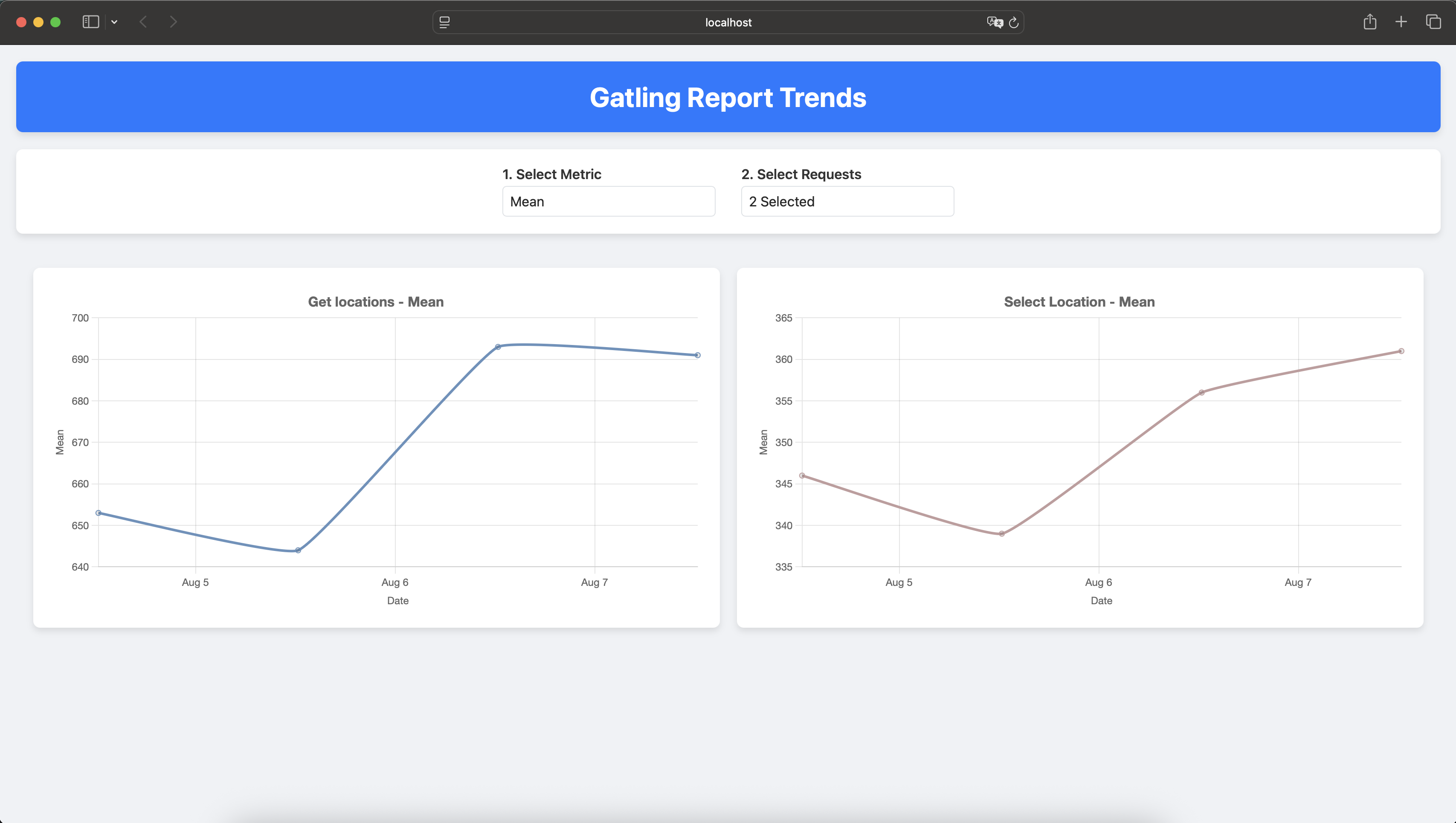
I have figured out on how to parse, i will be generating trends graph soon.

Hi @raff, @dkayiwa

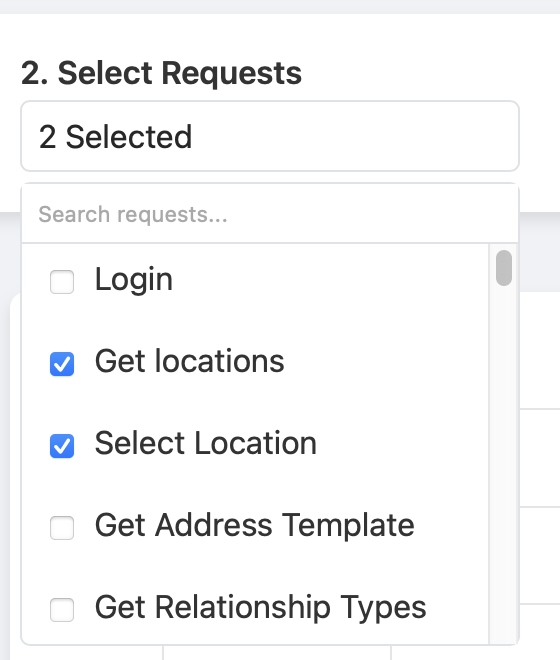
I have a preliminary version of the trend representation working. To backfill the historical data, could you please provide the deployment date for the relevant changes? My implementation will begin consuming data from today onwards.

(Note: This is a very basic version and might be sensitive to future Gatling updates).

cc: @jayasanka @bawanthathilan

Thanks @jayg ! We would be interested in comparing current results with the deployment from Add CACHE_BUST work-around for backend Β· openmrs/openmrs-distro-referenceapplication@0ef8c6e Β· GitHub or before.

1 Like