Hi,
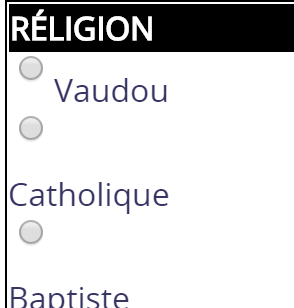
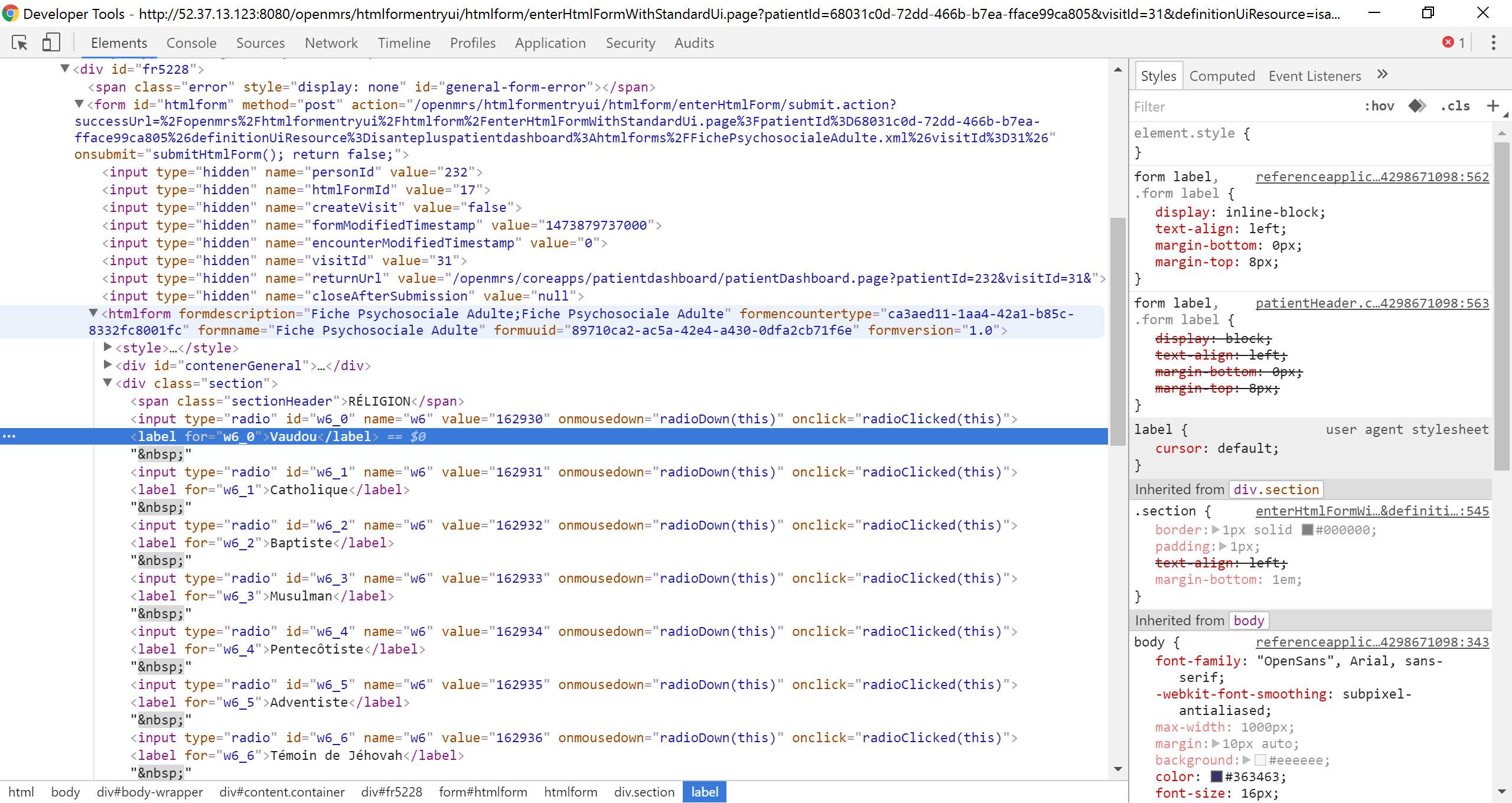
It has to do with a couple CSS attributes on both the form and the label. If you dig into the java console in Chrome, you can see the css attributes “float: left” and “display: block” This causes each question in the UI to display one row for each the radio button and the label.
Here’s the chrome console:
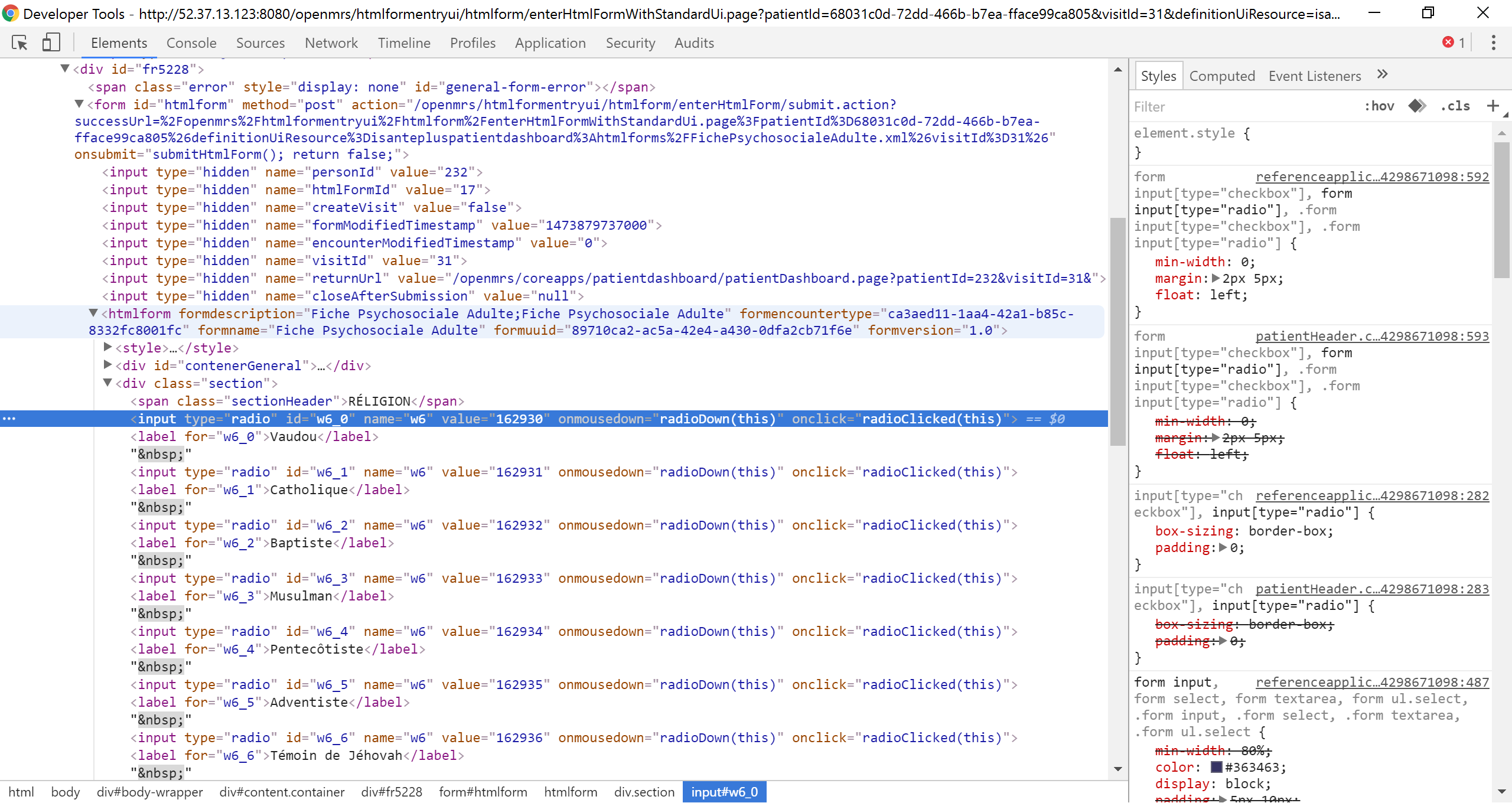
On the right side, you can see the CSS with “float:left” causing the input to align to the left.
Here’s the chrome console for the label:
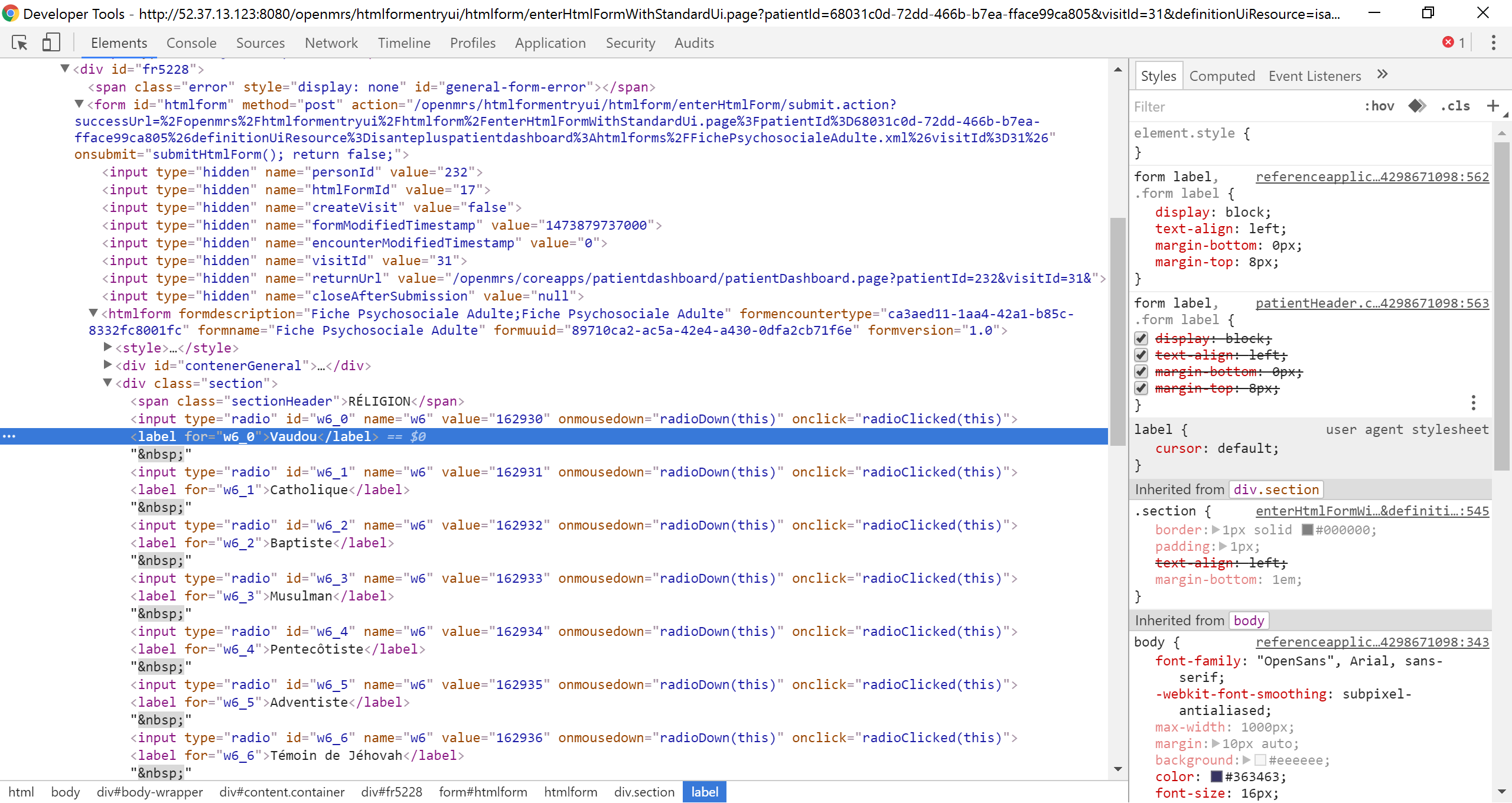
You can see the “display:block” properties on the label causing it to jump down to the next line.
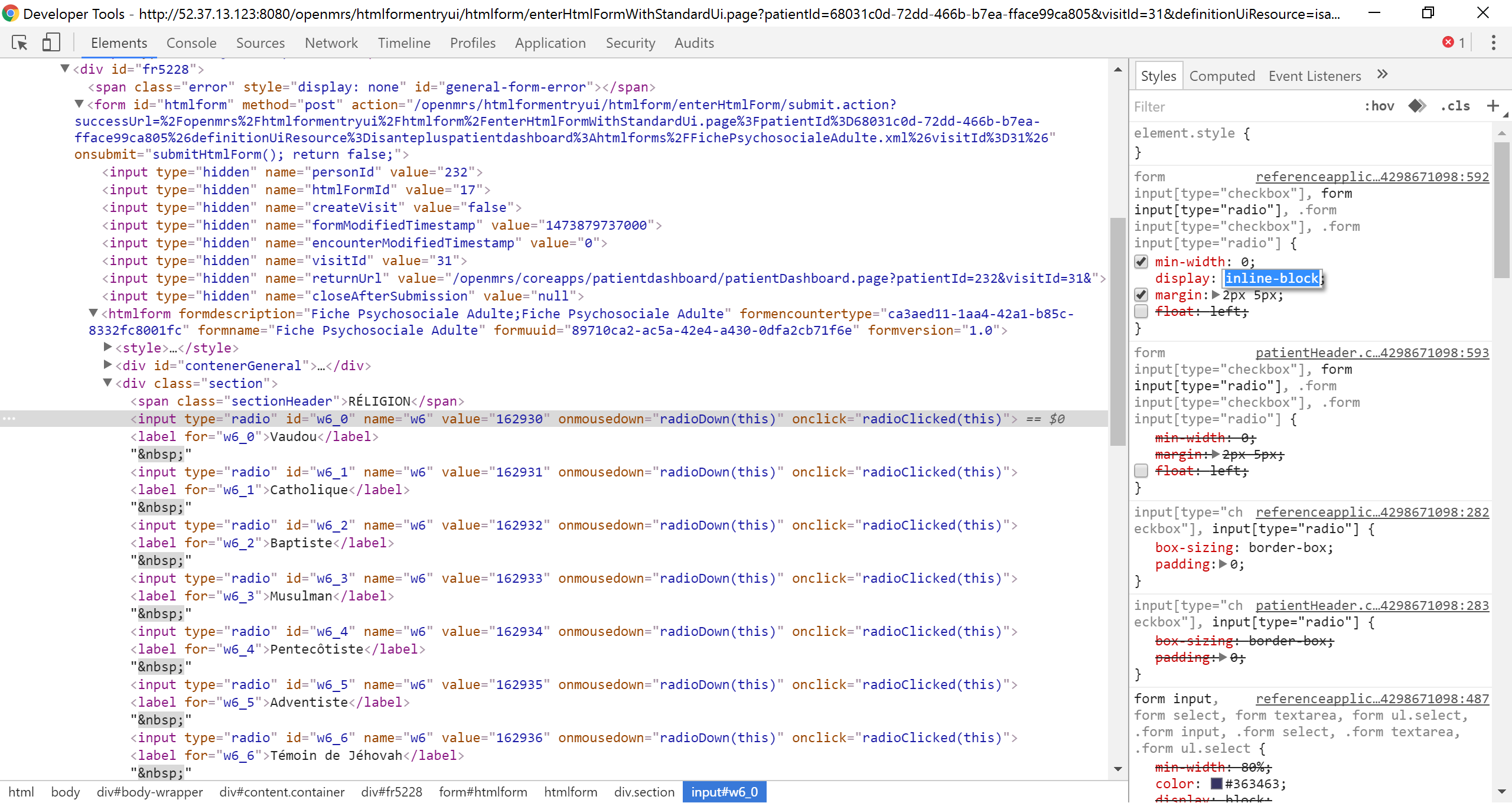
To fix it, you need to remove the “float:left” on the input and add/change the display to display:inline-block.
Fixed Input:
Fixed Label:
Screenshot of form:

I don’t know if you can add style=“display:inline-block;float:none;” in the HTML form or if it should be fixed in the referenceapplication.css file.