GSoC 2026: Integrate O3 with the Authentication module

Hello Beautiful Community!

I’m creating this thread to keep track of and stay focused on my GSoC 2026 project, “Integrate O3 with the Authentication module”. First, I’d like to share the project proposal that was selected by my mentors. In the proposal, I have also attached a YouTube video, and to make it easier for everyone, I’ll share the YouTube link here as well. I hope all of you will take a look at them first and share your thoughts here. Your feedback and suggestions are very valuable to me.

Proposal :

Youtube video :
Now let me dive into my main purpose of this thread.

  • I will raise questions here regarding my project so everyone can share their ideas and suggestions.
  • I will share my weekly updates in here (with weekly blog posts)
  • I will share my doubts and the areas where I get stuck, so anyone can help me and provide suggestions to improve my work.

Through this thread, my work and progress will be tracked publicly. In the future, this can also help newcomers and other developers who may work on similar areas.

Finally, Thank you so much to my mentors @jayasanka and @janithrs for selecting me as your mentee and for trusting my work. I will definitely do my best to successfully complete this project and make you both feel that you made the right choice.

Thank you to the entire community!

Bis bald!

Happy Coding! :heart:

cc: @ibacher @dennis @dkayiwa @nethmi @wikumc @veronica @beryl @mseaton @mogoodrich @raff
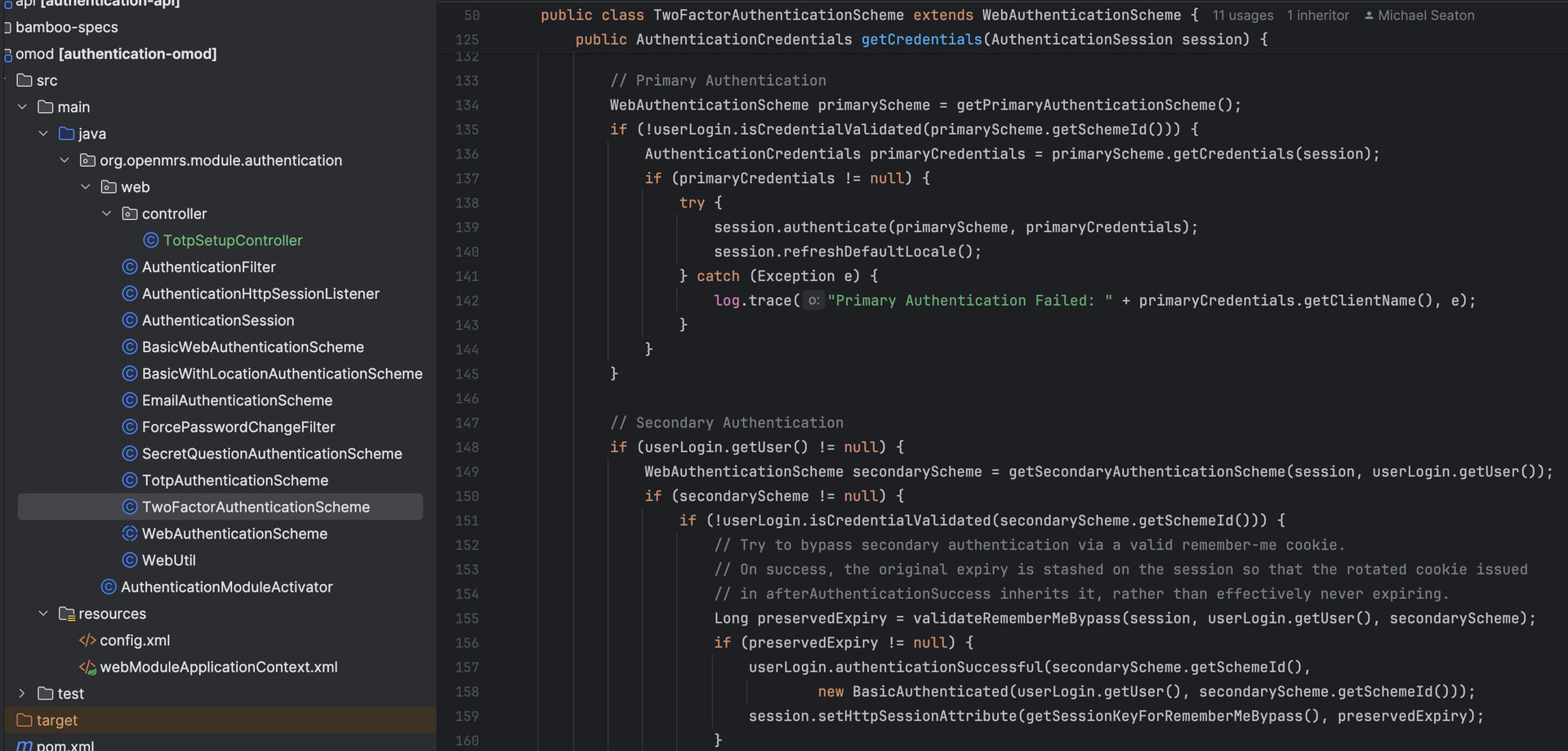
2 Likes

Hi community!

Following up on my GSoC mentor call with @jayasanka and @janithrs , I wanted to bring this discussion to the talk thread so the wider community can weigh in and we can land on the right approach.

The question is: **How should the backend communicate a TOTP challenge? ** We discussed two possible approaches during the call.

  1. 302 redirect with a Location header and a structured body

This pattern already exists in HERE. The idea would be to return a 302 with both a Location header pointing to the challenge page and a structured JSON body that describes the type of challenge required.

  1. 401 response with a structured JSON body through the Session API

The second approach works through the existing /ws/rest/v1/session endpoint in SessionController1_9 (HERE). Instead of a redirect, the backend returns a 401 Unauthorized with a JSON body that explicitly communicates that MFA is required and what type of challenge the client should expect.

  • Also the user flow should be like this:

Login page → TOTP setup/verification screen → Location selection screen

Would love to hear thoughts from the mentors and community on which direction fits better with the long-term vision of the authentication module.

Please do correct me if I’m wrong anywhere.

Thanks!

cc: @ibacher @mseaton @dennis @dkayiwa @nethmi @wikumc

302s won’t work in the SPA frontend. This is because the Fetch API simply resolves and does not surface 302s to the client, so there’s no way to change the “page” as a result of this. Consequently, the backend needs to communicate a second-factor challenge (and we shouldn’t only be thinking about this in terms of TOTP, but in terms of any second factor the authentication module supports) via basically any status code that is not in the 3xx range.

The user-flow should be configurable and driven by the authentication module setup (see the authentication module docs).

As I’ve mentioned during the call, I’d lean toward the 401 with a structured JSON body via the Session API. That approach treats MFA as an explicit authentication state transition rather than a navigation redirect, which separates the backend’s responsibility (saying “credentials valid, MFA required”) from the frontend’s responsibility (deciding which screen to show).

BTW, did we discuss having 3XX or 4XX with a location header (for option 1)? Because I think 4xx could be handled in Fetch API.

Yeah. It is supposed to be this.


By the way, I brought this up on today’s platform call. Here’s the TL;DR on the matter.

Communicating this via the session endpoint body would require altering the session JSON body by introducing one or more properties, which means the endpoint would have two shapes: one for 2FA and one for when the user is logged in.

So using a 401 with a Location header is the closest we can get to the standard.

The client should be smart enough to follow the Location header on a 401 if it’s coming from the /session endpoint.

You can listen to the full discussion here:

Link to full video

Thank you so much @ibacher , @janithrs, and @jayasanka for the detailed responses!

This really clarified things for me.

I also listened to the platform call recording and I’ll be going through it again to make sure I fully absorb everything that was discussed. I want to make sure my implementation reflects the right thinking from the ground up.

My next step is to move forward with the 401 + Location header approach in and make sure the O3 client handles it correctly on the frontend side.

Thanks again for the guidance :>

1 Like

Hi,

While going through the Authentication Module, I noticed that there doesn’t seem to be a built-in way to configure TOTP (Two-Factor Authentication) meaning it isn’t strictly enforced, and users can only set it up optionally. I believe we’ll need a new endpoint to handle this configuration. I’d love some input before moving forward.

A few questions on my mind:

  1. Configuring TwoFactorAuthenticationScheme: When TwoFactorAuthenticationScheme is configured, it has a Primary and a Secondary authentication method. For example, we could set TOTP as the primary and Secret Questions as the secondary, but I’m wondering whether Secret Questions are still a good fit in today’s security landscape. Are there better alternatives we should consider instead?

Also, once we decide on the methods, how exactly do we configure those primary and secondary authentication schemes within TwoFactorAuthenticationScheme?

2. Endpoint for TOTPAuthenticationScheme If we move forward with TOTPAuthenticationScheme, we’ll need a dedicated endpoint to:

  • Set up TOTP — generate and return the QR code URI for the user to scan
  • Verify TOTP — temporarily store the secret and confirm the user’s code before finalising setup

Would love to hear your thoughts on the best approach here. @mseaton, would really appreciate your input on this! :slight_smile:

cc: @ibacher @jayasanka @janithrs

The configuration was previously handled in O2 via the authentication-ui module. Yes 2FA is not strictly enforced, but that’s not because the authentication module lacks the ability to support configuration. The UI layer was responsible for exposing and managing that configuration.

Yes, that’s technically possible. However, in practice the primary authentication scheme is usually something like username/password, with a secondary factor such as TOTP, email verification, secret questions, etc.

The TwoFactorAuthenticationScheme was designed to be flexible enough to support different combinations, but the most common setup would be basic web authentication as the primary scheme and TOTP as the secondary scheme.

For the scope of this project, I’d prioritize TOTP configuration first and then support the remaining schemes based on priority and demand.

Yes, secret questions are not very common these days and generally aren’t considered as strong as methods like TOTP, so we could probably deprioritize them a bit. That said, ideally by the end of the project it’s better to make it possible to configure any authentication scheme supported by the authentication module, rather than limiting the solution to a specific set of schemes.

1 Like

This is done by adding the relevant configuration to runtime properties. The documentation is here

There’s also a sample 2FA configuration in this test:

Ultimately this configuration is not something we (developers) decide. It is up to the implementer who deploys the OpenMRS instance. The authentication module is flexible enough to support different combinations of authentication schemes.

Yes we’ll need those two endpoints. Temporarily storing the secret in the user’s session during enrollment would be a reasonable approach.

I’d also suggest slightly different naming:

  1. Create TOTP Enrollment
  2. Verify TOTP Enrollment

The distinction is important because “Verify TOTP Code” would refer to the normal day-to-day authentication flow after enrollment has been completed. That flow is already handled by the authentication module through the configured request headers.

What we’re building here is specifically the enrollment/setup flow, where a user registers a new TOTP device and proves ownership of it before the secret is permanently stored.

Appreciate you calling out these questions @dilankavishka. Better to challenge assumptions now than discover gaps later.

1 Like

Hola!!!

I’ve been working on designing the endpoints needed for the TOTP enrollment flow. Before I start writing any code, I wanted to share the design here and get feedback and approval from the community and my mentors.

  1. Base URL /ws/rest/v1/auth/{schemeId}/totp

The {schemeId} refers to the TOTP scheme identifier configured in runtime.properties. This keeps the endpoints tied to a specific scheme configuration. In our scenario it would be the TOTPAuthenticationScheme.

  1. Endpoint 01 - Create TOTP Enrollment

GET /ws/rest/v1/auth/{schemeId}/totp/enrollment

  • Generates a new TOTP secret
  • Returns the QR code URI

When a user completes the primary authentication, (username + password) can call this endpoint. Also, user hasn’t enrolled TOTP yet.

Success Response — 200 OK:

{ 

    "secret": "JBSWY3DPEHPK3PXP", 

    "qrCodeUri": "data:image/png;base64,..." 

}

Error Responses:

401 - No user found in session

500 - Failed to generate secret / QR code

:writing_hand: Note: The secret is stored temporarily in the session at this point. It is NOT saved to the user’s account yet.
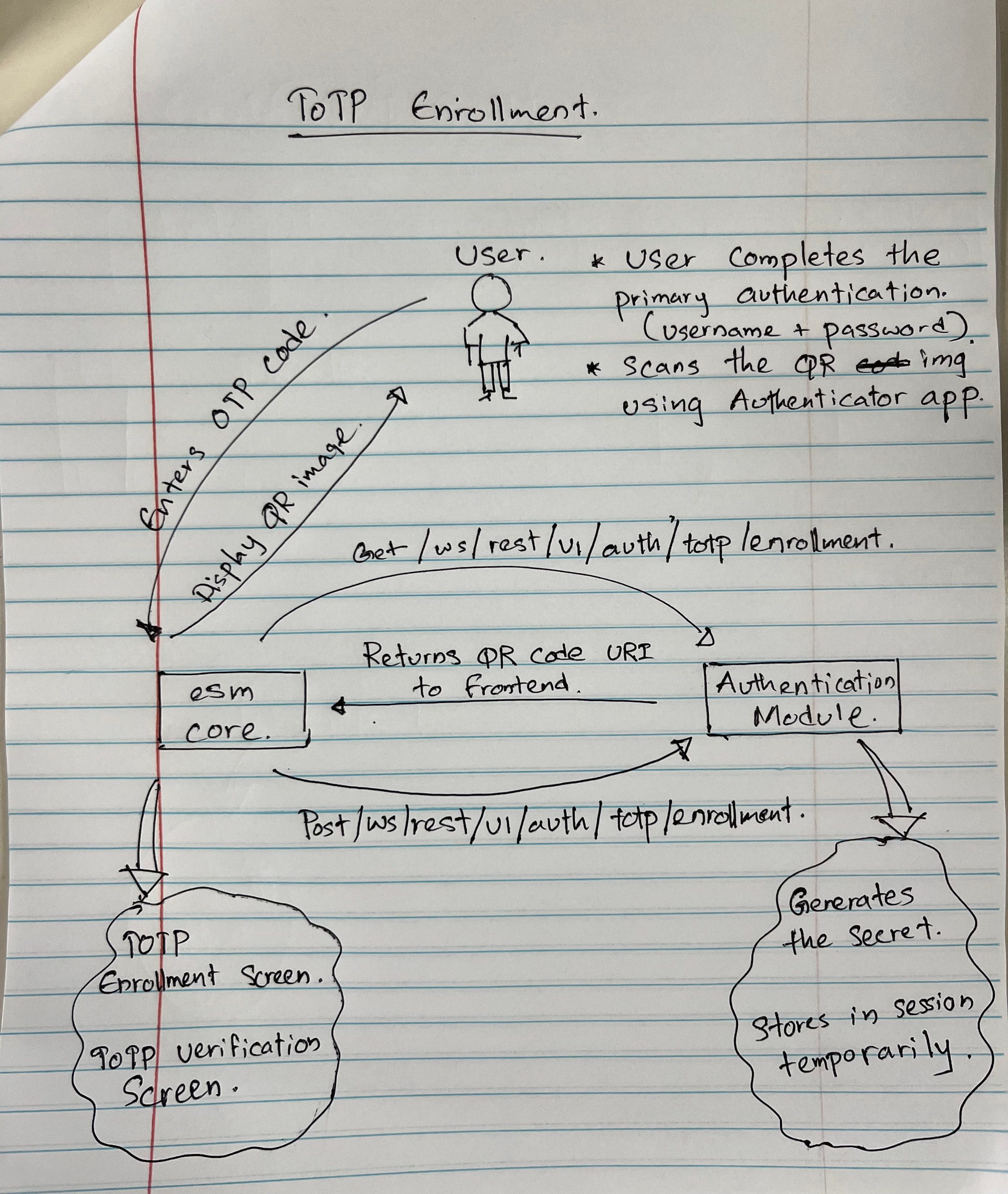
  1. Endpoint 2 — Verify TOTP Enrollment

POST /ws/rest/v1/auth/{schemeId}/totp/enrollment

  • Verifies the 6-digit code the user enters after scanning the QR code.
  • If valid, saves the secret to their account and completes enrollment.

Request Body:

{ 

"code": "123456" 

}

Success Response — 200 OK:

{ 

"success": true, 

"message": "TOTP enrollment completed successfully."

 }

Error Responses:

401 - No user found in session

500 - Failed to save the secret

Here is a quick sketch of what’s in my mind

Looking forward for your thoughts on this. @ibacher @mseaton @jayasanka @janithrs

1 Like

Without responding yet to the other aspects of the design, I don’t think we want to combine the authentication workflow itself with the enrollment workflow.

Enrolling in an authentication scheme like TOTP should be done from some sort of “My Account” page that an already-authenticated user can access and choose to do.

Once enrolled, the next time the user logs in, the authentication process should prompt the user for the current time-based code that they will find in their authenticator app.

There is no authentication process that involves a QR code - that’s part of the enrollment process.

Happy to walk you through / provide screenshots or video of how this is all handled in the authenticationui module in O2-based code.

1 Like

+1 to @mseaton’s point.

One additional thought is that it might be worth making the enrollment endpoints generic rather than TOTP specific. Something like:

For example every scheme that supports enrollment could expose the same lifecycle:

POST /auth/{schemeId}/enrollment – Create enrollment
POST /auth/{schemeId}/enrollment/confirm – Confirm enrollment

For TOTP, the first endpoint would generate the secret and QR code and keep the secret temporarily in the session. The second would verify the code and persist the secret. For other schemes such as email verification or secret questions, the same two endpoints would exist but the request/response payloads would differ depending on the scheme. That keeps the REST API generic while allowing each scheme to implement its own enrollment logic.

Also, I don’t think 500 should be listed as an expected response here (500 indicates an unexpected server error rather than an accepted outcome of the API). It would be better to return more specific status codes for expected failures (e.g. 400, 401, 403, 409, etc.) and reserve 500 for genuinely unexpected exceptions.

1 Like

I would really appreciate the help @mseaton.

From my end, I tried setting up the authenticationui module to understand how the TOTP flow works in the O2 codebase, but I got stuck at a few points. I would appreciate your help in getting jump this hurdle.

I’m running my local setup using the Docker approach.

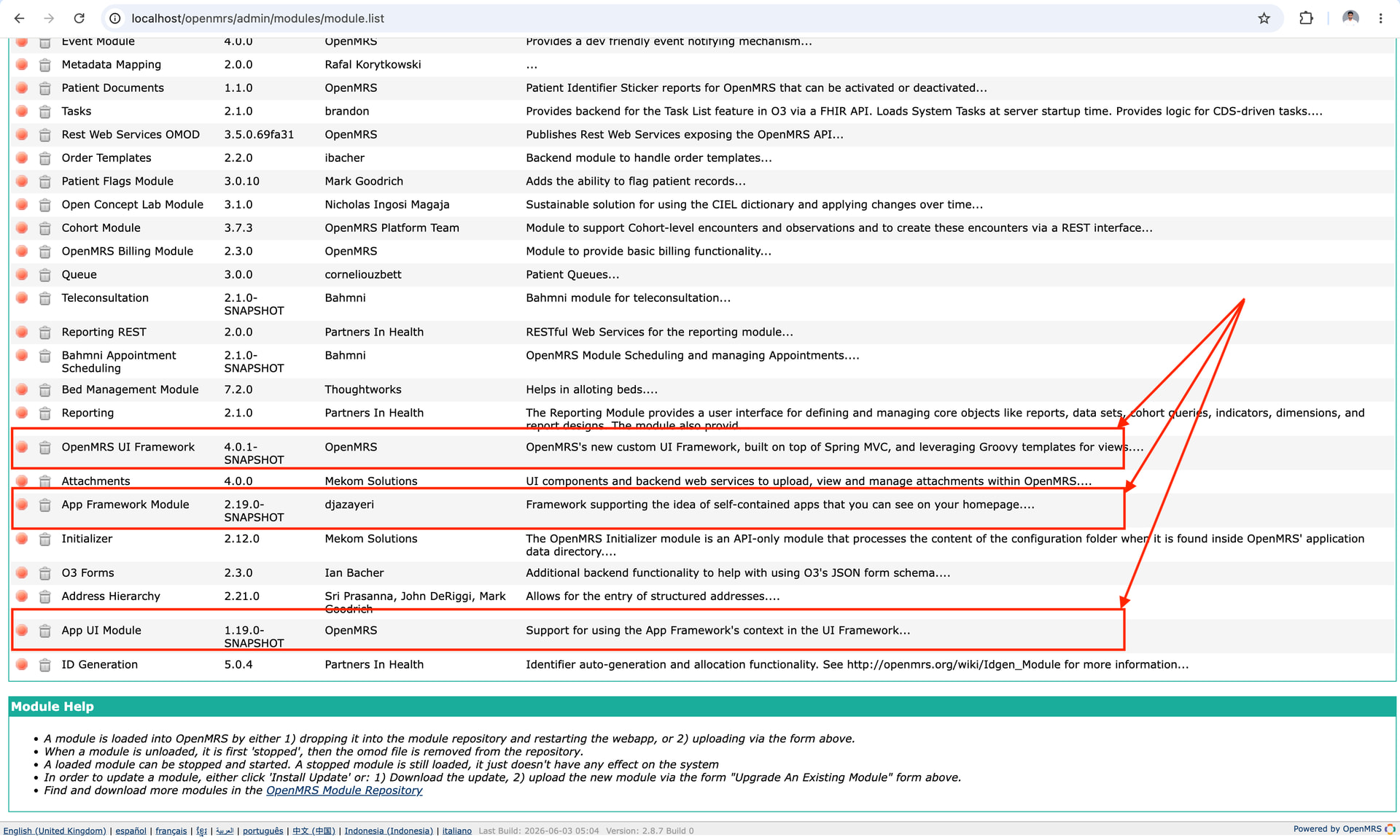
When I tried importing the appframework, uiframework, uicommons, and appui modules through Manage Modules, I kept getting a 413 Request Entity Too Large error. Looking at the gateway logs confirmed the issue with the message: "client intended to send too large body". I increased the limit by setting client_max_body_size 100M in the gateway configuration and restarted the container. After that, I was able to import the modules successfully.

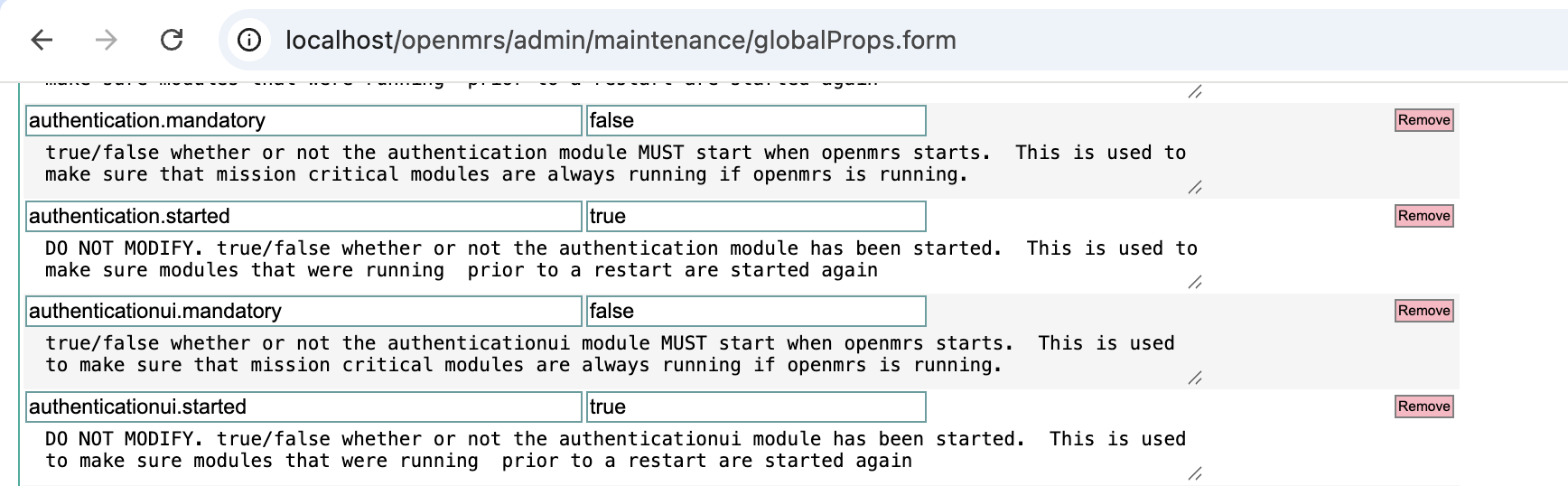
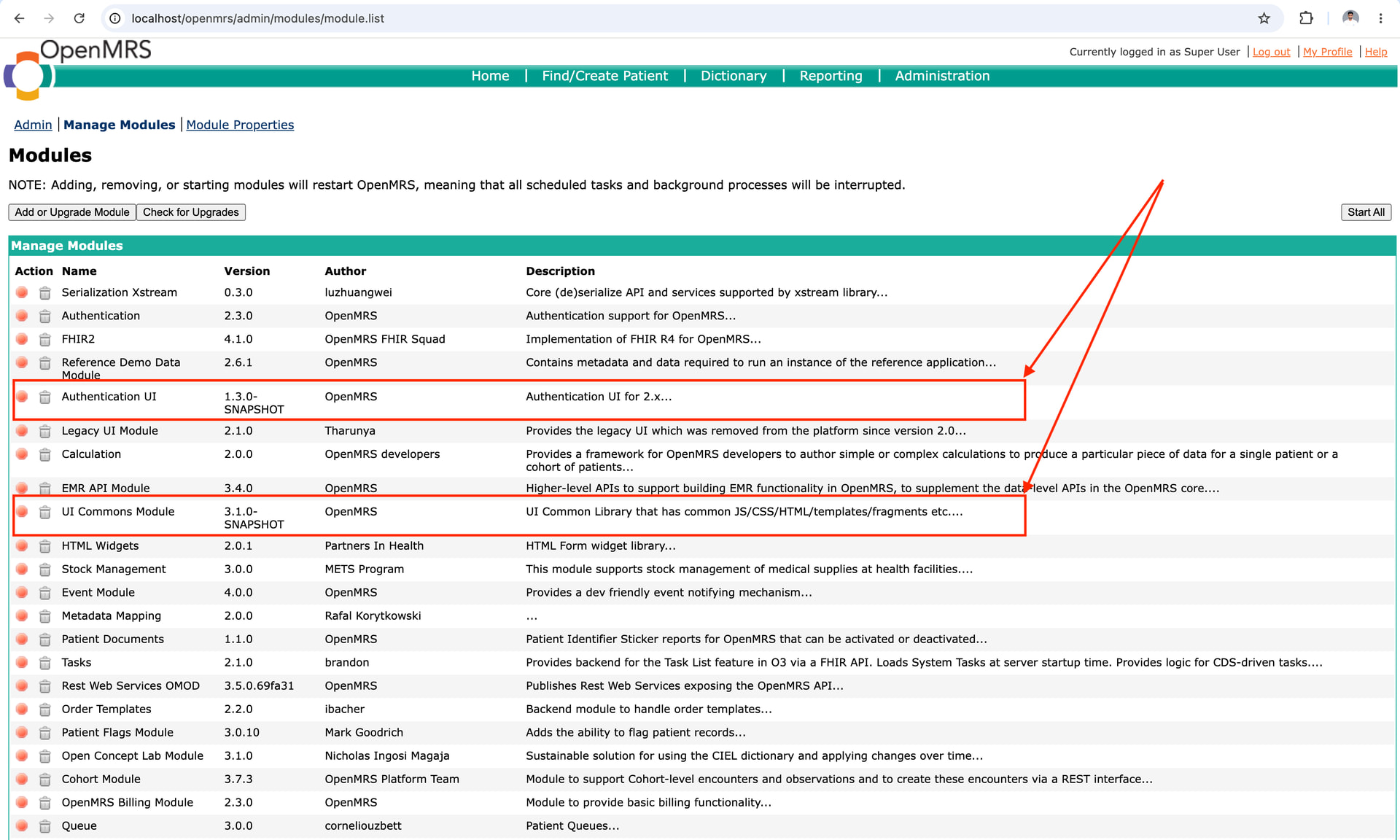
After that, I looked through the Advanced Settings and it shows like this:

I then tried to see how the TOTP flow works in the O2 codebase, but I wasn’t able to get it working.

Maybe I’m not taking the correct approach.

I would really appreciate some guidance on this so I can explore these things on my own and gain a deeper understanding. Until then, a walkthrough or a short video showing how everything works would be extremely helpful.

cc: @ibacher @jayasanka @janithrs

It isn’t enough to just add those modules, you also need to configure your system to use them appropriately. Additionally, I wouldn’t recommend using the manage modules page to add or remove modules any longer - you are better off directly manipulating your modules folder (eg. in Docker by mounting in additional volumes as the documentation you pointed to indicates) and then restarting.

This is still evolving and likely to change, but hopfully you can follow the documentation here to get a PIH - Sierra Leone environment up and running pretty quickly with Docker or the SDK:

This will come pre-configured to use the authentication and authenticationui modules for O2-based login, account management, and all 2FA factor set up (though to use the Email Authentication Scheme you would need to configure the appropriate email properties to get this working in your system, it should work out of the box for password, secret question, and TOTP.

Mike

Thank you so much, Mike, for this information!

As we’re moving forward, the REST endpoints have now been implemented, and I’ve raised the PR for them.

My next major goal is to implement the UIs and get a complete end-to-end TOTP flow working. To support that, I’ve been refining the UI designs that I previously shared in the Slack Design Advisory channel. I’ll also share the updates ones here so we can keep all the discussion and progress in one place.

The main UI work includes:

  1. TOTP enrollment screen

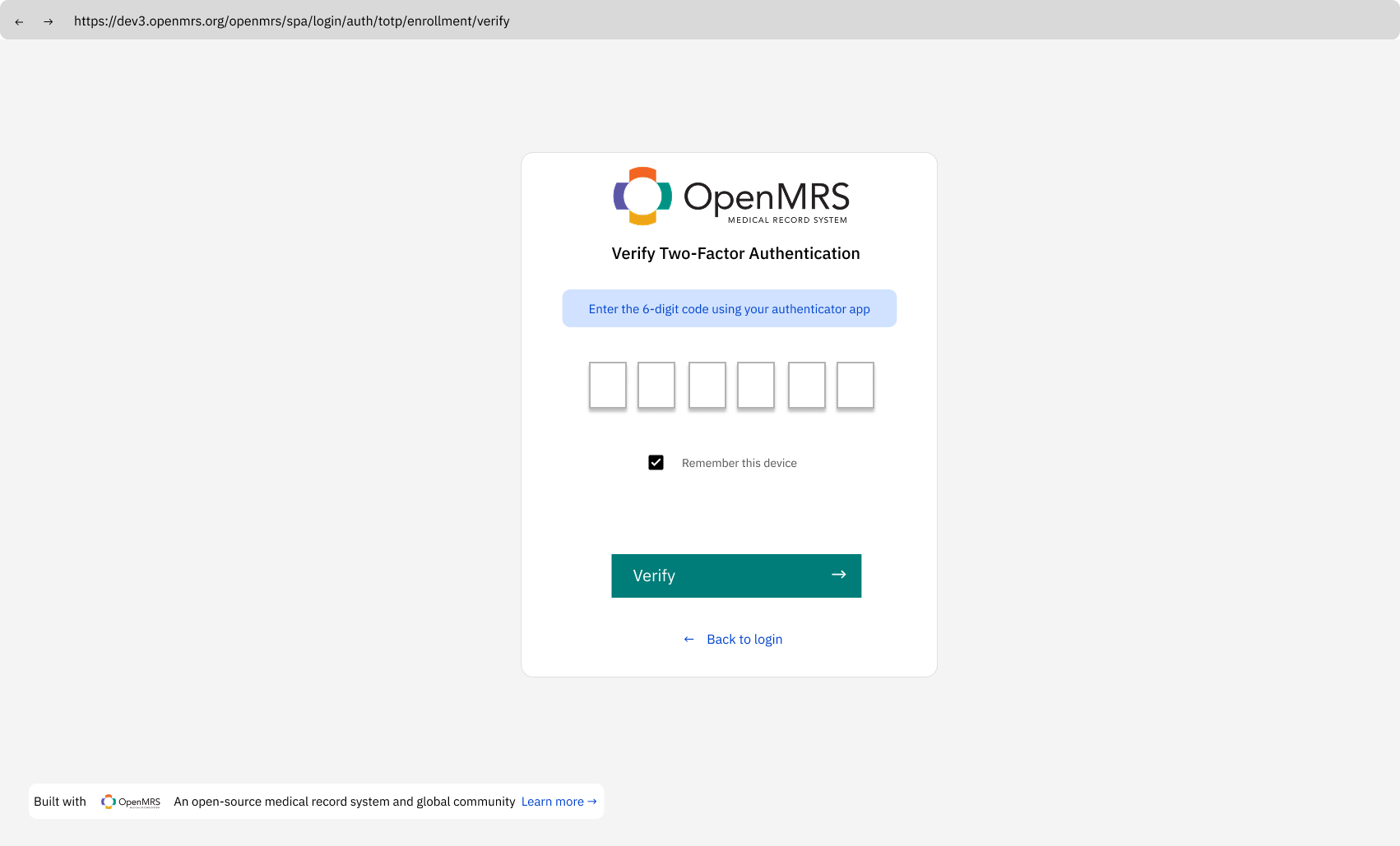
  1. TOTP verification screen

  1. An “Enable 2FA” option in My Account

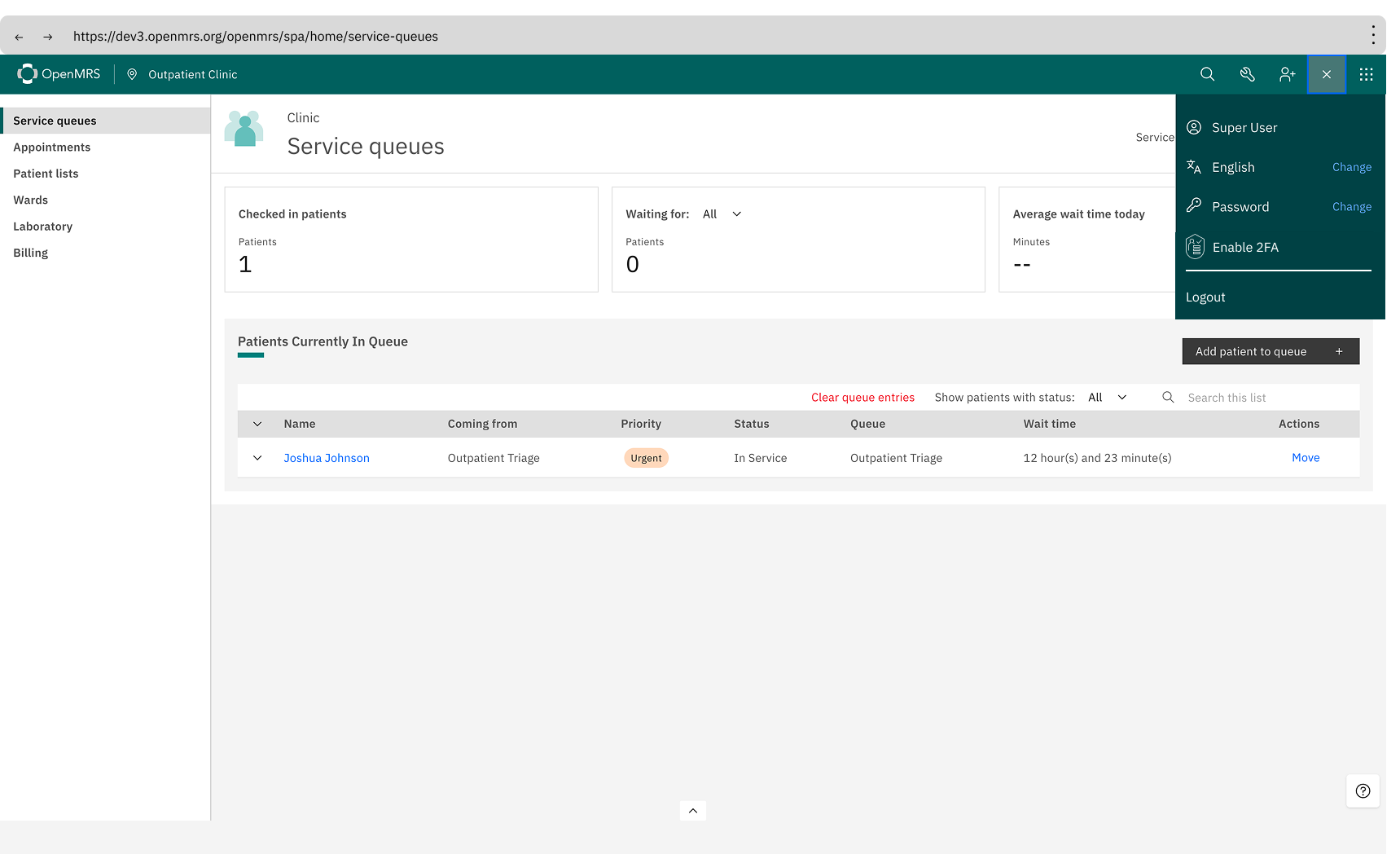
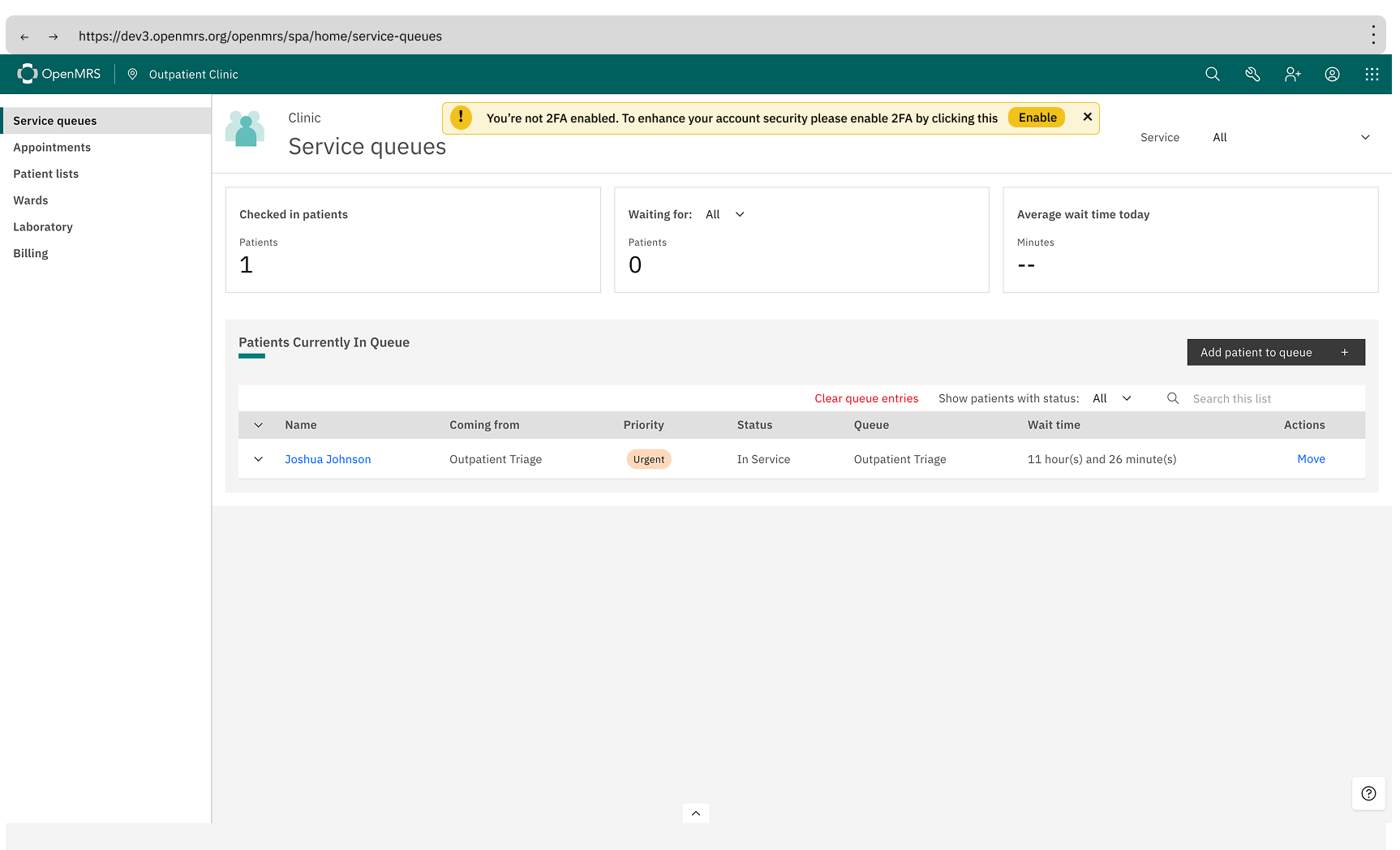
  1. An inline notification/banner shown after a successful login for users who haven’t enabled 2FA yet, encouraging them to enable it with a direct link to the setup flow.

Hope to get some thoughts on these designs.

cc: @ibacher @mseaton @pauladams @jayasanka @janithrs @dkayiwa @dennis @veronica

Hello!!

While implementing the Two-Factor Authentication UI in esm-core, I ran into some questions about the user flow that I’d love to get your thoughts on. I need either approval or suggestions before I move forward.

As I was building the TOTP enrollment UI, I kept coming back to one question: “How does the user actually get to this screen?”

The simplest answer would be adding an Enable 2FA option directly under My Account which is what I mentioned in my earlier UI design discussion. But after thinking it through and talking with @jayasanka, we both felt that wasn’t the cleanest approach. So I went back to the drawing board and came up with something more structured.

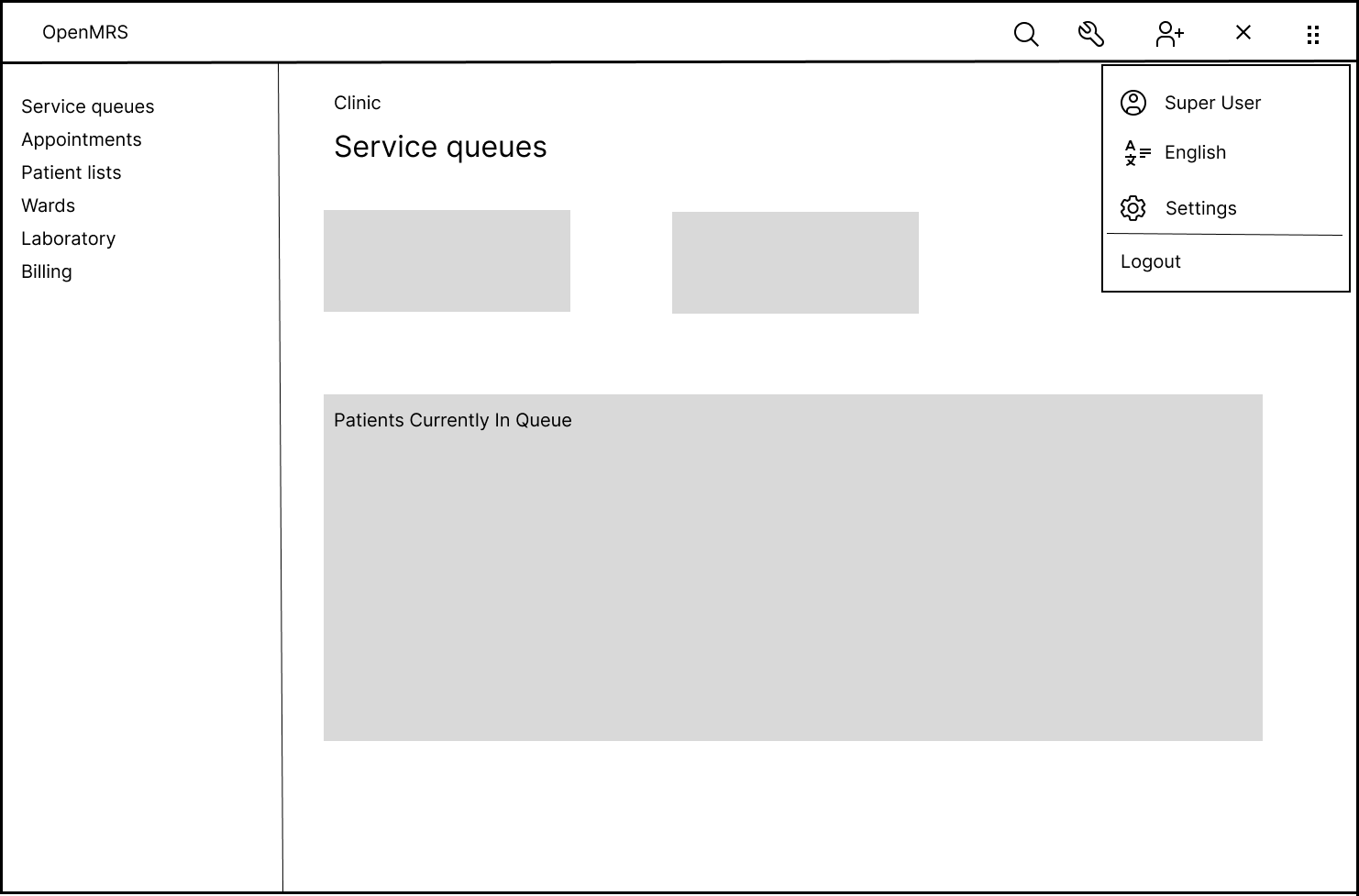
Here’s what I’m thinking, with wireframes attached for each step:

  1. Add a Settings option under My Account

Instead of scattering individual options directly under My Account, we introduce a dedicated Settings (or maybe a different name) entry point. This also gives us a natural home for the password change option, which currently lives as a standalone popup.

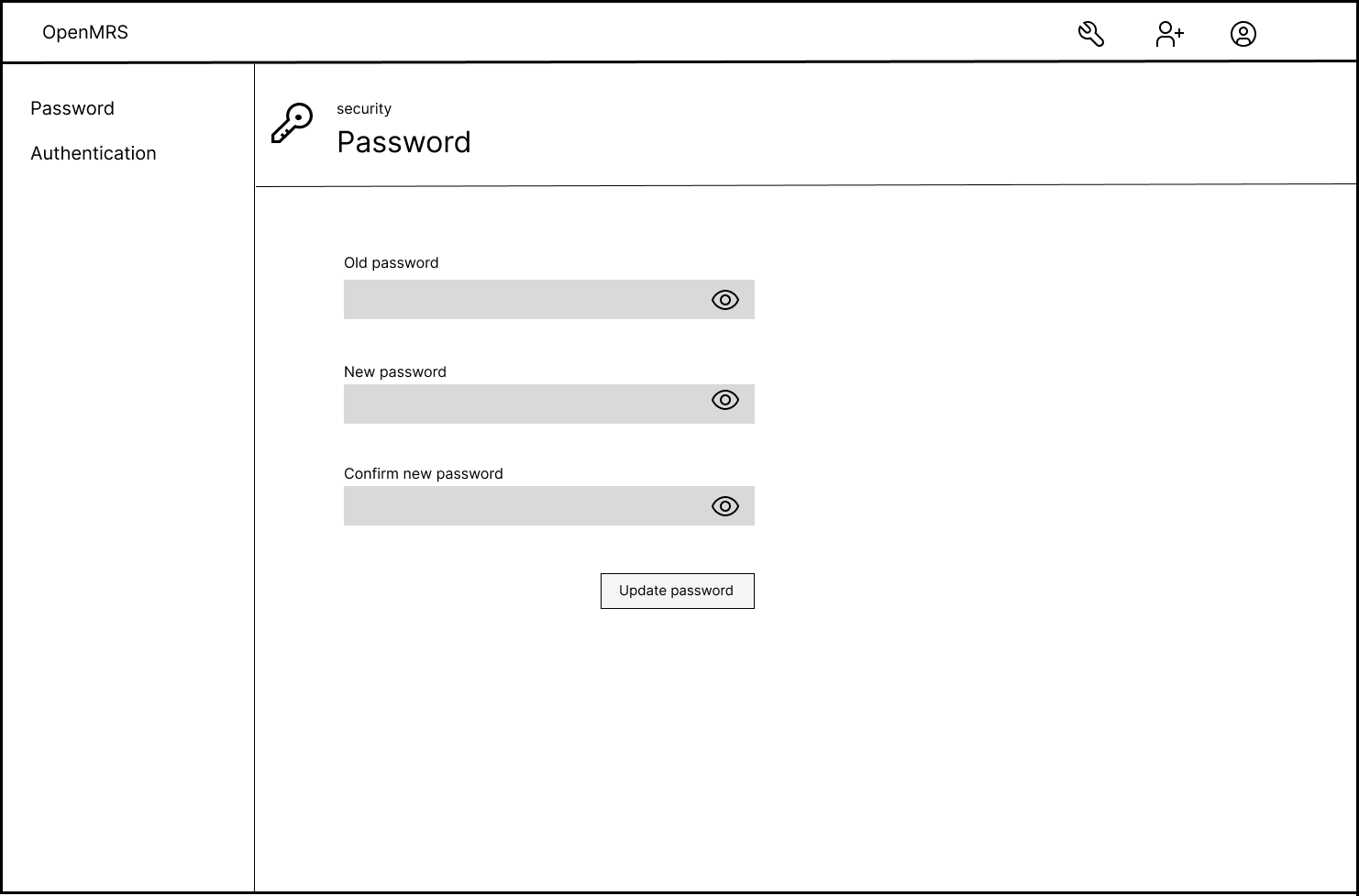
  1. The Settings screen shows two options: Password and Authentication

When the user opens Settings, they see the password change option and the authentication option side by side. The nice thing about this is, if other user level settings come up down the road, they have a natural place to live here too.

  1. Password change becomes a full page instead of a popup

Rather than the current popup approach, the password change flow would open as a dedicated page. I think this feels more cleaner.

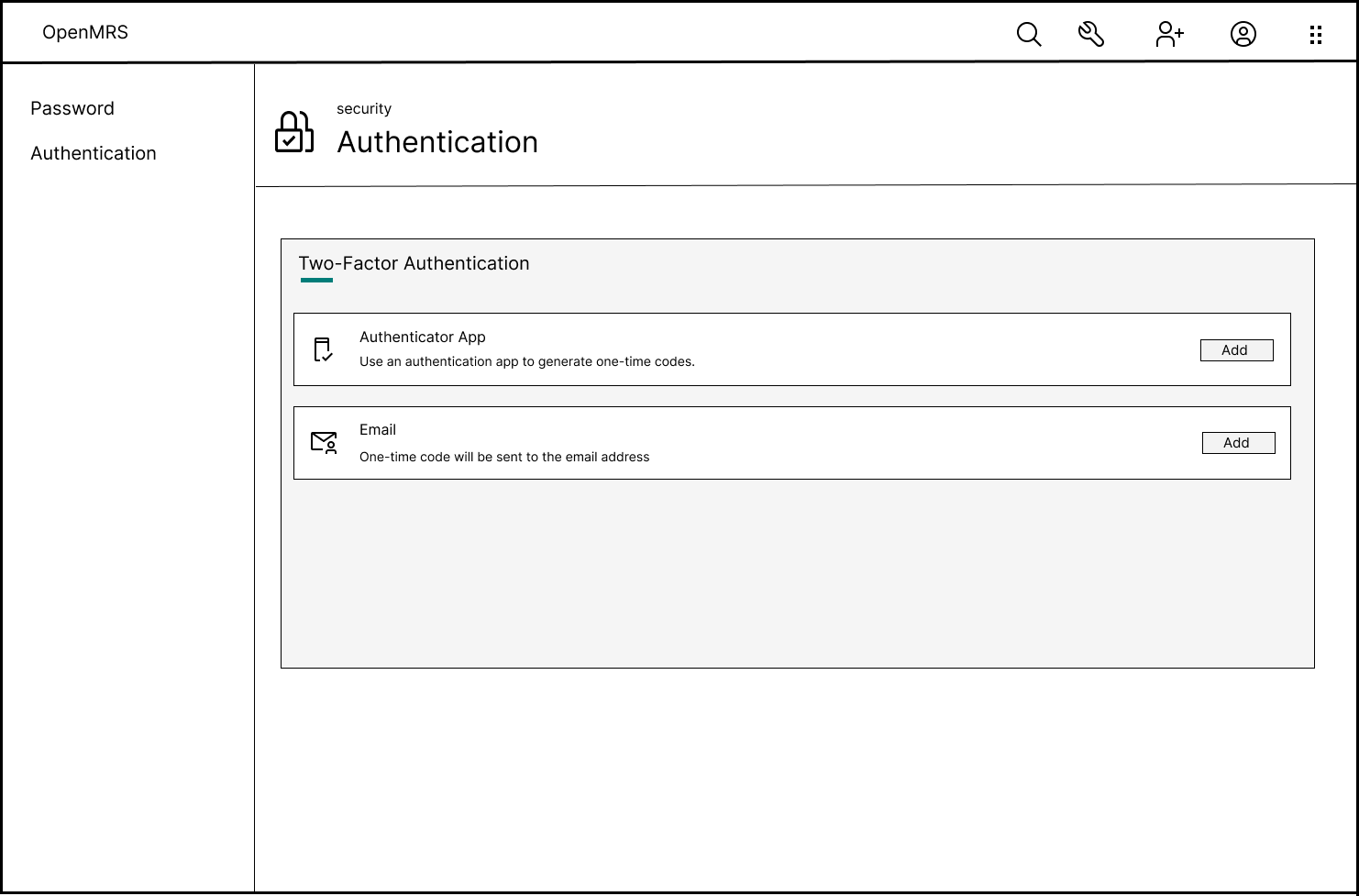
  1. The Authentication option handles 2FA methods.

Under Authentication, users can see the available second-factor methods (Authenticator App, Email, etc.) with an Add button next to each. Clicking Add takes them into the enrollment flow for that method.

Also, we can give the Delete option in here, if the user wants to delete any 2FA method.

What do you think about this approach @ibacher @mseaton @jayasanka @pauladams @janithrs?

One More Question, If we go with this approach, should all of this live inside esm-login-app or does it make more sense to move the password change and authentication settings into a new dedicated app, maybe something like esm-user-settings?

I’d love to hear your thoughts on both the structure and where this code should live.

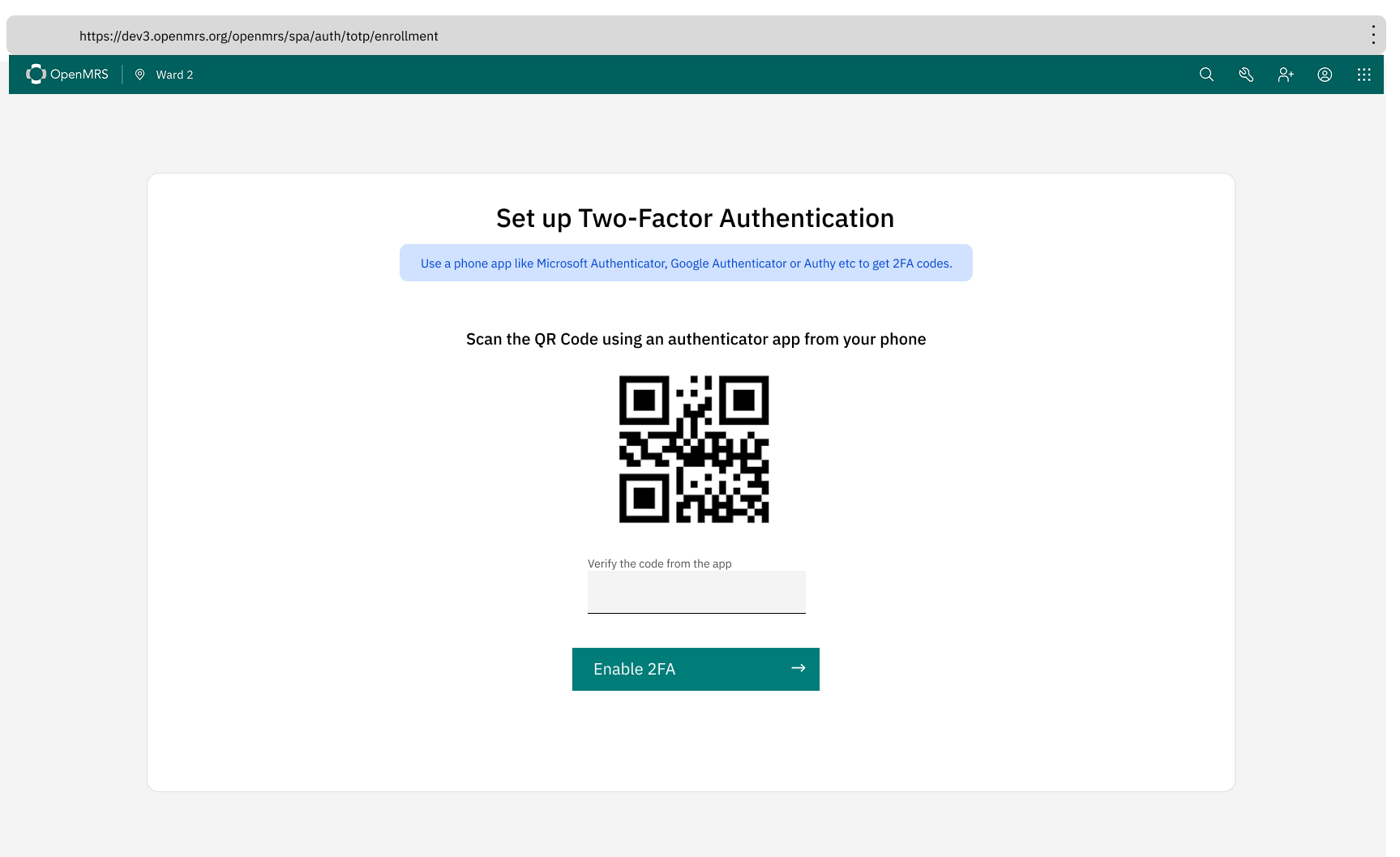
And just to show where things are heading, here’s the actual TOTP enrollment screen I’ve already implemented:

Thanks!

1 Like

I think the two-factor authentication piece works. I’m not clear why we need to pull the password change stuff into that or hide that behind an additional click. I think we should just leave that part alone. However, the Settings thing may extend to allow the user to control other aspects of their local settings (like the default locale, etc.).

I would call this “Remove” rather than “Delete”, but that makes sense.

3 Likes

Summary of our coffee break discussion:

  1. Introduce a new menu item that navigates to the 2FA settings page (based on Screen 4 in your design, but without the sidebar). All other menu items should remain unchanged from the current dev3 implementation.

  2. When clicking the “Add” button (a more appropriate label would be “Set Up”), open a modal instead of navigating to a new page.

  3. Update the header on Screen 4 to “Two-factor authentication” and remove the redundant panel header.

We can proceed with the above approach for now and revisit what belongs on a future My Account page as we gather more user feedback.

1 Like

Let’s add the ability to get/enter the code manually in here as well if the user is unable to scan a QR for some reason :slight_smile: