@andy_ife The container logs may be sparse because the OpenMRS web app logs to its own log file inside the container, not stdout. To find the actual stack trace:
Check the OpenMRS application log inside the container
docker exec -it <openmrs_container_name> cat /var/log/openmrs.log | tail -100
Or find the log file location
docker exec -it <openmrs_container_name> find / -name “*.log” -path “*/openmrs*” 2>/dev/null
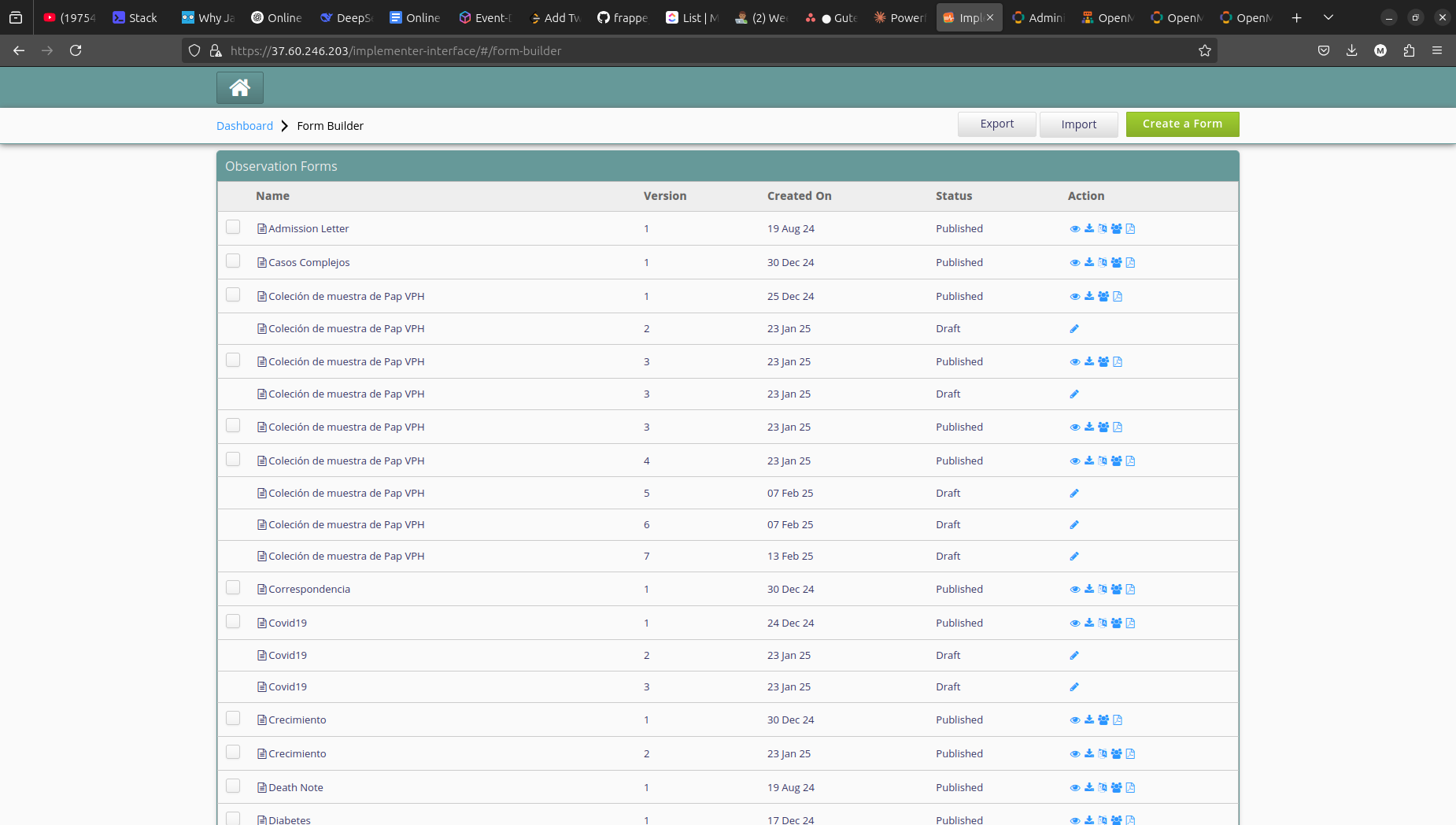
The 500 error page that alain shared (screenshot) likely contains a Java stack trace — viewing the page source in the browser will also reveal it.
In the meantime you can try these workounds:
1: Show More Forms in Form Builder
The Form Builder Control Panel shows 50 forms by default. This is controlled by the OpenMRS global property webservices.rest.maxResultsDefault.
To increase the limit:
-
Go to OpenMRS > Administration > Advanced Settings
-
Find webservices.rest.maxResultsDefault
-
Increase it to an appropriate value (e.g., 200)
 Warning: This also affects other areas like the number of patients shown on the registration search page and active patient lists.
This directly addresses the root cause — you won’t need to retire forms just to see hidden ones.
2: Retire Forms via REST API (Workaround for 500 Error)
The 500 error occurs on the legacy OpenMRS admin page (formEdit.form). Instead of using that UI, retire forms via the OpenMRS REST API:
# Get the form UUID first (search by name)
curl -u admin:Admin123 \
“https://localhost/openmrs/ws/rest/v1/form?q=Follow+up+form&v=custom:(uuid,name,version)”
# Retire the form via DELETE (OpenMRS “delete” = retire, not hard delete)
curl -X DELETE -u admin:Admin123 \
“https://localhost/openmrs/ws/rest/v1/form/<FORM_UUID>?purge=false”
Alternatively, use a POST with the retire payload:
curl -X POST -u admin:Admin123 \
-H “Content-Type: application/json” \
-d ‘{“retired”: true, “retireReason”: “old version”}’ \
“https://localhost/openmrs/ws/rest/v1/form/<FORM_UUID>”