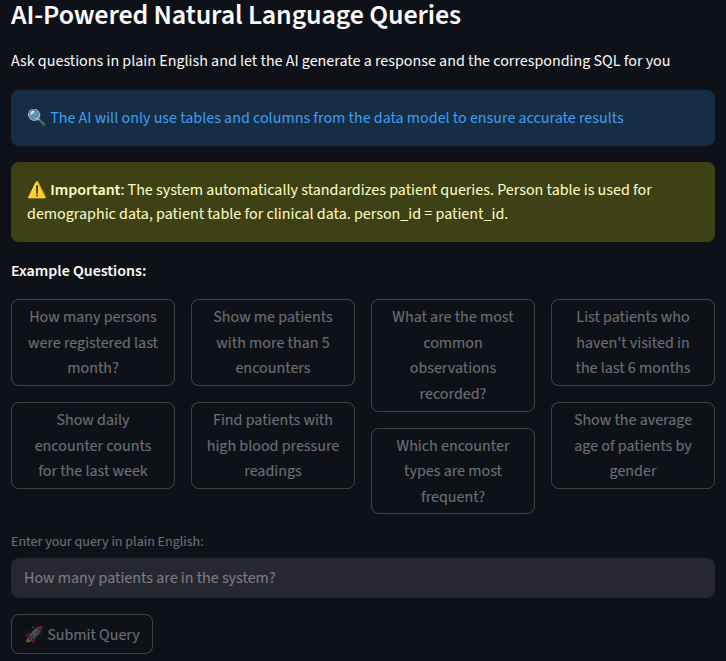
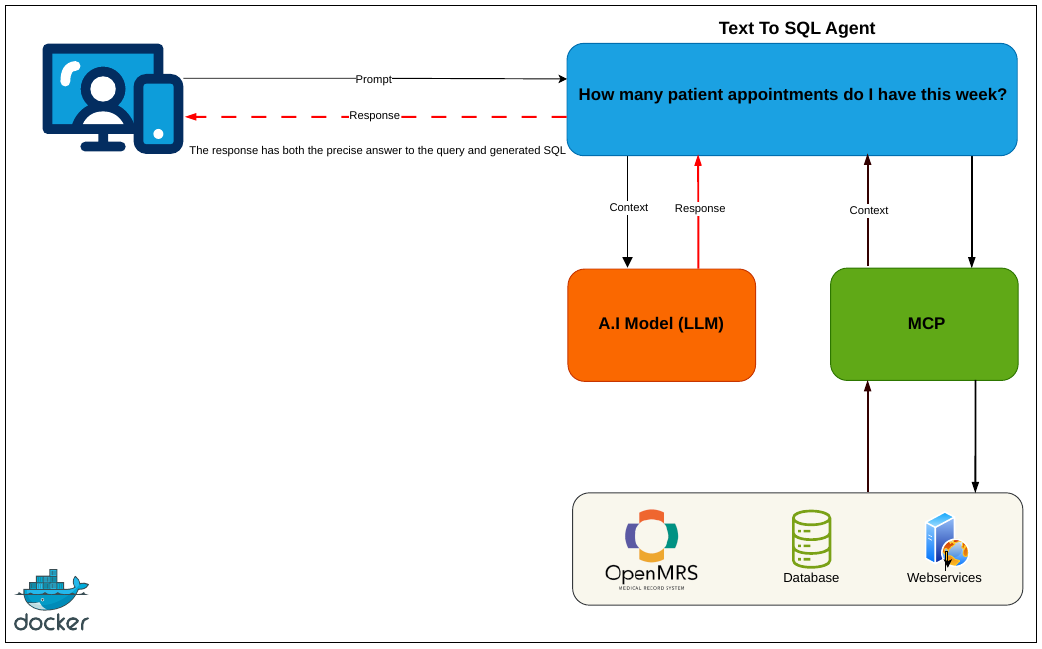
Hello, as part of the @EMR4All team, I am excited to share new developments and milestones regarding A.I integration with OpenMRS. What started as a simple Python Agent has now evolved into a near ready to use A.I application. Here is a walk through a few lessons, discoveries, challenges and solutions so far.
We decided to look into how to solve the challenges that we faced with the very first agent (using Python & its ecosystem of tools/libraries) and then we could apply the solutions (wherever applicable) to the new Java OpenMRS module we’re working on; with perhaps more features than just text to SQL (plain English queries getting responses and the corresponding SQL).
The biggest huddle yet was hallucination; we realized that with repetitive testing/validation of the generated SQL and being very explicit in our queries/prompts we would reduce hallucination by a good measure!
Also, the more you tell A.I about the subject (i.e the more context provided) the better the responses, we went from the Models using our exact words in the queries as table/column names when generating queries to more sensible queries and thus responses.
We also provided the data model to the LLM in YML format, detailing the tables, columns and relationships which we demand the model to use in the prompt(s). We also made certain that the system automatically standardizes queries. For instance; the Person table is used for demographic data, patient table for clinical data. While it may seem like it is obvious to know that person_id = patient_id and that these two tables have no direct relationship (foreign keys), it was NOT! so we had to clearly state that and how we would join them when required. So we have functions to flag the generated queries correct or incorrect based on the facts as described in the data model, with other functions making minor adjustments for better results.
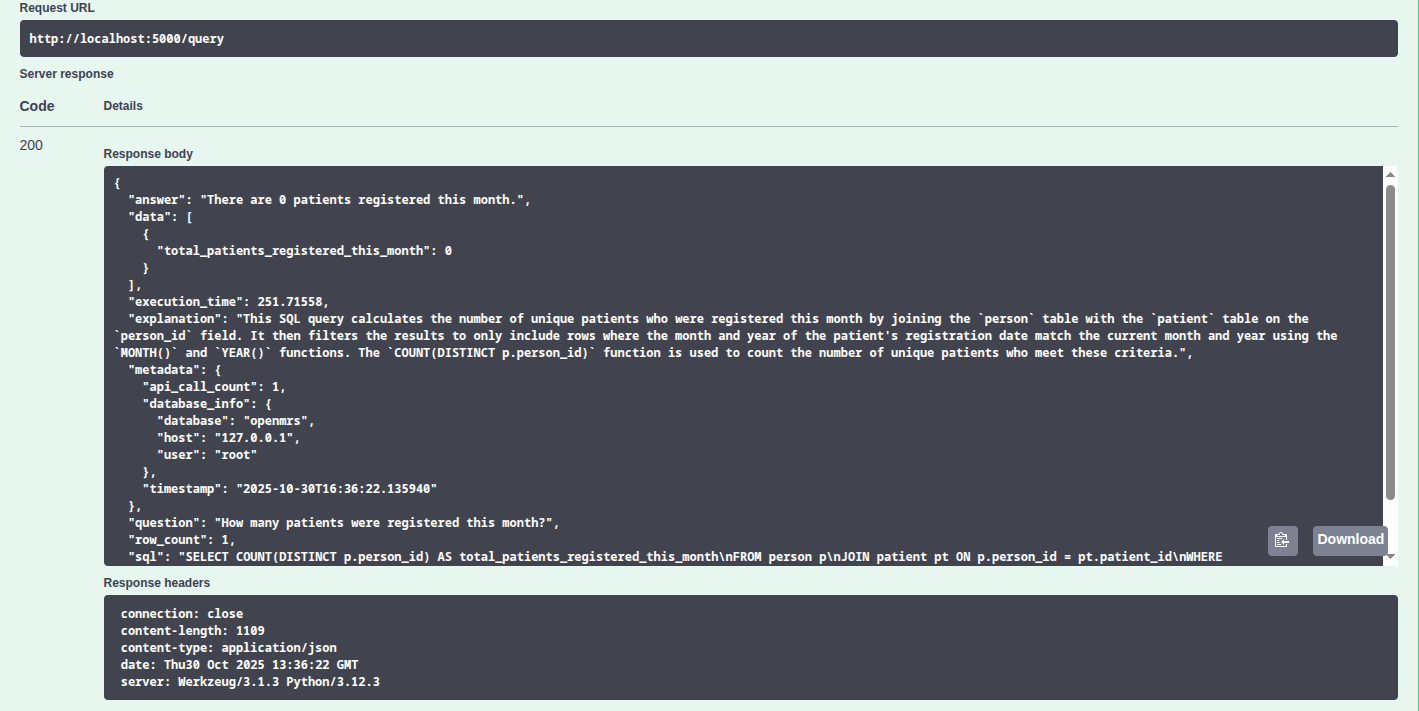
The other major issue was resources to run the Ollama, OpenMRS as well as the A.I application(s)/agents, and to solve that, we have moved the A.I agents/applications from the Ollama compose file making each of the stacks accessible/off-loadable from/to different servers. We provided a REST API that other applications such as the ESMs can query instead of connecting to Ollama directly.
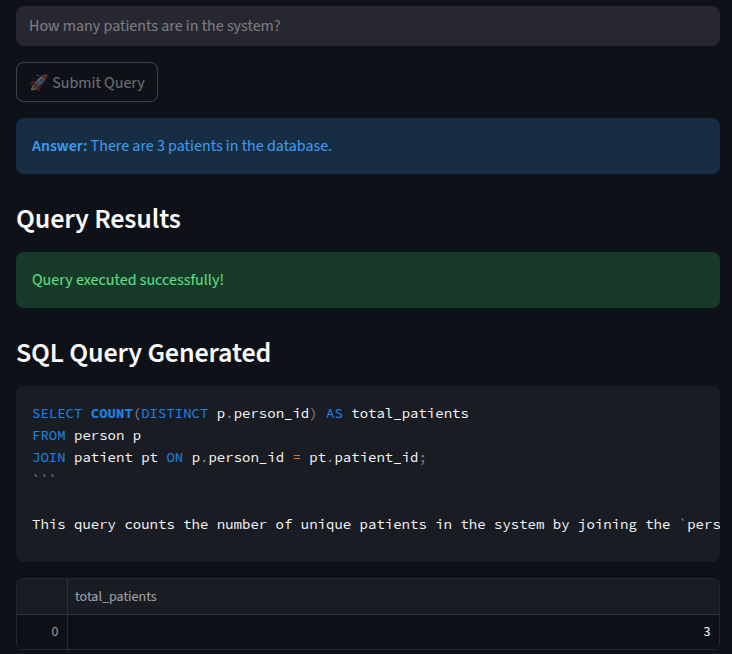
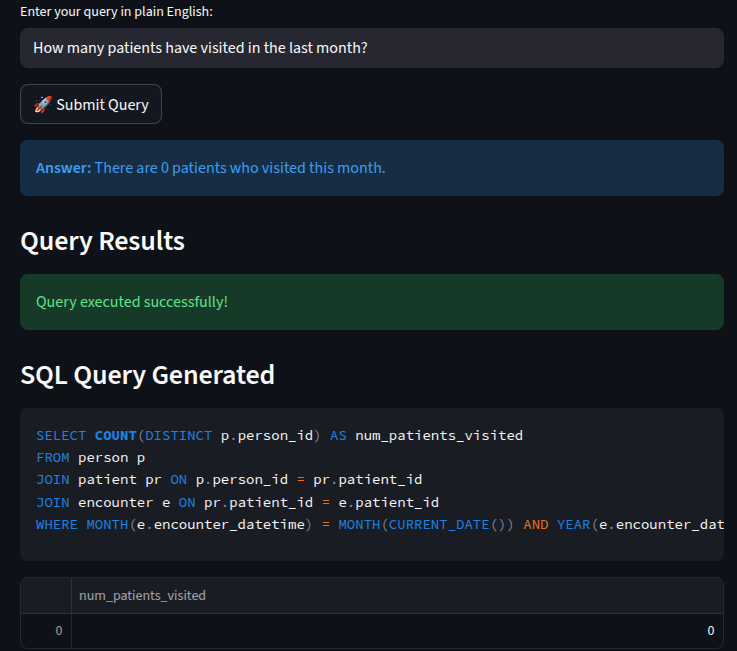
These among many other things that we have done, have enabled us guarantee more accurate responses with minimal resources and we know it will only get better with more refinement. Here are the examples..
You are an expert SQL query generator for OpenMRS (Open Medical Record System). Your task is to translate natural language questions into accurate SQL queries.

**CRITICAL CONSTRAINT - READ CAREFULLY:**
You MUST use ONLY the exact table names and column names listed in the OpenMRS data model below. NO EXCEPTIONS!

**OPENMRS DATA MODEL (USE ONLY THESE TABLES AND COLUMNS):**
{table_schemas_description}

**CRITICAL TABLE USAGE RULES:**
1. **PERSON TABLE**: Use ONLY for demographic data (gender, birthdate, age, address, etc.)
2. **PATIENT TABLE**: Use ONLY for clinical data and patient identification
3. **ENCOUNTER TABLE**: Use for visit/encounter data
4. **OBS TABLE**: Use for clinical observations and measurements
5. **IMPORTANT**: patient_id in patient table = person_id in person table (they contain the same values)

**CRITICAL COLUMN RULES:**
1. NEVER use person.patient_id (this column doesn't exist)
2. NEVER use patient.person_id (this column doesn't exist)
3. Use person.person_id for demographic data
4. Use patient.patient_id for clinical data
5. Use encounter.patient_id to link encounters to patients
6. Use obs.person_id to link observations to persons

**QUERY PATTERNS:**
- For demographic data: SELECT FROM person
- For clinical data: SELECT FROM patient JOIN encounter ON patient.patient_id = encounter.patient_id
- For observations: SELECT FROM obs JOIN person ON obs.person_id = person.person_id
- For encounters with observations: SELECT FROM encounter JOIN obs ON encounter.encounter_id = obs.encounter_id

**DATE FIELDS IN THE DATA MODEL:**
{format_date_fields_for_prompt()}

**DATE FIELD MAPPINGS:**
- For patient registration/enrollment: use patient.date_created
- For encounter visits: use encounter.encounter_datetime or encounter.date_created
- For observations: use obs.obs_datetime or obs.date_created
- For any "when" or "time" related questions: use the appropriate date_created field for the main table

**COMMON DATE FIELD PATTERNS:**
- Most tables have date_created, date_changed, and date_voided fields
- encounter table has encounter_datetime
- obs table has obs_datetime
- Use these fields for any date/time filtering

**EXAMPLE DATE FILTERS:**
- "this month": WHERE MONTH(date_created) = MONTH(CURRENT_DATE()) AND YEAR(date_created) = YEAR(CURRENT_DATE())
- "last week": WHERE date_created >= DATE_SUB(CURRENT_DATE(), INTERVAL 7 DAY)
- "today": WHERE DATE(date_created) = CURRENT_DATE()

**STRICT VALIDATION RULES:**
1. Every table name in your query MUST exactly match a table name from the data model above
2. Every column name must exist in the corresponding table from the data model above
3. DO NOT invent or guess table names or column names
4. If you cannot find the required tables/columns in the data model, state that clearly
5. Always use table aliases for JOINs to make queries readable
6. Verify that foreign key relationships exist before using them in JOINs
7. For date/time filtering, ONLY use the date fields listed in the "DATE FIELDS" section above
8. DO NOT hallucinate date fields like "date_enrolled", "date_registered", "visit_date", etc.
9. If a question refers to a concept like "enrollment" or "registration", use the appropriate date_created field

**QUERY CAPABILITIES:**
- SELECT with JOINs, GROUP BY, HAVING, ORDER BY
- Subqueries and CTEs (Common Table Expressions)
- Aggregate functions (COUNT, SUM, AVG, MAX, MIN)
- Date/time functions and calculations using ONLY the date fields listed above
- String operations and pattern matching

**Question:** {question}

**Thought Process:**
1. Identify required data from the question (demographic vs clinical)
2. Use person table for demographic data
3. Use patient table for clinical data
4. Use appropriate JOINs to link tables based on person_id = patient_id
5. Write the complete SQL query using only data model tables/columns