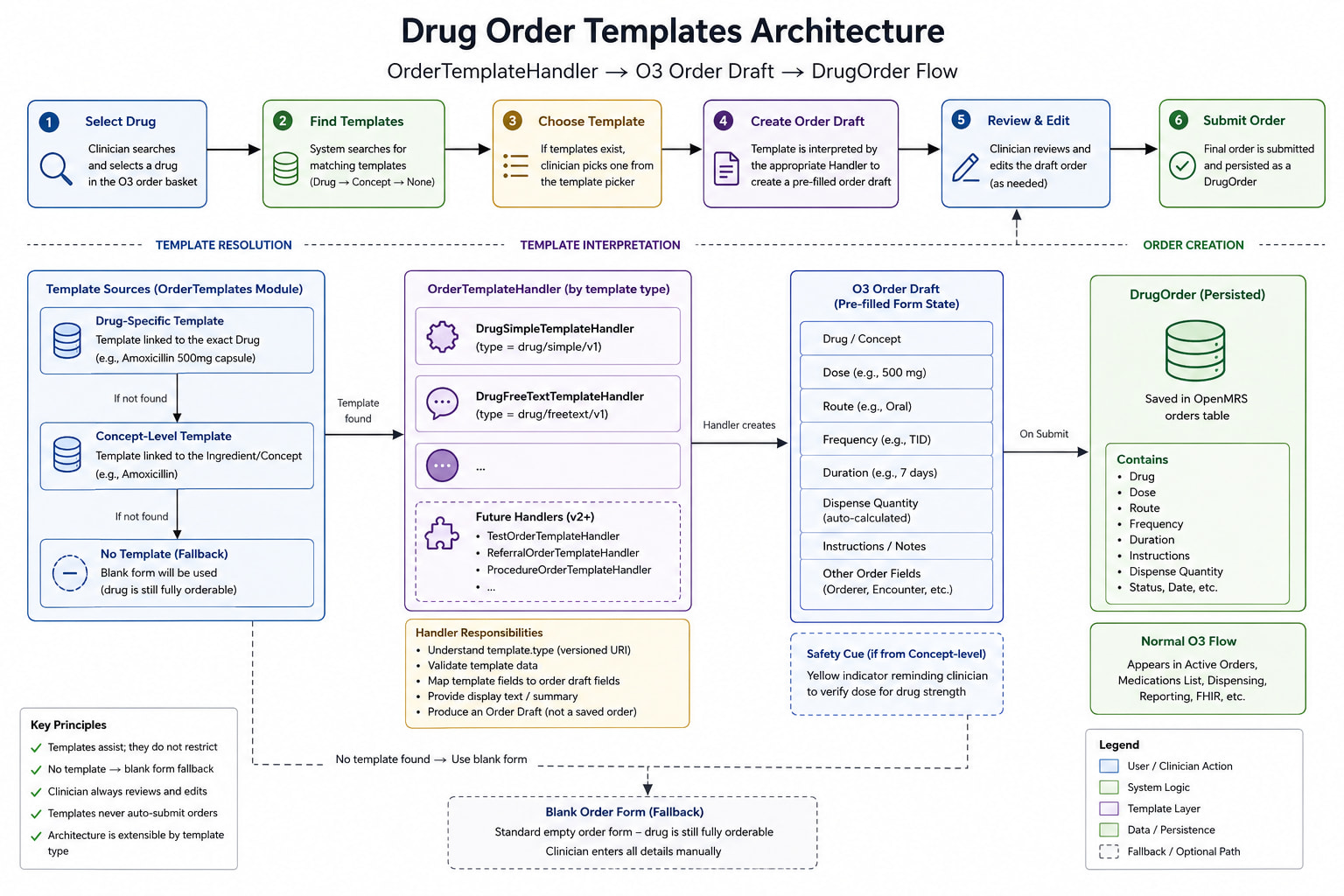
Following the feedback during last week’s squad call, here are some further changes for review:-
Example 1 · Drug template — Amoxicillin 500mg
Template: Amoxicillin 500mg — 500mg — tablet → 1 tablet by mouth every 8 hours for 7 days · 21 tablets, 0 refills · bacterial infection
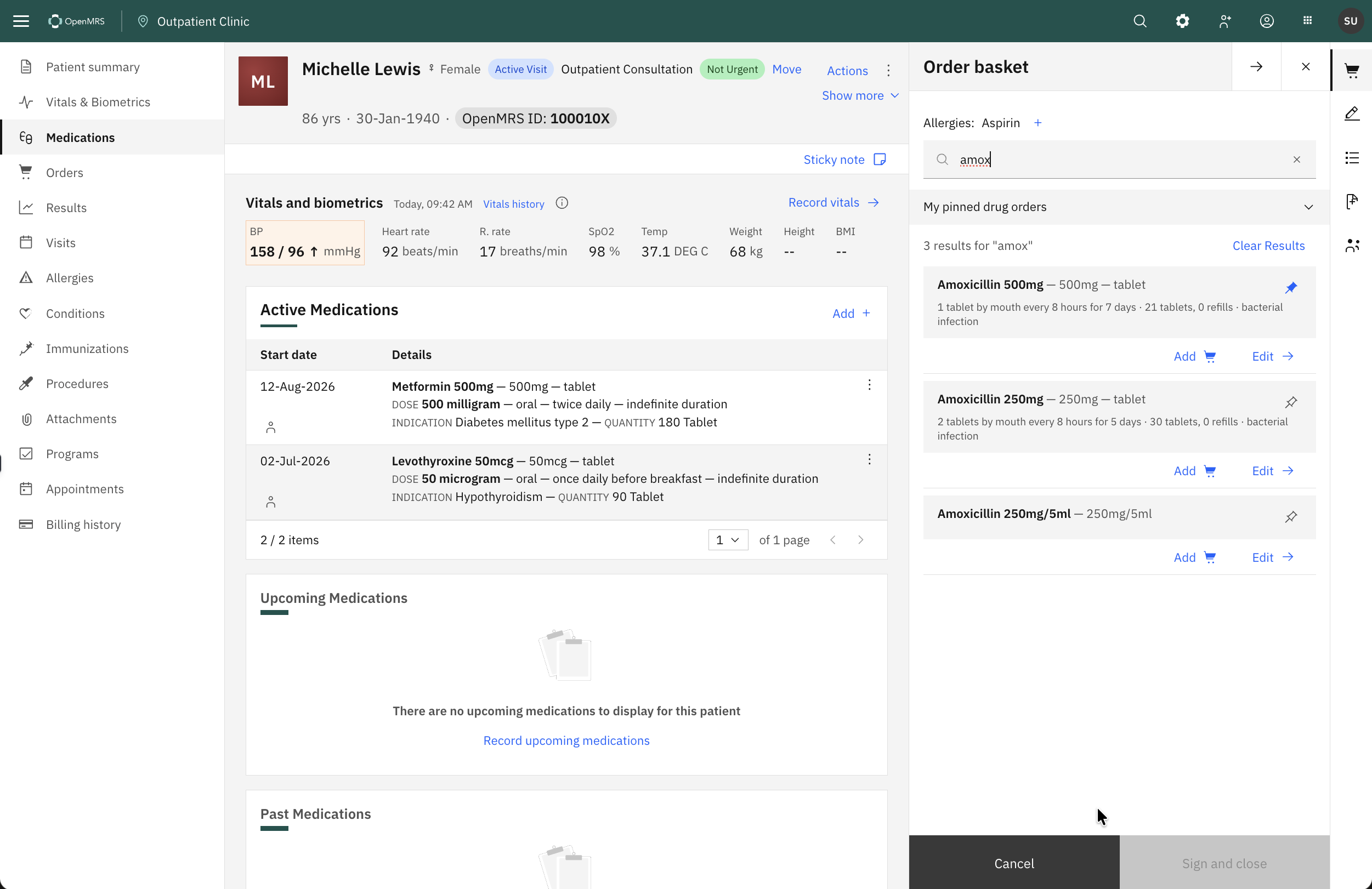
1) Search “amox” — the one search box returns the orderables that match. There is no second blank row for the same drug. Amoxicillin 250mg/5mlis an example with no template. Every row carries the same two actions: Add and Edit.
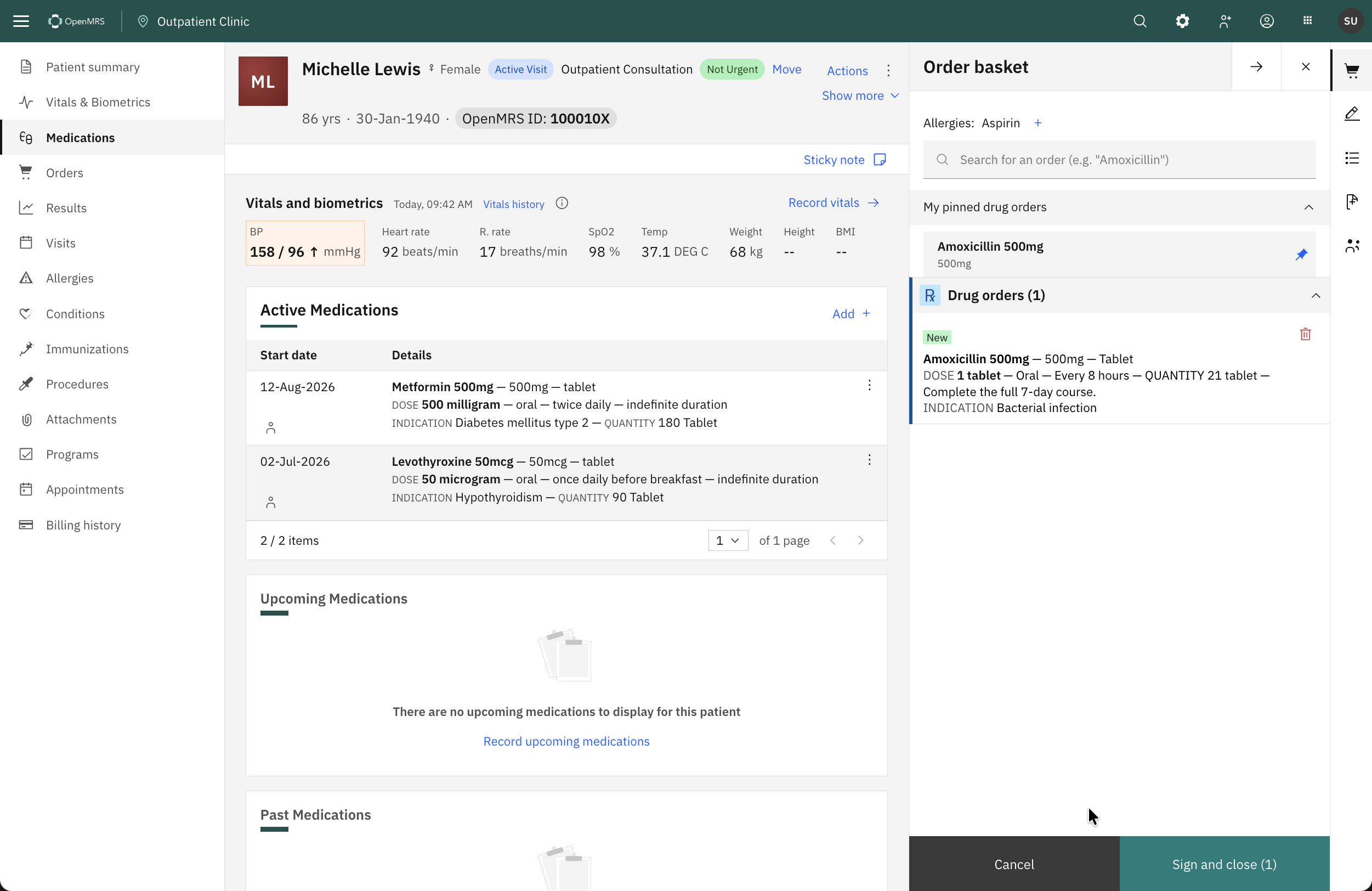
2) Add — one click, no interstitial screen. The order lands in the basket fully populated from the template, tagged New: DOSE 1 tablet — Oral — Every 8 hours — QUANTITY 21 tablet — Complete the full 7-day course. / INDICATION Bacterial infection Nothing is signed. The clinician reviews and signs deliberately.
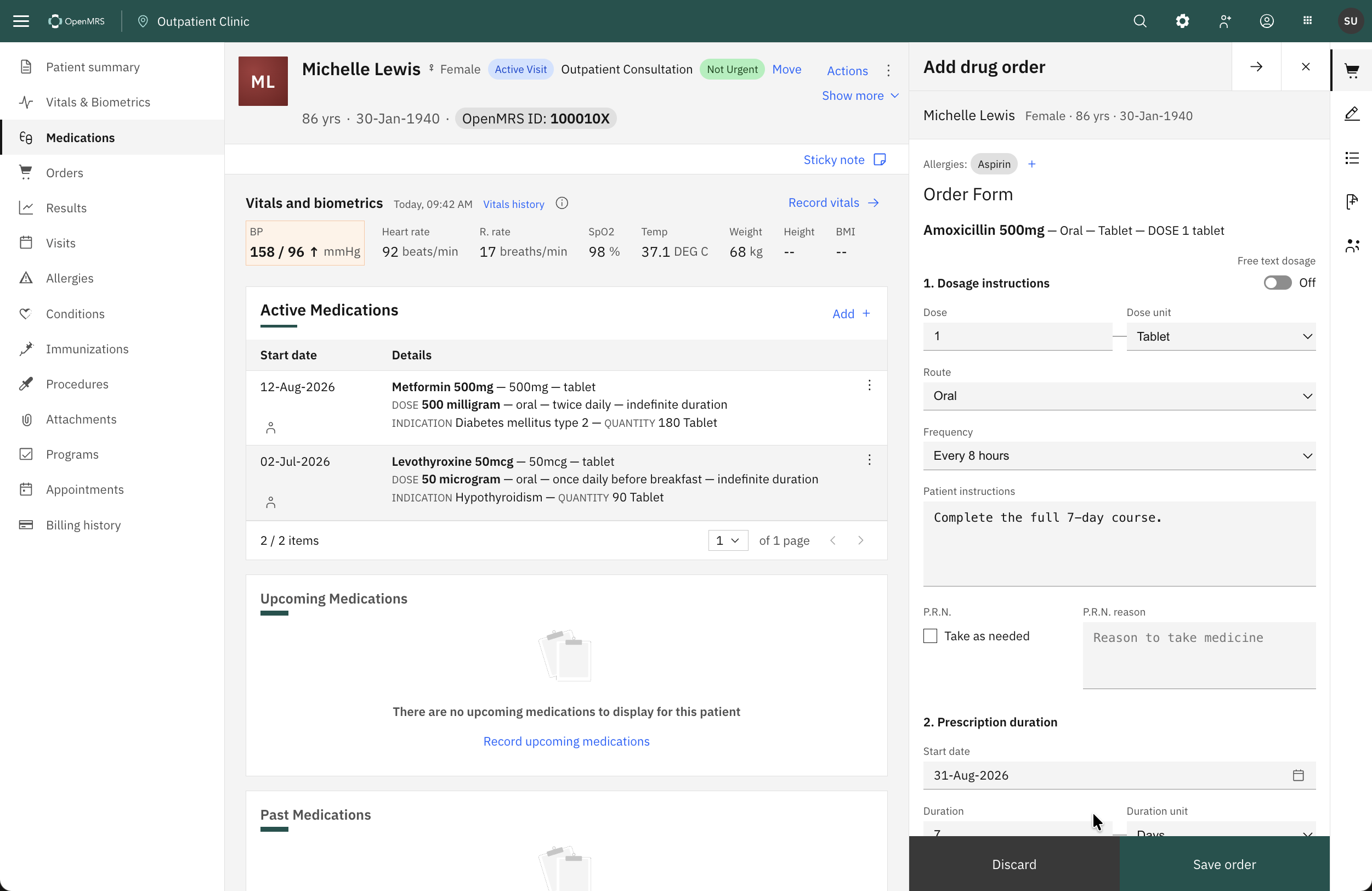
3) Edit — opens the standard order form, with every field pre-filled: dose 1, unit Tablet, route Oral, frequency Every 8 hours, duration 7 Days, quantity 21 (Auto-calculated — 1 × 3/day × 7), refills 0, indication Bacterial infection. The clinician changes what they need, and Save order returns it to the basket. Every field stays editable.
Example 2 · No template — Amoxicillin 250mg/5ml
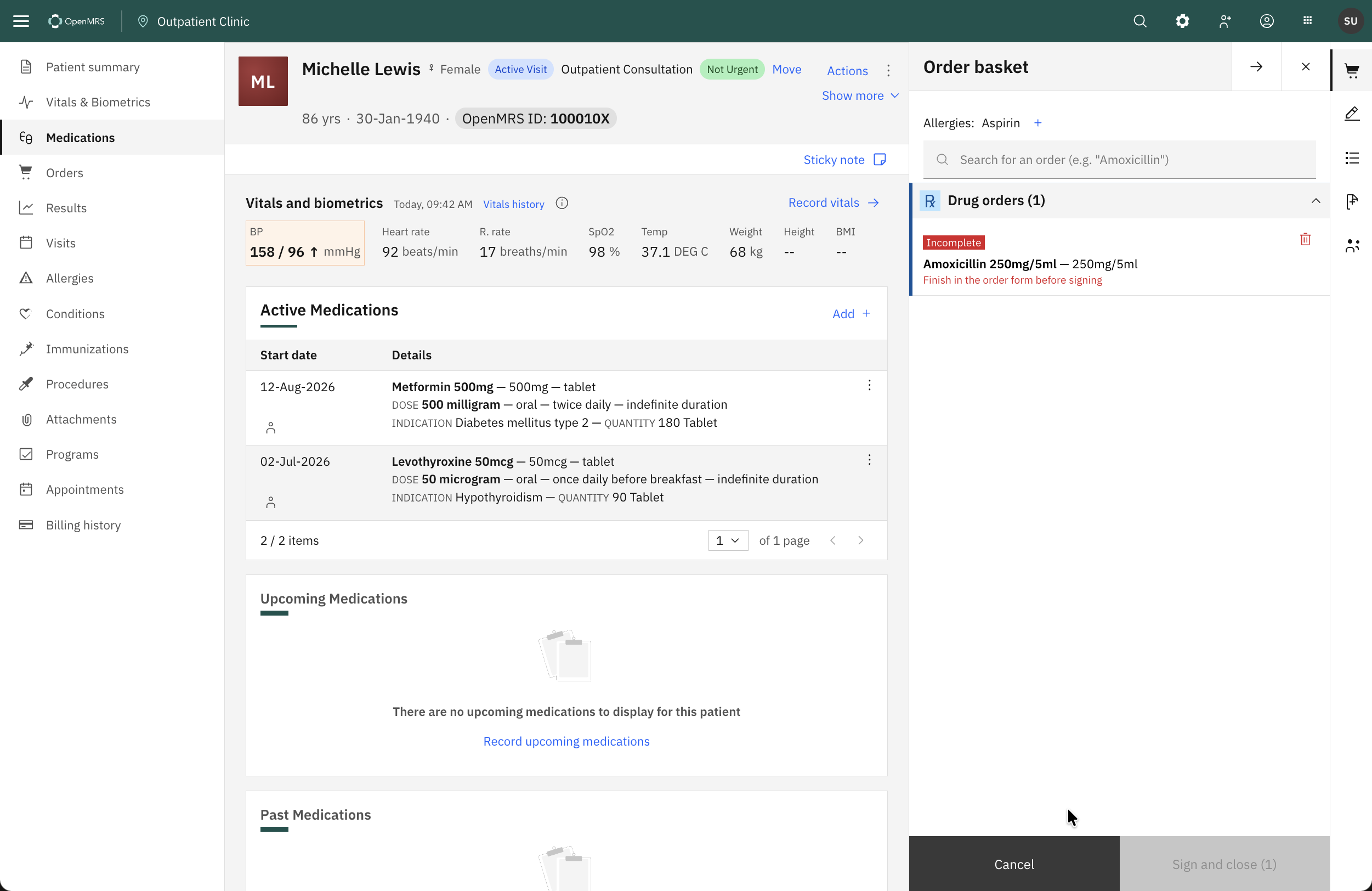
The same drug concept, a different formulation, and no template authored for it.
1) Search “amox” — it appears in the same result list as its templated siblings, as a bare row: Amoxicillin 250mg/5ml — 250mg/5ml with no second line, because there is no template to render. It carries the same Add and Edit actions. Nothing is hidden or de-ranked for lacking a template (see first example above)
2) Add — the order still enters the basket, but tagged Incomplete in red rather than New, with the unfilled fields visibly blank: DOSE — Oral — Once daily. Sign and close is disabled until it’s completed, so an unfinished order can’t be signed by accident. Add stays available so the clinician can queue it and finish later in the same visit.
3) Edit — opens the same standard order form, empty. The clinician fills in the dose, duration, and quantity themselves — exactly as today’s behaviour.
Example 3 · Test order template — Renal function panel
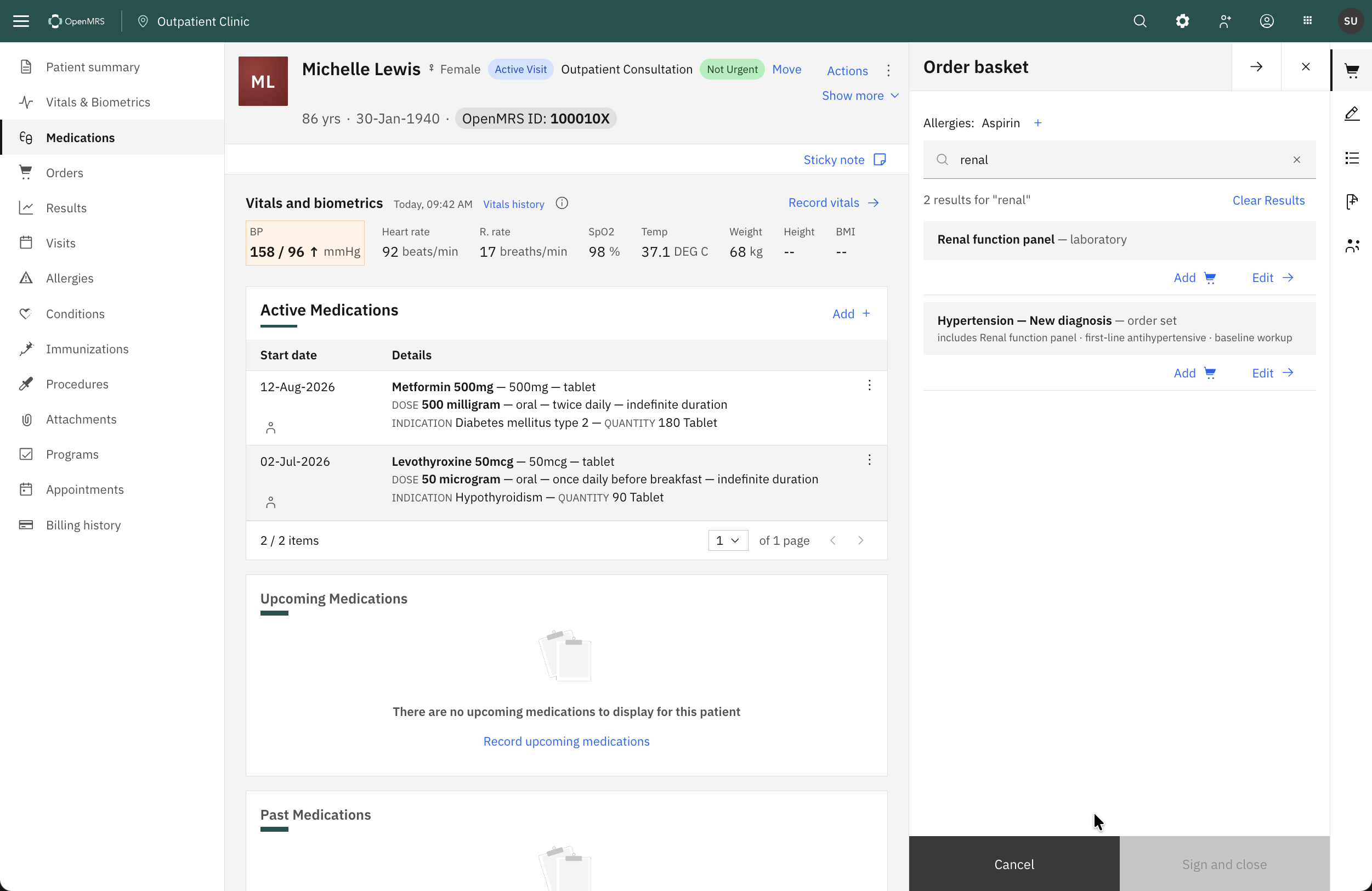
Test templates work the same way. Add puts it straight in the basket ready to sign, Edit opens the standard lab order form pre-filled with its priority and instructions. Same search, same two actions, same rules.
Example 4 · Order Set — Hypertension (New diagnosis)
1) Search — Its members don’t appear separately, and it also surfaces when you search a member (typing renal for example, returns a lab or amlodipine returns the drug and this set) - see example above
2) Add — takes the set’s authored defaults straight to the basket: Amlodipine 5mg under Drug orders, Renal function panel under Lab orders, footer Sign and close (2). For the common cases, the clinician would not need to open the set at all.
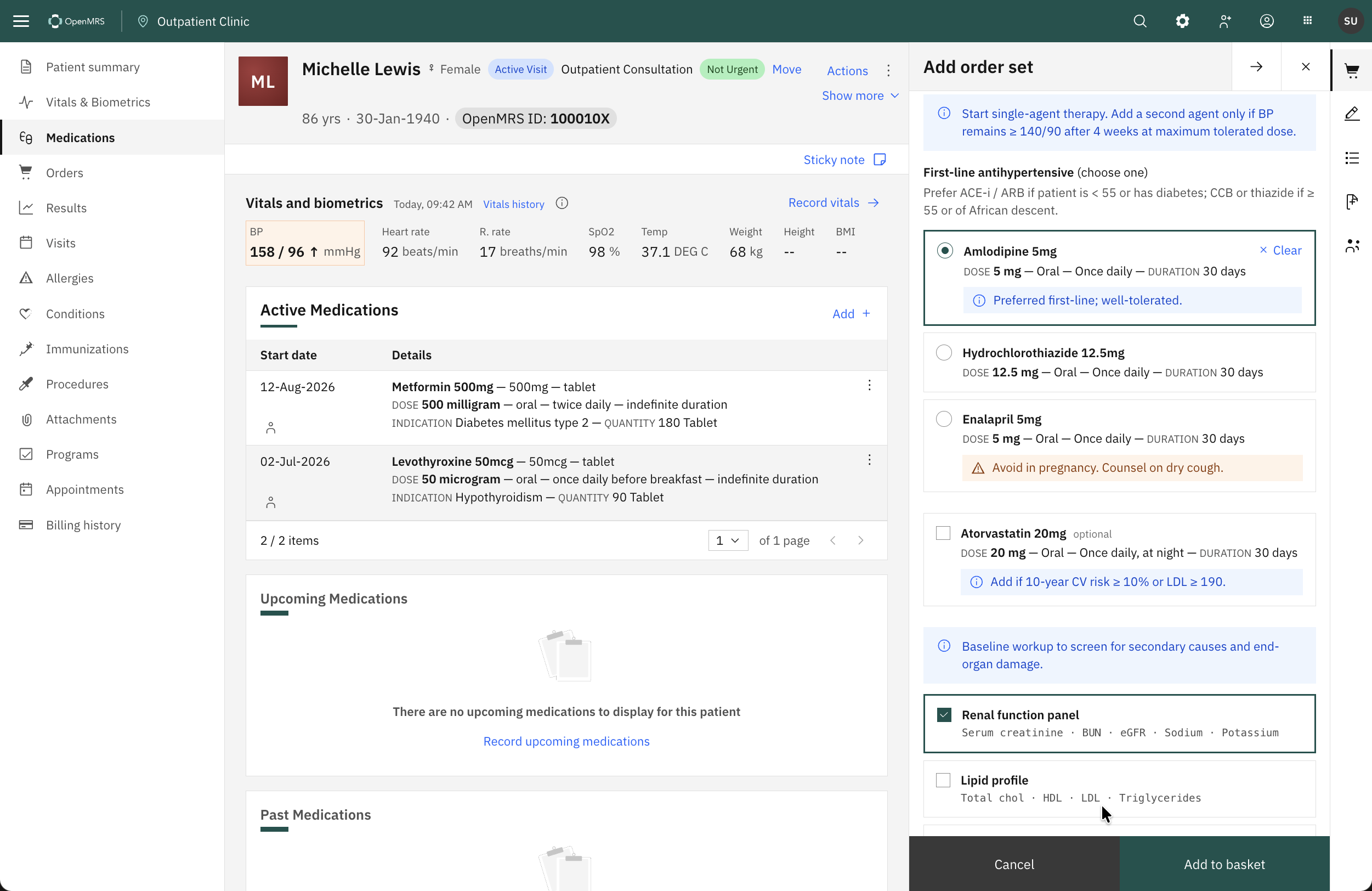
3) Edit — opens the set panel to choose before committing:
- First-line antihypertensive (choose one) — Amlodipine 5mg (default), Hydrochlorothiazide 12.5mg, Enalapril 5mg, each showing its own template and prescribing note; picking one replaces the other. Atorvastatin 20mg sits here as optional.
- Baseline workup (choose any) — Renal function panel, Lipid profile, Fasting blood glucose, Urinalysis, ECG (optional), each with its member tests listed.
cc: @burke @ibacher @akanter et.al., will appreciate your feedback.