Currently the way to print this in Bahmni Lite is:
- Go to Consultation->Patient->Patient Dashboard.
- Click on the current Visit in the Visit Widget (has a Star on it).
- Now the Visit dashboard opens, which shows details for the current Visit.
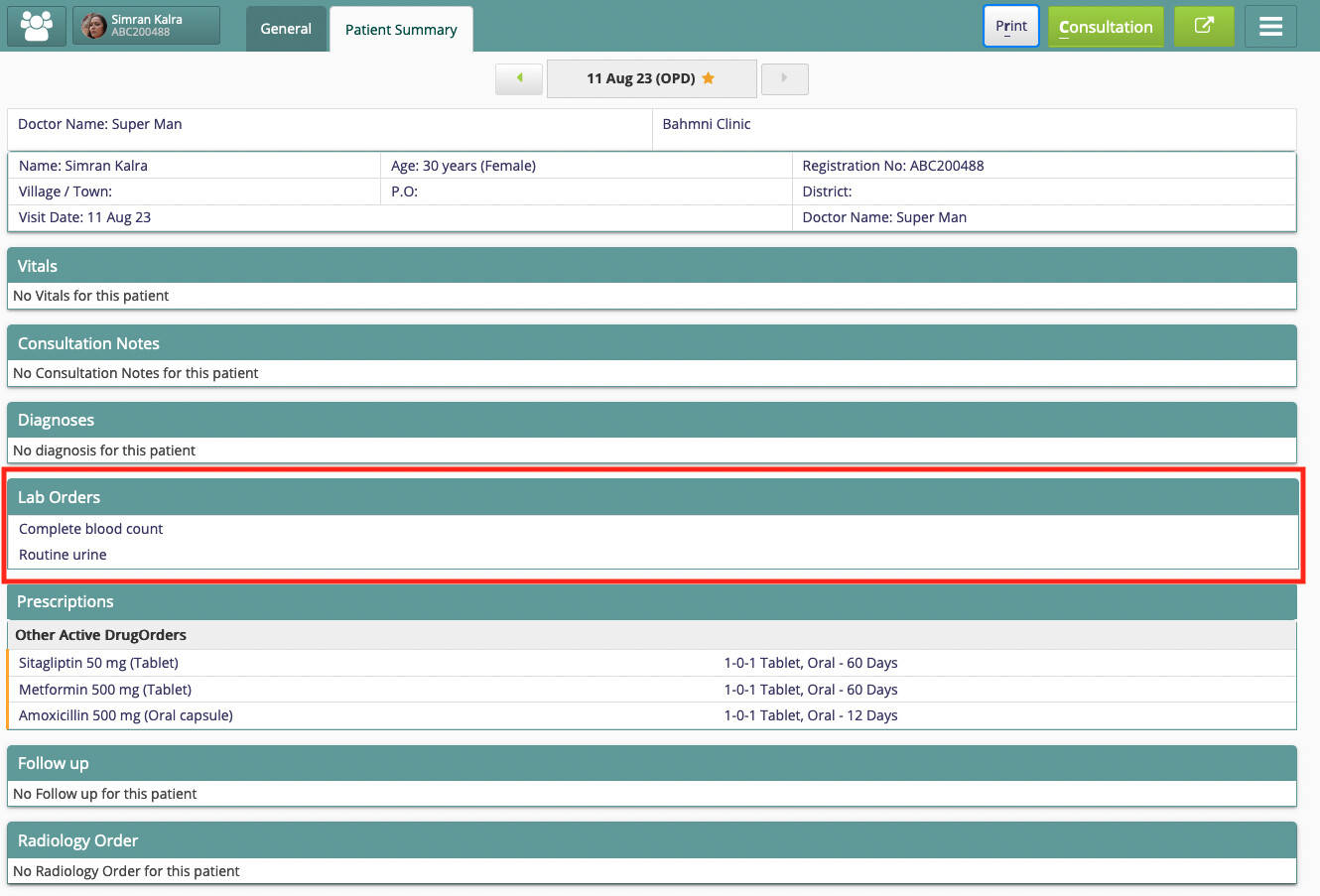
- In the second tab (Patient Summary) you can see the full prescription and Lab Orders.
- When you click on PRINT, it prints this information.
You can see this in this Lite environment here: https://dev.lite.mybahmni.in/
See screenshot:
The display name of this TAB, and the widgets in this section, are all configured in clinic-config here:
If you want just a Lab Order Print, you can modify this Patient Summary element of json, rename it to Lab Print and remove the sections that you don’t need in the print. Or you can duplicate this element, and add a new element for Lab print with relevant sections.
I hope this helps.