# Openmrs Mysql with WorkBench
**URL:** https://talk.openmrs.org/t/openmrs-mysql-with-workbench/13324
**Category:** Bahmni
**Created:** [September 15, 2017, 6:16am UTC](https://talk.openmrs.org/t/openmrs-mysql-with-workbench/13324 "2017-09-15T06:16:32Z")
**Posts on this page:** 6
**Page:** 1
### Author:  [@rafanetow](https://talk.openmrs.org/u/rafanetow)
#### Post date: [September 15, 2017, 6:16am UTC](https://talk.openmrs.org/t/openmrs-mysql-with-workbench/13324/1 "2017-09-15T06:16:33Z")
Hello everyone I am Trying view all table of my scheme openmrs with **WorkBench** but I have not managed it to work, I did vagrant up and I can access from my console but not with WorkBench these are the data that I am trying to access:

**Error** :
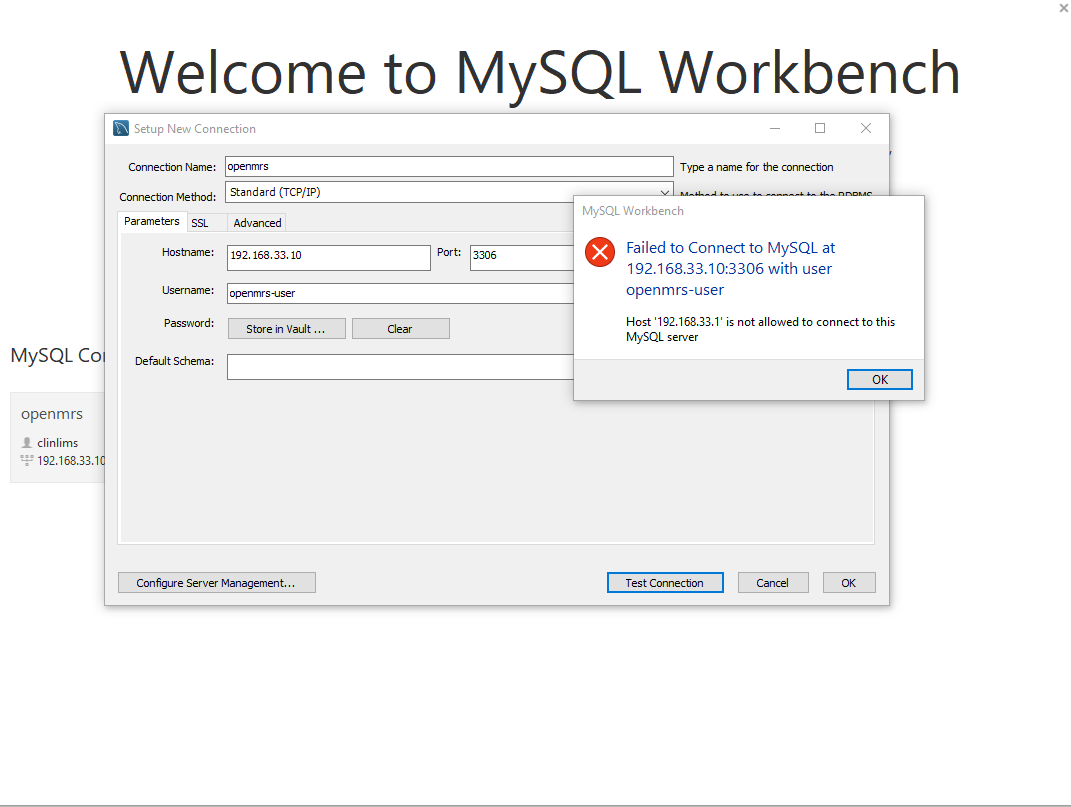Could someone tell me what’s wrong? or is there another option with which I can see my tables Thanks in advance
---
### Author:  [@arjun](https://talk.openmrs.org/u/arjun)
#### Post date: [September 15, 2017, 7:04am UTC](https://talk.openmrs.org/t/openmrs-mysql-with-workbench/13324/2 "2017-09-15T07:04:49Z")
Hi Rafael, I think the mysql setting by default in the Bahmni vagrant box don’t allow connections from outside the machine. It allows connection only from local processes. So you can either change mysql settings (you can google for that) or use the SSL tunneling method in the workbench. (See the second tab in your screenshot). Proxy host would be 192.168.33.10 and user would be vagrant. In the parameters screen, you would specify localhost as hostname. (The connection URL would look like jdbc:mysql://localhost:3306/openmrs )
---
### Author:  [@alexjohn](https://talk.openmrs.org/u/alexjohn)
#### Post date: [September 15, 2017, 7:17am UTC](https://talk.openmrs.org/t/openmrs-mysql-with-workbench/13324/3 "2017-09-15T07:17:27Z")
Following steps works for me
- First run following command in your cmd: **vagrant ssh-config** (make sure you are in bahmni-vagrant Directory) and note down hostName, Port number, User Name and identity file path.
- Now in MySql workbench while creating new connection select **standard TCP/IP over SSH** option for connection method.
- Now provide hostName, Port number, User Name and identity file path information that you get in CMD
---
### Author:  [@rafanetow](https://talk.openmrs.org/u/rafanetow)
#### Post date: [September 15, 2017, 7:52am UTC](https://talk.openmrs.org/t/openmrs-mysql-with-workbench/13324/4 "2017-09-15T07:52:20Z")
Hi @alexjohn thanks for wanting to support me, I just follow your step and I would like if you told me if something is wrong this is the information I put:
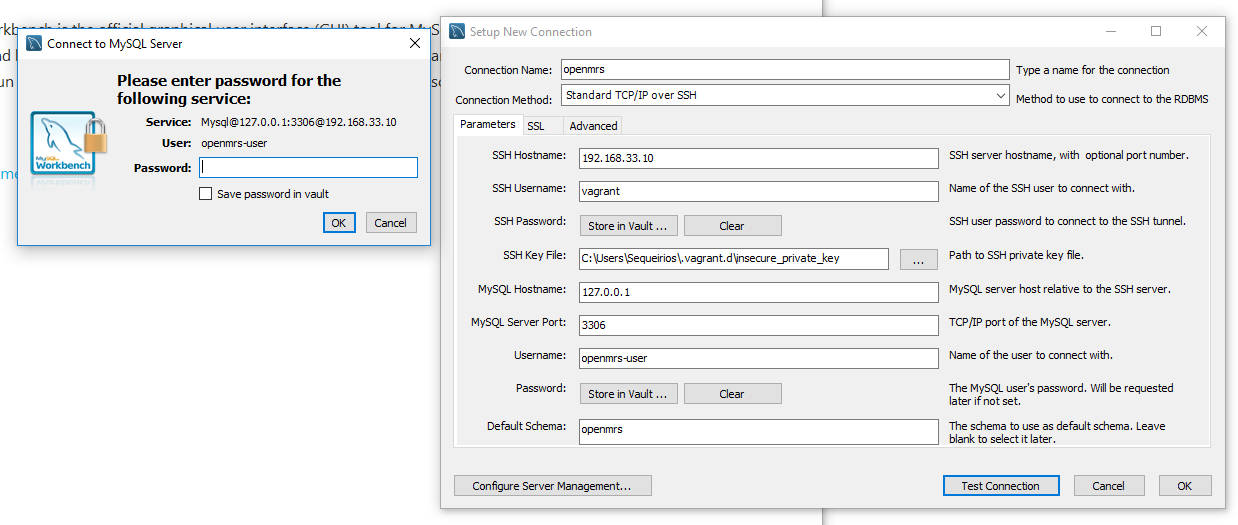
_Error_ : 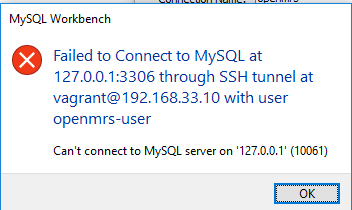
I am not putting any key to vagrant since in console it did not appear any and I am using the pass openmrs to try to enter, I am confusing some information?
---
### Author:  [@alexjohn](https://talk.openmrs.org/u/alexjohn)
#### Post date: [September 15, 2017, 8:02am UTC](https://talk.openmrs.org/t/openmrs-mysql-with-workbench/13324/5 "2017-09-15T08:02:13Z")
@rafanetow reconfirm your SSH hostname it should be like “HostServer:Port” i.e.127.0.0.1:2222 review your ssh-config in cmd.
---
### Author:  [@rafanetow](https://talk.openmrs.org/u/rafanetow)
#### Post date: [December 5, 2017, 8:34pm UTC](https://talk.openmrs.org/t/openmrs-mysql-with-workbench/13324/6 "2017-12-05T20:34:27Z")
@alexjohn Thanks four your Help , Yours steps work 😃