# Cloning dev3 app and Running Docker Development Environment
**URL:** https://talk.openmrs.org/t/cloning-dev3-app-and-running-docker-development-environment/38662
**Category:** Development
**Tags:** 3x
**Created:** [February 22, 2023, 6:52am UTC](https://talk.openmrs.org/t/cloning-dev3-app-and-running-docker-development-environment/38662 "2023-02-22T06:52:56Z")
**Posts on this page:** 18
**Page:** 1
### Author:  [@thembo42](https://talk.openmrs.org/u/thembo42)
#### Post date: [February 22, 2023, 6:52am UTC](https://talk.openmrs.org/t/cloning-dev3-app-and-running-docker-development-environment/38662/1 "2023-02-22T06:52:56Z")
hi
What am trying to achieve:
Clone the dev3 App and run it on the docker dev env.
Steps i have taken:
1. Obtained docker compose file [https://github.com/openmrs/openmrs-distro-referenceapplication/blob/main/docker-compose.yml](https://github.com/openmrs/openmrs-distro-referenceapplication/blob/main/docker-compose.yml)
2. Pull the images with `docker-compose pull`
3. Spin up the images to run the cotainer with` docker-compose up`
all looks fine backend container initiating OpenMRS startup
database container is started and the entrypoint script is executed
the `Server startup in` message is not shown, though
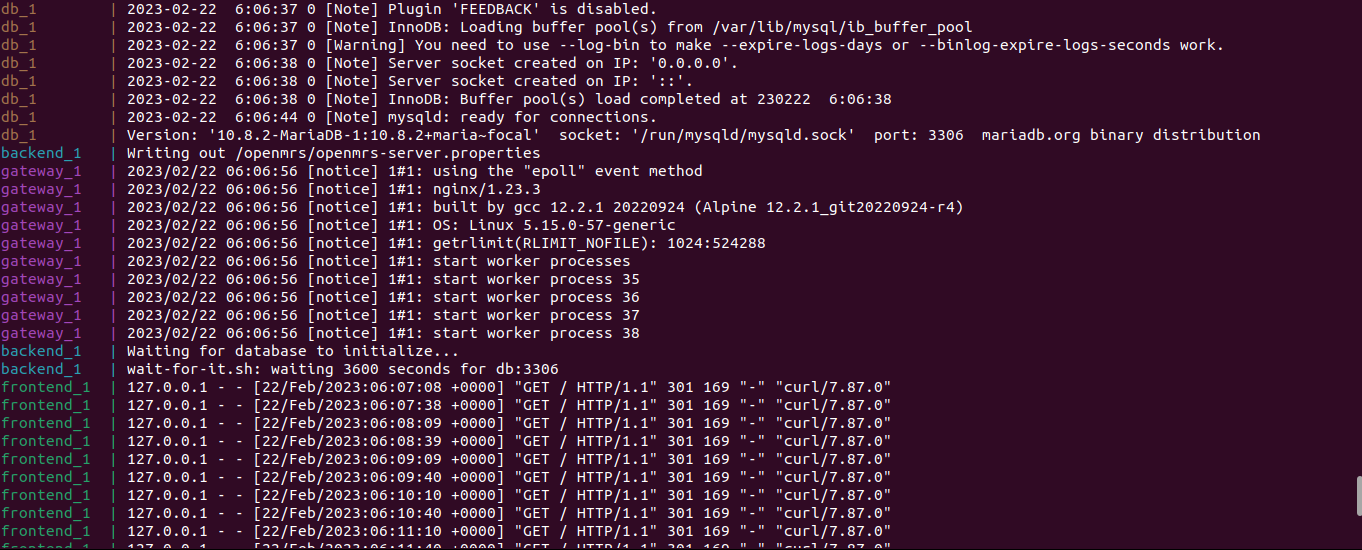
Though this is shown;
```auto
backend_1 | Waiting for database to initialize...
backend_1 | wait-for-it.sh: waiting 3600 seconds for db:3306
```
Curiously when i visit [http://localhost/openmrs/spa/login](http://localhost/openmrs/spa/login) it shows this screen; 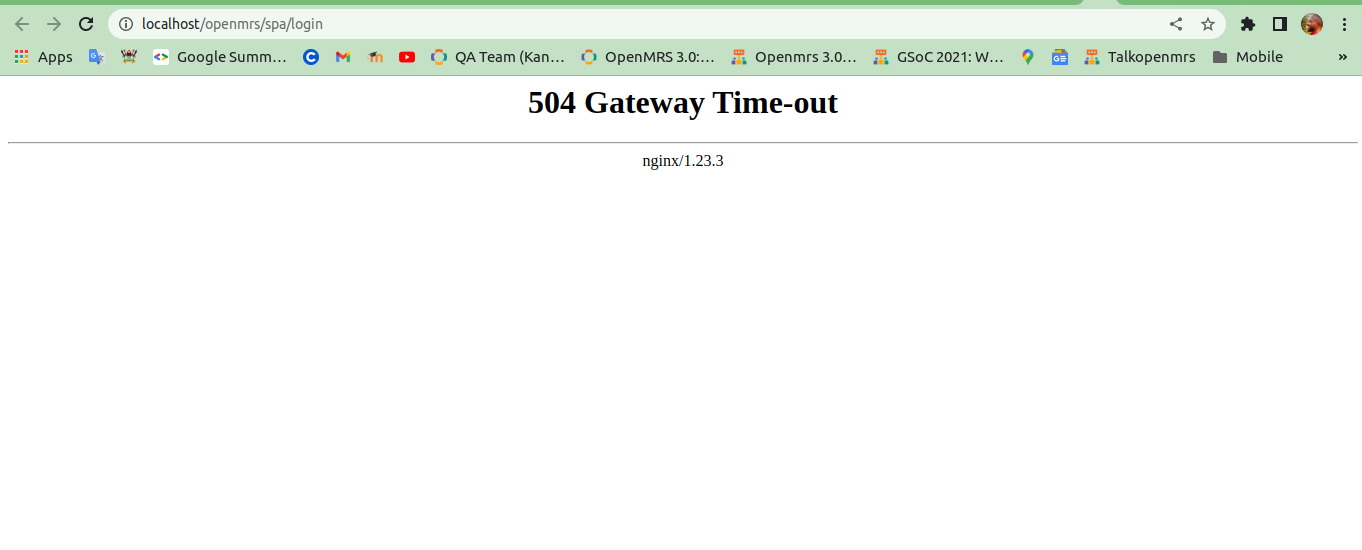
and it logs;
`gateway_1 | 2023/02/21 22:13:24 [error] 35#35: *1 upstream timed out (110: Operation timed out) while connecting to upstream, client: 172.18.0.1, server: , request: "GET /openmrs/spa/login HTTP/1.1", upstream: "` `http://172.18.0.4:80/login` `", host: "localhost"``gateway_1 | 2023/02/21 22:13:30 [error] 35#35: *1 open() "/etc/nginx/html/favicon.ico" failed (2: No such file or directory), client: 172.18.0.1, server: , request: "GET /favicon.ico HTTP/1.1", host: "localhost", referrer: "` `http://localhost/openmrs/spa/login` `"``gateway_1 | 172.18.0.1 - - [21/Feb/2023:22:13:30 +0000] "GET /favicon.ico HTTP/1.1" 404 555 "` `http://localhost/openmrs/spa/login` `" "Mozilla/5.0 (X11; Linux x86_64) AppleWebKit/537.36 (KHTML, like Gecko) Chrome/109.0.0.0 Safari/537.36" "-"`
mainly ;
`nginx: [emerg] host not found in upstream "frontend" in /etc/nginx/nginx.conf:35`
but when try finding out whether the `frontend` container is started , it shows that it is successfully started . All the four containers; backend
frontend
db
gateway
seem to start successfully.
QUESTION
What could be the challange of noot accessing the dev3 app at [http://localhost/openmrs/spa/login](http://localhost/openmrs/spa/login)
wikis am following [https://wiki.openmrs.org/pages/viewpage.action?pageId=224527013](https://wiki.openmrs.org/pages/viewpage.action?pageId=224527013)[https://wiki.openmrs.org/display/docs/Installing+OpenMRS+on+Docker](https://wiki.openmrs.org/display/docs/Installing+OpenMRS+on+Docker)
thanks
@dkayiwa @dennis @jnsereko @ibacher @mozzy
---
### Author:  [@jnsereko](https://talk.openmrs.org/u/jnsereko)
#### Post date: [February 22, 2023, 7:09am UTC](https://talk.openmrs.org/t/cloning-dev3-app-and-running-docker-development-environment/38662/2 "2023-02-22T07:09:19Z")
> [@thembo42](#):
>
> nginx: [emerg] host not found in upstream “frontend” in /etc/nginx/nginx.conf:35
The error message “nginx: [emerg] host not found in upstream” usually indicates that the upstream server that Nginx is trying to connect to cannot be resolved. In this case, the error message specifically mentions that the host “frontend” is not found.
try cloning the whole repo, [https://github.com/openmrs/openmrs-distro-referenceapplication](https://github.com/openmrs/openmrs-distro-referenceapplication/blob/main/docker-compose.yml), and then execute `docker compose build && docker compose up`
The repo has `nginx` bash files that will be executed as you build the images
---
### Author:  [@thembo42](https://talk.openmrs.org/u/thembo42)
#### Post date: [February 22, 2023, 7:23am UTC](https://talk.openmrs.org/t/cloning-dev3-app-and-running-docker-development-environment/38662/3 "2023-02-22T07:23:10Z")
great @jnsereko have some error;
```auto
failed to solve: rpc error: code = Unknown desc = failed to solve with frontend dockerfile.v0: failed to create LLB definition: rpc error: code = Unknown desc = error getting credentials - err: exit status 1, out: `error getting credentials - err: exit status 1, out: `exit status 2: gpg: decryption failed: No secret key``
```
I think it concerned with credentials to authenticate Docker registry where the base image for the frontend container is located cannot be obtained.
---
### Author:  [@jnsereko](https://talk.openmrs.org/u/jnsereko)
#### Post date: [February 22, 2023, 7:44am UTC](https://talk.openmrs.org/t/cloning-dev3-app-and-running-docker-development-environment/38662/4 "2023-02-22T07:44:10Z")
kindly share the full log
cc @dkayiwa
---
### Author:  [@thembo42](https://talk.openmrs.org/u/thembo42)
#### Post date: [February 22, 2023, 7:47am UTC](https://talk.openmrs.org/t/cloning-dev3-app-and-running-docker-development-environment/38662/5 "2023-02-22T07:47:07Z")
sure!
here; [thembo@thembo-jona-workspace:~/openmrs-distro-referenceapplication$ docker compo - Pastebin.com](https://pastebin.com/gUB29DaC)
---
### Author:  [@jnsereko](https://talk.openmrs.org/u/jnsereko)
#### Post date: [February 22, 2023, 8:10am UTC](https://talk.openmrs.org/t/cloning-dev3-app-and-running-docker-development-environment/38662/6 "2023-02-22T08:10:37Z")
Seams that there was a problem with the Docker build process related to the credentials used for authentication. Actually, it seems like Docker is trying to access a GPG secret key to decrypt some credentials which maybe invalid or absent.
As you should;
1. Verify that the GPG secret key is present
2. Check the permissions of the GPG secret key
3. Try importing the GPG secret key again
4. Check that the credentials are correct
I don’t think building and/or running the RefApp 3.x images requires authentication and can fail without it. The only process that might need credentials is deployment of these images
cc @raff @burke
---
### Author:  [@thembo42](https://talk.openmrs.org/u/thembo42)
#### Post date: [February 22, 2023, 9:05am UTC](https://talk.openmrs.org/t/cloning-dev3-app-and-running-docker-development-environment/38662/7 "2023-02-22T09:05:52Z")
thanks @jnsereko all the steps i have confirmed and they seem correct. But still throughs the same error when i run
> [@jnsereko](#):
>
> `docker compose build && docker compose up`
this
---
### Author:  [@thembo42](https://talk.openmrs.org/u/thembo42)
#### Post date: [February 22, 2023, 9:56am UTC](https://talk.openmrs.org/t/cloning-dev3-app-and-running-docker-development-environment/38662/8 "2023-02-22T09:56:01Z")
have removed the docker-helper-credentials from the system `sudo rm -rf /usr/bin/docker-credential-helpers`, quite risky(will reconfigure) but now its building images though taking decades 🤣
thank you so much @jnsereko
---
### Author:  [@jnsereko](https://talk.openmrs.org/u/jnsereko)
#### Post date: [February 22, 2023, 10:12am UTC](https://talk.openmrs.org/t/cloning-dev3-app-and-running-docker-development-environment/38662/9 "2023-02-22T10:12:31Z")
hooray! confirm when it works
---
### Author:  [@thembo42](https://talk.openmrs.org/u/thembo42)
#### Post date: [February 22, 2023, 10:47am UTC](https://talk.openmrs.org/t/cloning-dev3-app-and-running-docker-development-environment/38662/10 "2023-02-22T10:47:55Z")
maven log:
> **[maven log - Pastebin.com](https://pastebin.com/YfJMpSSs)**
>
> Pastebin.com is the number one paste tool since 2002. Pastebin is a website where you can store text online for a set period of time.
---
### Author:  [@thembo42](https://talk.openmrs.org/u/thembo42)
#### Post date: [February 22, 2023, 10:53am UTC](https://talk.openmrs.org/t/cloning-dev3-app-and-running-docker-development-environment/38662/11 "2023-02-22T10:53:16Z")
full log;
> **[full log - Pastebin.com](https://pastebin.com/bkF2Ch6K)**
>
> Pastebin.com is the number one paste tool since 2002. Pastebin is a website where you can store text online for a set period of time.
---
### Author:  [@thembo42](https://talk.openmrs.org/u/thembo42)
#### Post date: [February 22, 2023, 2:15pm UTC](https://talk.openmrs.org/t/cloning-dev3-app-and-running-docker-development-environment/38662/12 "2023-02-22T14:15:15Z")
It has finally run on [http://localhost/openmrs/spa/login](http://localhost/openmrs/spa/login) Though still with a white screen; 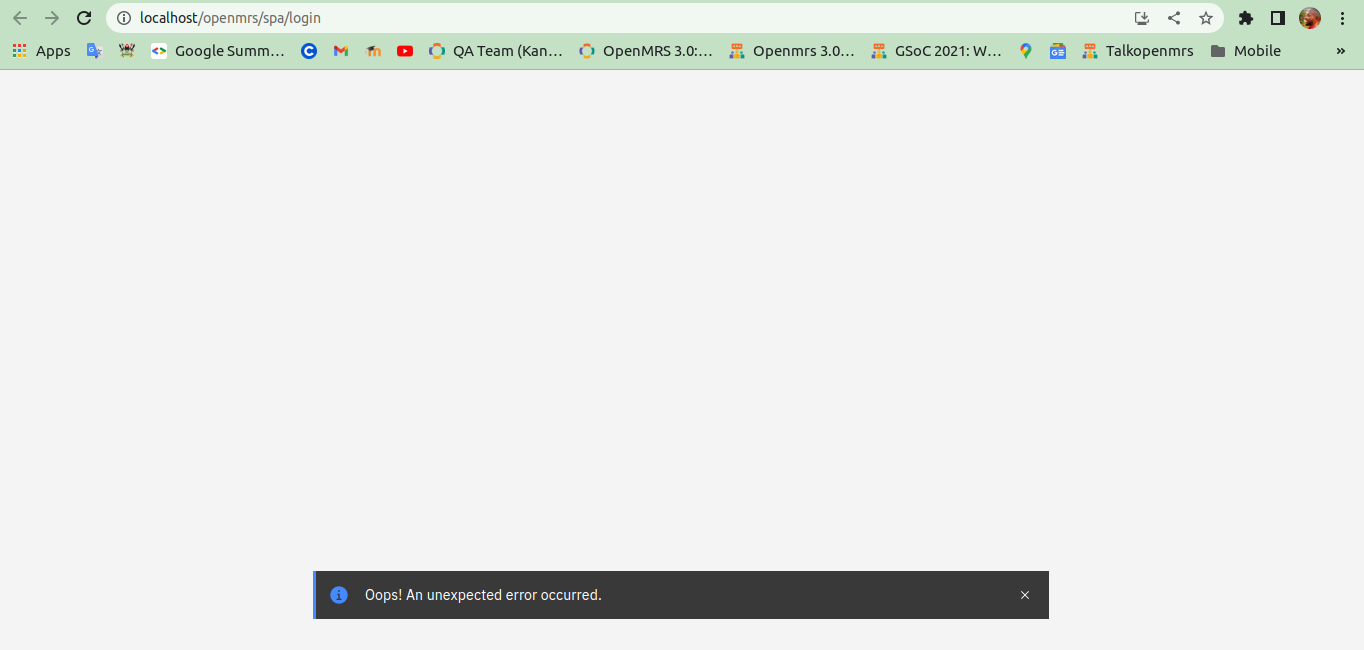
and the logs is;
```auto
03-docker-composer-gateway-1 | 172.18.0.1 - - [22/Feb/2023:14:07:31 +0000] "GET /openmrs/ws/rest/v1/session HTTP/1.1" 502 559 "http://localhost/openmrs/spa/login" "Mozilla/5.0 (X11; Linux x86_64) AppleWebKit/537.36 (KHTML, like Gecko) Chrome/109.0.0.0 Safari/537.36" "-"
03-docker-composer-gateway-1 | 2023/02/22 14:07:31 [error] 36#36: *1664 connect() failed (111: Connection refused) while connecting to upstream, client: 172.18.0.1, server: , request: "GET /openmrs/ws/rest/v1/session HTTP/1.1", upstream: "http://172.18.0.3:8080/openmrs/ws/rest/v1/session", host: "localhost", referrer: "http://localhost/openmrs/spa/login"
03-docker-composer-gateway-1 | 172.18.0.1 - - [22/Feb/2023:14:07:31 +0000] "GET /openmrs/ws/rest/v1/session HTTP/1.1" 502 559 "http://localhost/openmrs/spa/login" "Mozilla/5.0 (X11; Linux x86_64) AppleWebKit/537.36 (KHTML, like Gecko) Chrome/109.0.0.0 Safari/537.36" "-"
03-docker-composer-gateway-1 | 2023/02/22 14:07:31 [error] 36#36: *1664 connect() failed (111: Connection refused) while connecting to upstream, client: 172.18.0.1, server: , request: "GET /openmrs/ws/rest/v1/session HTTP/1.1", upstream: "http://172.18.0.3:8080/openmrs/ws/rest/v1/session", host: "localhost", referrer: "http://localhost/openmrs/spa/login"
03-docker-composer-gateway-1 | 172.18.0.1 - - [22/Feb/2023:14:07:31 +0000] "GET /openmrs/ws/rest/v1/session HTTP/1.1" 502 559 "http://localhost/openmrs/spa/login" "Mozilla/5.0 (X11; Linux x86_64) AppleWebKit/537.36 (KHTML, like Gecko) Chrome/109.0.0.0 Safari/537.36" "-"
03-docker-composer-frontend-1 | 127.0.0.1 - - [22/Feb/2023:14:07:32 +0000] "GET / HTTP/1.1" 301 169 "-" "curl/7.87.0"
03-docker-composer-frontend-1 | 172.18.0.5 - - [22/Feb/2023:14:07:33 +0000] "GET /service-worker.js HTTP/1.1" 304 0 "http://localhost/openmrs/spa/service-worker.js" "Mozilla/5.0 (X11; Linux x86_64) AppleWebKit/537.36 (KHTML, like Gecko) Chrome/109.0.0.0 Safari/537.36"
03-docker-composer-gateway-1 | 172.18.0.1 - - [22/Feb/2023:14:07:33 +0000] "GET /openmrs/spa/service-worker.js HTTP/1.1" 304 0 "http://localhost/openmrs/spa/service-worker.js" "Mozilla/5.0 (X11; Linux x86_64) AppleWebKit/537.36 (KHTML, like Gecko) Chrome/109.0.0.0 Safari/537.36" "-"
```
I will love to kindly here from the community about the docker compose file, the openmrs container, Nginx reverse proxy server, and other containers as its quite painful to spin up this.
@dkayiwa @raff @ibacher @dennis @vasharma05 @jnsereko
---
### Author:  [@ibacher](https://talk.openmrs.org/u/ibacher)
#### Post date: [February 22, 2023, 3:24pm UTC](https://talk.openmrs.org/t/cloning-dev3-app-and-running-docker-development-environment/38662/13 "2023-02-22T15:24:22Z")
> `2023/02/22 14:07:31 [error] 36#36: *1664 connect() failed (111: Connection refused) while connecting to upstream, client: 172.18.0.1, server: , request: "GET /openmrs/ws/rest/v1/session HTTP/1.1", upstream: "http://172.18.0.3:8080/openmrs/ws/rest/v1/session", host: "localhost", referrer: "http://localhost/openmrs/spa/login"`
This indicates that NGinx can’t connect to the backend server. What messages are you seeing from the backend server? (`docker compose logs backend` should get them).
---
### Author:  [@thembo42](https://talk.openmrs.org/u/thembo42)
#### Post date: [February 22, 2023, 3:32pm UTC](https://talk.openmrs.org/t/cloning-dev3-app-and-running-docker-development-environment/38662/14 "2023-02-22T15:32:26Z")
> [@ibacher](#):
>
> docker compose logs backend
thanks @ibacherhere;
```auto
03-docker-composer-backend-1 | Initiating OpenMRS startup
03-docker-composer-backend-1 | Deleting modules, OWAs and configuration from OpenMRS
03-docker-composer-backend-1 | Loading distribution artifacts into OpenMRS
03-docker-composer-backend-1 | Writing out /openmrs/openmrs-server.properties
03-docker-composer-backend-1 | Waiting for database to initialize...
03-docker-composer-backend-1 | wait-for-it.sh: waiting 3600 seconds for db:3306
03-docker-composer-backend-1 | Initiating OpenMRS startup
03-docker-composer-backend-1 | Deleting modules, OWAs and configuration from OpenMRS
03-docker-composer-backend-1 | Loading distribution artifacts into OpenMRS
03-docker-composer-backend-1 | Writing out /openmrs/openmrs-server.properties
03-docker-composer-backend-1 | Waiting for database to initialize...
03-docker-composer-backend-1 | wait-for-it.sh: waiting 3600 seconds for db:3306
03-docker-composer-backend-1 | Initiating OpenMRS startup
03-docker-composer-backend-1 | Deleting modules, OWAs and configuration from OpenMRS
03-docker-composer-backend-1 | Loading distribution artifacts into OpenMRS
03-docker-composer-backend-1 | Writing out /openmrs/openmrs-server.properties
03-docker-composer-backend-1 | Waiting for database to initialize...
03-docker-composer-backend-1 | wait-for-it.sh: waiting 3600 seconds for db:3306
```
---
### Author:  [@ibacher](https://talk.openmrs.org/u/ibacher)
#### Post date: [February 22, 2023, 3:34pm UTC](https://talk.openmrs.org/t/cloning-dev3-app-and-running-docker-development-environment/38662/15 "2023-02-22T15:34:12Z")
Ok… and the logs for the database? (`docker compose logs db`)?
---
### Author:  [@thembo42](https://talk.openmrs.org/u/thembo42)
#### Post date: [February 22, 2023, 3:35pm UTC](https://talk.openmrs.org/t/cloning-dev3-app-and-running-docker-development-environment/38662/16 "2023-02-22T15:35:52Z")
> [@ibacher](#):
>
> docker compose logs db
```auto
03-docker-composer-db-1 | 2023-02-22 14:17:49+00:00 [Note] [Entrypoint]: Entrypoint script for MariaDB Server 1:10.8.2+maria~focal started.
03-docker-composer-db-1 | 2023-02-22 14:17:49+00:00 [Note] [Entrypoint]: Switching to dedicated user 'mysql'
03-docker-composer-db-1 | 2023-02-22 14:17:49+00:00 [Note] [Entrypoint]: Entrypoint script for MariaDB Server 1:10.8.2+maria~focal started.
03-docker-composer-db-1 | 2023-02-22 14:17:50+00:00 [Note] [Entrypoint]: Initializing database files
03-docker-composer-db-1 | 2023-02-22 14:17:50 0 [ERROR] InnoDB: Corrupted page [page id: space=0, page number=0] of datafile './ibdata1' could not be found in the doublewrite buffer.
03-docker-composer-db-1 | 2023-02-22 14:17:50 0 [ERROR] InnoDB: Plugin initialization aborted with error Data structure corruption
03-docker-composer-db-1 | 2023-02-22 14:17:51 0 [ERROR] Plugin 'InnoDB' init function returned error.
03-docker-composer-db-1 | 2023-02-22 14:17:51 0 [ERROR] Plugin 'InnoDB' registration as a STORAGE ENGINE failed.
03-docker-composer-db-1 | 2023-02-22 14:17:51 0 [ERROR] Unknown/unsupported storage engine: InnoDB
03-docker-composer-db-1 | 2023-02-22 14:17:51 0 [ERROR] Aborting
03-docker-composer-db-1 |
03-docker-composer-db-1 | Installation of system tables failed! Examine the logs in
03-docker-composer-db-1 | /var/lib/mysql/ for more information.
03-docker-composer-db-1 |
03-docker-composer-db-1 | The problem could be conflicting information in an external
03-docker-composer-db-1 | my.cnf files. You can ignore these by doing:
03-docker-composer-db-1 |
03-docker-composer-db-1 | shell> /usr/bin/mariadb-install-db --defaults-file=~/.my.cnf
03-docker-composer-db-1 |
03-docker-composer-db-1 | You can also try to start the mysqld daemon with:
03-docker-composer-db-1 |
03-docker-composer-db-1 | shell> /usr/sbin/mariadbd --skip-grant-tables --general-log &
03-docker-composer-db-1 |
03-docker-composer-db-1 | and use the command line tool /usr/bin/mariadb
03-docker-composer-db-1 | to connect to the mysql database and look at the grant tables:
03-docker-composer-db-1 |
03-docker-composer-db-1 | shell> /usr/bin/mysql -u root mysql
03-docker-composer-db-1 | mysql> show tables;
03-docker-composer-db-1 |
03-docker-composer-db-1 | Try 'mysqld --help' if you have problems with paths. Using
03-docker-composer-db-1 | --general-log gives you a log in /var/lib/mysql/ that may be helpful.
03-docker-composer-db-1 |
03-docker-composer-db-1 | The latest information about mysql_install_db is available at
03-docker-composer-db-1 | https://mariadb.com/kb/en/installing-system-tables-mysql_install_db
03-docker-composer-db-1 | You can find the latest source at https://downloads.mariadb.org and
03-docker-composer-db-1 | the maria-discuss email list at https://launchpad.net/~maria-discuss
03-docker-composer-db-1 |
03-docker-composer-db-1 | Please check all of the above before submitting a bug report
03-docker-composer-db-1 | at https://mariadb.org/jira
03-docker-composer-db-1 |
03-docker-composer-db-1 | 2023-02-22 14:17:56+00:00 [Note] [Entrypoint]: Entrypoint script for MariaDB Server 1:10.8.2+maria~focal started.
03-docker-composer-db-1 | 2023-02-22 14:17:56+00:00 [Note] [Entrypoint]: Switching to dedicated user 'mysql'
03-docker-composer-db-1 | 2023-02-22 14:17:56+00:00 [Note] [Entrypoint]: Entrypoint script for MariaDB Server 1:10.8.2+maria~focal started.
03-docker-composer-db-1 | 2023-02-22 14:17:57+00:00 [Note] [Entrypoint]: Initializing database files
03-docker-composer-db-1 | 2023-02-22 14:17:57 0 [ERROR] InnoDB: Corrupted page [page id: space=0, page number=0] of datafile './ibdata1' could not be found in the doublewrite buffer.
03-docker-composer-db-1 | 2023-02-22 14:17:57 0 [ERROR] InnoDB: Plugin initialization aborted with error Data structure corruption
03-docker-composer-db-1 | 2023-02-22 14:17:57 0 [ERROR] Plugin 'InnoDB' init function returned error.
03-docker-composer-db-1 | 2023-02-22 14:17:57 0 [ERROR] Plugin 'InnoDB' registration as a STORAGE ENGINE failed.
03-docker-composer-db-1 | 2023-02-22 14:17:57 0 [ERROR] Unknown/unsupported storage engine: InnoDB
03-docker-composer-db-1 | 2023-02-22 14:17:57 0 [ERROR] Aborting
03-docker-composer-db-1 |
03-docker-composer-db-1 | Installation of system tables failed! Examine the logs in
03-docker-composer-db-1 | /var/lib/mysql/ for more information.
03-docker-composer-db-1 |
03-docker-composer-db-1 | The problem could be conflicting information in an external
03-docker-composer-db-1 | my.cnf files. You can ignore these by doing:
03-docker-composer-db-1 |
03-docker-composer-db-1 | shell> /usr/bin/mariadb-install-db --defaults-file=~/.my.cnf
03-docker-composer-db-1 |
03-docker-composer-db-1 | You can also try to start the mysqld daemon with:
03-docker-composer-db-1 |
03-docker-composer-db-1 | shell> /usr/sbin/mariadbd --skip-grant-tables --general-log &
03-docker-composer-db-1 |
03-docker-composer-db-1 | and use the command line tool /usr/bin/mariadb
03-docker-composer-db-1 | to connect to the mysql database and look at the grant tables:
03-docker-composer-db-1 |
03-docker-composer-db-1 | shell> /usr/bin/mysql -u root mysql
03-docker-composer-db-1 | mysql> show tables;
03-docker-composer-db-1 |
03-docker-composer-db-1 | Try 'mysqld --help' if you have problems with paths. Using
03-docker-composer-db-1 | --general-log gives you a log in /var/lib/mysql/ that may be helpful.
03-docker-composer-db-1 |
03-docker-composer-db-1 | The latest information about mysql_install_db is available at
03-docker-composer-db-1 | https://mariadb.com/kb/en/installing-system-tables-mysql_install_db
03-docker-composer-db-1 | You can find the latest source at https://downloads.mariadb.org and
03-docker-composer-db-1 | the maria-discuss email list at https://launchpad.net/~maria-discuss
03-docker-composer-db-1 |
03-docker-composer-db-1 | Please check all of the above before submitting a bug report
03-docker-composer-db-1 | at https://mariadb.org/jira
```
---
### Author:  [@ibacher](https://talk.openmrs.org/u/ibacher)
#### Post date: [February 22, 2023, 3:58pm UTC](https://talk.openmrs.org/t/cloning-dev3-app-and-running-docker-development-environment/38662/17 "2023-02-22T15:58:26Z")
So the DB isn’t starting, which is blocking OMRS from starting. The DB isn’t starting because there’s a corrupted page in the database:
```auto
03-docker-composer-db-1 | 2023-02-22 14:17:50 0 [ERROR] InnoDB: Corrupted page [page id: space=0, page number=0] of datafile './ibdata1' could not be found in the doublewrite buffer.
```
No idea why… It could be anything from the DB container having been exited in the initialization process or just running out of disk space. You could try just doing `docker compose down -v --remove-orphans` and then running `docker compose up`.
---
### Author:  [@thembo42](https://talk.openmrs.org/u/thembo42)
#### Post date: [February 22, 2023, 5:05pm UTC](https://talk.openmrs.org/t/cloning-dev3-app-and-running-docker-development-environment/38662/18 "2023-02-22T17:05:25Z")
Thanks @ibacher doing schema migration though taking forever 😀